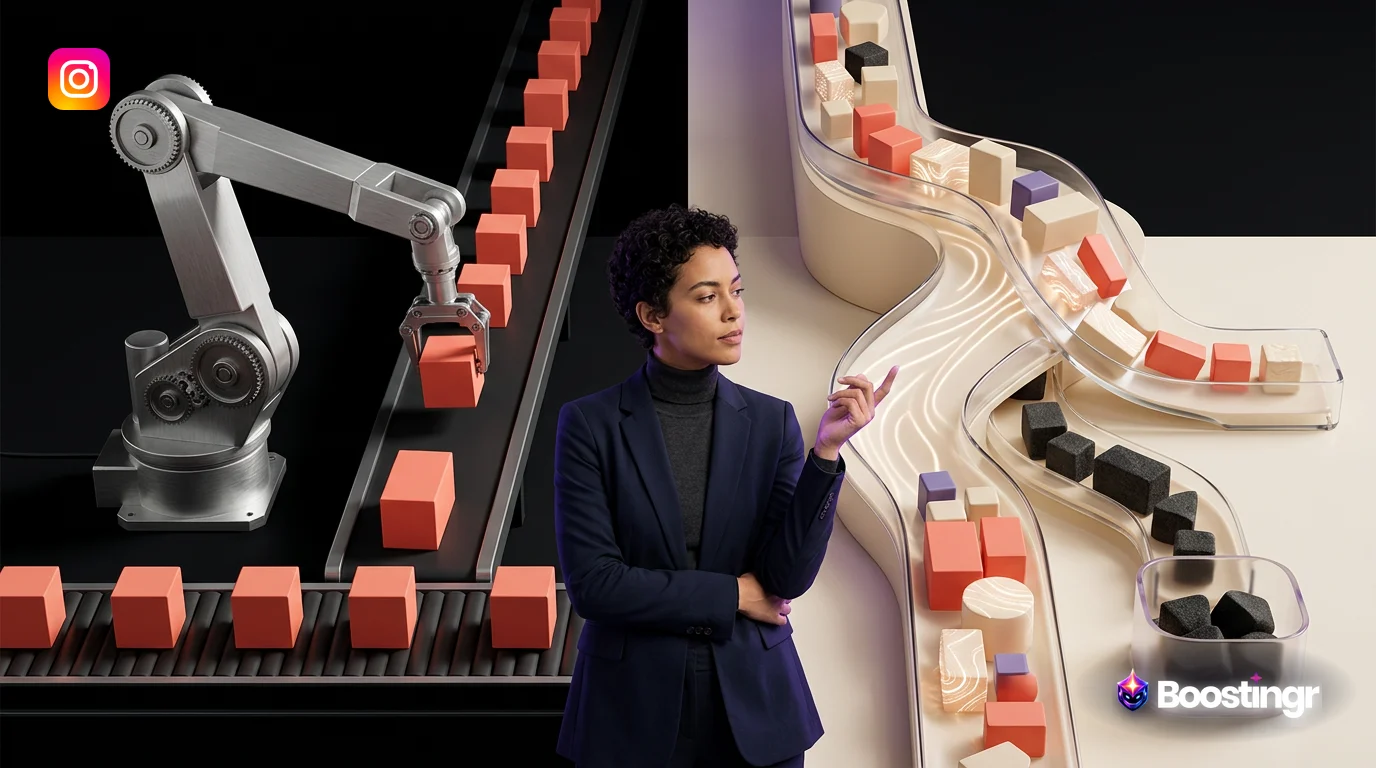
Quick Answer
The best AI automation tool for social media is a platform that moves beyond content creation and scheduling to provide intelligent comment management. It uses true AI to understand sentiment and intent, automates the full workflow of classifying, moderating, and responding to comments, and transforms community engagement into actionable data. This approach protects brand safety, captures leads, and provides deep community intelligence, unlike basic schedulers or rule-based bots.
Beyond Content Creation: Why True AI Automation Focuses on Engagement
For years, the conversation around social media automation has been dominated by two functions: content creation and scheduling. Tools that can generate post ideas, write captions, and schedule them across multiple platforms have become commonplace. While useful, this represents only one side of the social media equation. You broadcast your message, but what happens next?
The real value, and the biggest challenge, lies in the conversation that follows—in the comments. This is where customers ask questions, prospects show buying signals, fans share their love, and trolls try to derail the conversation. Managing this deluge of interaction manually is unsustainable, yet most so-called "AI automation tools" offer little help here.
This is where the critical distinction between basic automation and true AI-driven automation emerges.
* **Basic Automation:** This operates on simple rules and keywords. Think "if a comment contains 'price,' then reply with a link to the pricing page." It's rigid, easily confused by slang or typos, and lacks any understanding of context. It's a blunt instrument in a nuanced environment. * **True AI Automation:** This involves Natural Language Understanding (NLU) to grasp the context, sentiment, and, most importantly, the *intent* behind a comment. It can differentiate between a sarcastic comment and genuine praise, or a customer service issue versus a sales lead, even when they use similar words. This is the core of modern **AI for social media engagement**.
Competitor analyses show that major platforms like Zapier and Monday.com feature tools heavily skewed towards content generation. While they list platforms that *have* engagement features, the focus remains on the pre-publishing workflow. This leaves a significant gap for brands and creators whose biggest bottleneck isn't creating content, but managing the community it generates. The best AI automation tool for social media must be an expert in conversation, not just content.
The Workflow-First Framework: How to Evaluate an AI Social Media Manager
To find a tool that truly solves engagement challenges, you need to move beyond a simple feature checklist. Instead, adopt a "workflow-first" approach. Evaluate tools based on how they solve specific problems within the full lifecycle of a social media comment. This framework is built on three pillars: Intelligence, Action, and Learning.
1. Intelligence & Understanding
This is the AI's brain. How well does it comprehend human language? Look for capabilities that go beyond simple keyword matching.
* **Sentiment Analysis:** The ability to accurately gauge the emotional tone of a comment (Positive, Negative, Neutral, Mixed). A robust tool can detect sarcasm or nuanced negativity, preventing awkward automated replies to frustrated users. * **Intent Detection:** This is the most critical element. It's the AI's ability to understand *what the user wants to achieve*. Key intents to look for include: * **Purchase Intent:** Comments like "I need this!" or "How much is the blue one?" * **Customer Support:** Questions about orders, product issues, or service problems. * **Spam/Junk:** Irrelevant or malicious links and self-promotion. * **Troll/Hate Speech:** Abusive language intended to provoke or harm. * **Positive Feedback:** Genuine praise and brand advocacy. * **Contextual Awareness:** A smart AI doesn't analyze a comment in a vacuum. It considers the original post's content, previous interactions with the user, and the overall conversation thread to make a more informed decision.
2. Action & Workflow Automation
Once the AI understands a comment, it must be able to act on it intelligently. This is where you build your automated **AI for community management** system.
* **Classification & Routing:** The tool should automatically tag comments based on their intent (e.g., `[Lead]`, `[Support]`, `[Spam]`) and route them to the appropriate team or workflow. A support ticket can be created for a `[Support]` comment, while a `[Lead]` comment is sent to the sales team's inbox. * **Automated Moderation:** For brand safety, the system must be able to automatically hide or delete comments classified as spam, hate speech, or trolling based on your predefined rules. This is a non-negotiable for any brand operating at scale. You can learn more about this in our guide to AI comment moderation. * **Intelligent Response Generation:** The AI should be able to draft or send replies that are not only accurate but also align with your brand's unique voice and tone. This goes beyond generic templates to generate human-like, context-aware responses.
3. Learning & Analytics
The best systems don't just execute; they learn and provide insights to make your strategy smarter.
* **Brand Memory:** This is a hallmark of an advanced AI platform like Boostingr. The AI learns from every interaction and every edit you make. If you tweak an AI-suggested reply to sound more like your brand, the AI remembers that preference for all future responses. It's a system you can teach, ensuring it becomes a true extension of your team. * **Community Intelligence:** The tool should aggregate all this comment data into a powerful analytics dashboard. Instead of just tracking likes and shares, you can analyze trends in customer sentiment, identify common support issues, see what features people are asking for, and measure the volume of leads generated from your comments. This turns your comments section from a chaotic forum into a goldmine of strategic insights.
Social Media Automation Tools Comparison: From Broad Platforms to Specialists
The market for AI social media tools can be confusing. It's broadly divided into large, all-in-one platforms and newer, specialized AI tools. Understanding this distinction is key to finding the right solution for your specific needs. This **social media automation tools comparison** will clarify the landscape.
All-in-One Platforms (The Generalists)
These are the established giants of social media management. They offer a wide array of features, from scheduling and content creation to analytics and listening. However, their comment management capabilities are often a feature within a larger, more complex system, rather than the core focus.
* **Sprout Social:** Known for its powerful analytics and social listening capabilities, Sprout Social has integrated AI to enhance these features. The **Sprout Social AI features** are impressive for trend analysis and content suggestions. However, its comment management workflow is less about granular, intent-based automation and more about organizing comments in a smart inbox for manual review. It's a powerful tool for enterprise-level analytics but may be overkill and less specialized for teams focused purely on comment workflow automation. * **Hootsuite:** A pioneer in social media scheduling, Hootsuite has incorporated AI primarily for content creation (OwlyWriter AI) and identifying optimal posting times. A **Hootsuite AI review** shows that while it helps manage conversations in a unified inbox, its automation relies more on basic filtering and saved replies. It lacks the deep intent detection and automated moderation workflows needed to manage engagement at scale without significant manual effort.
Specialized AI Tools (The Specialists)
These tools are built from the ground up with AI at their core, specifically to solve the challenges of community engagement and comment management. They prioritize the workflow-first framework of understanding, acting, and learning.
* **Boostingr:** Boostingr is designed as the operating system for AI-powered comment management. It focuses exclusively on the full lifecycle of community intelligence. Instead of trying to be an all-in-one solution, it perfects the workflow of understanding comment intent (like identifying leads for Instagram lead capture), automatically moderating spam and trolls to ensure brand safety, and generating on-brand replies using its Brand Memory. The entire platform is built around the idea that you can "Teach Once, Engage Everywhere," creating a scalable, intelligent system that learns and adapts to your brand. * **Respondology:** As a direct competitor, Respondology also focuses on comment management. It excels at hiding negative comments and providing a dashboard for response. However, its primary focus is on the *response* part of the workflow. It's less focused on the broader community intelligence lifecycle, such as deep intent classification for lead capture or using Brand Memory to perfect an AI Instagram reply bot's tone over time. The opportunity to analyze comment trends to inform business strategy is also less developed compared to a full community intelligence platform.
Comparison Table
To make the differences clear, here’s a high-level comparison of how these platforms stack up against the workflow-first framework.
| Feature / Capability | Boostingr | Sprout Social | Hootsuite | Basic Bots (e.g., ManyChat) |
|---|---|---|---|---|
| **Deep Intent Detection** | ✅ | 🟡 | ❌ | ❌ |
| (Lead, Support, Spam, etc.) | (Core feature) | (Primarily for listening) | (No) | (Keyword-based only) |
| **Automated Spam/Troll Hiding** | ✅ | 🟡 | 🟡 | ❌ |
| (AI-powered & rule-based) | (Limited rules) | (Limited rules) | (No) | |
| **Brand Memory for AI Replies** | ✅ | ❌ | ❌ | ❌ |
| (AI learns from your edits) | (No) | (No) | (No) | |
| **Lead Capture from Comments** | ✅ | ❌ | ❌ | 🟡 |
| (Intent-based) | (No) | (No) | (Keyword-based only) | |
| **Full Comment Workflow** | ✅ | 🟡 | 🟡 | ❌ |
| (Classify, Moderate, Route, Reply) | (Inbox management) | (Inbox management) | (No) | |
| **Community Intelligence Analytics** | ✅ | ✅ | 🟡 | ❌ |
| (Analyzes comment trends) | (Strong listening analytics) | (Basic reporting) | (No) | |
| **Content Creation & Scheduling** | ❌ | ✅ | ✅ | ❌ |
| (Focus is on engagement) | (Core feature) | (Core feature) | (No) |
Practical Examples and Use Cases
Theory is great, but how does a workflow-first AI tool work in practice? Here are a few real-world scenarios.
Use Case 1: The Ecommerce Brand That Never Misses a Sale
An apparel brand posts a new collection on Instagram. The post gets hundreds of comments.
* **Without AI Workflow:** A social media manager manually sifts through comments. They find "How much for the jacket?" buried under 50 spam comments and 20 flame emojis. By the time they reply, the user has lost interest. * **With Boostingr:** The moment comments appear, Boostingr's AI gets to work.
- It instantly hides 50 comments it classifies as `[Spam]`. See how in our spam detection workflow guide.
- It identifies "How much for the jacket?" and "Do you ship to Canada?" and tags them as `[Lead]`. These are routed directly to a priority inbox for the sales team.
- It sees "My order from last week hasn't arrived!" and tags it as `[Support]`, creating a ticket in the brand's help desk.
- The team focuses only on high-value interactions, leading to faster response times and more sales.
> **First-Party Observation:** From our experience at Boostingr, we've seen brands reduce manual moderation time by up to 95% after implementing an AI-driven classification and hiding workflow. For one D2C client, this translated to capturing an additional 15% in high-intent leads from comments that were previously buried under spam.
Use Case 2: The Creator Maintaining a Safe Community
A popular YouTuber's video goes viral, attracting millions of views and thousands of comments on their cross-posted social clips.
* **Without AI Workflow:** The comments section becomes a toxic mess of trolls, hate speech, and scams. Genuine fans are discouraged from engaging, and the creator's brand image suffers. * **With Boostingr:** The creator has set up strict moderation rules.
- Boostingr's AI, trained to detect nuanced forms of harassment, automatically hides comments classified as `[Troll]` or `[Hate Speech]`. This is crucial for troll detection on social media.
- It identifies common questions like "What camera do you use?" and uses the AI reply generator to provide a pre-approved, on-brand answer.
- The community remains a positive and safe space, fostering loyalty and growth.
Deep Dive: The 'Intelligence' in the Best AI for Instagram and Facebook
When we talk about the **best AI for Instagram** or Facebook, we're talking about the sophistication of its intelligence. The platform's ability to interact with official APIs, like the Instagram Graph API, is just the entry ticket. The real magic is in the AI models processing that data.
Sentiment is Not Intent
This is a concept that trips up many basic tools. A comment like, "I can't believe I waited this long to buy this, I'm so mad at myself!" has negative sentiment words ("can't believe," "mad") but positive purchase intent. A tool that only reads sentiment might incorrectly flag this as a negative comment. A true AI understands the colloquial structure and classifies it as `[Positive Feedback]`. Conversely, "Can you help? My app keeps crashing," is a neutral-sounding request with urgent `[Support]` intent. Differentiating between the two is fundamental for effective automation.
The Power of Brand Memory
Imagine you hire a new community manager. You have to train them on your brand's voice, your policies, and how to handle specific situations. Brand Memory is the AI equivalent. When Boostingr suggests a reply and you edit it—perhaps to be more casual or to add a specific emoji—the AI doesn't just accept the change. It learns from it. This feedback loop ensures the AI's responses become progressively more aligned with your brand, making the automation feel less robotic and more like a seasoned team member. This is key to creating brand-safe AI replies.
> **First-Party Observation:** We've noticed that clients who spend just a few minutes a day 'teaching' their Boostingr AI by editing replies see a significant increase in the quality and brand alignment of automated responses within the first two weeks. This active learning is what separates a static bot from a dynamic engagement partner.
Original Diagrams
These original visuals explain the workflow in a faster, more defensible format than plain text alone and give the article first-party assets that are easier to understand and harder to copy.
Comment Processing Workflow
This diagram illustrates how a modern AI automation tool processes every incoming comment, moving it from initial capture through analysis and classification to a final, automated action. This entire workflow happens in seconds, providing real-time management of your community engagement.
AI Decision Tree
Unlike simple rule-based bots, true AI uses a complex decision-making process to handle comments. It evaluates multiple factors like sentiment, intent, and context to choose the most appropriate action, from hiding a negative comment to flagging a potential sales lead.
Moderation Pipeline
This pipeline shows how an AI automation tool acts as a first line of defense for your brand's safety. It automatically filters out spam, hate speech, and policy violations, escalating only the most complex or sensitive cases for human review.
Intent Classification Flow
The best AI tools go beyond sentiment to understand the intent behind a comment. This flow shows how the AI sorts comments into actionable categories, allowing your team to instantly identify sales opportunities and support requests.
Brand Memory Diagram
A powerful AI tool doesn't just react; it learns and builds a 'brand memory' from every interaction. This diagram represents how the system aggregates data on common questions and user sentiment to refine its performance and provide deep community intelligence.
Checklist: Choosing Your AI Automation Tool
Use this checklist during your evaluation process to ensure you're choosing a tool built for modern engagement challenges, not just one that schedules posts.
- [ ] **Intent Detection:** Can the tool reliably differentiate between a sales lead, a support question, a spam comment, and a troll?
- [ ] **Workflow Automation:** Can you build automated rules to hide, delete, flag, or route comments based on the AI's classification?
- [ ] **Brand Safety:** Does the tool have robust, AI-powered moderation to automatically protect your comments section from spam and hate speech?
- [ ] **AI Learning:** Does the AI learn from your actions? Can you train it to match your brand voice by editing its suggestions?
- [ ] **Full Lifecycle Coverage:** Does the tool address the entire comment lifecycle: classification, moderation, routing, responding, and analytics?
- [ ] **Analytics & Insights:** Can you get strategic insights from your comment data, such as trends in sentiment or common customer questions?
- [ ] **Integration:** Does it integrate with your existing tools, like help desks or CRM systems, to route information effectively?
- [ ] **Platform Support:** Does it support the social media platforms that are most important to your brand (e.g., Instagram, Facebook, YouTube, TikTok)?
- [ ] **Scalability:** Is the pricing and architecture designed to grow with you, from a solo creator to a large enterprise? Check out our pricing page for a transparent model.
Key Takeaways
* The best AI automation tool for social media excels at **comment management and community intelligence**, not just content creation. * Adopt a **workflow-first framework** when evaluating tools, focusing on how they solve problems like brand safety, lead capture, and customer support at scale. * True AI understands **intent, not just keywords or sentiment**. This is the key differentiator between a basic bot and an intelligent automation platform. * Look for specialized tools like **Boostingr** that are built specifically for the full lifecycle of comment management: classifying, moderating, routing, responding, and analyzing. * Features like **Brand Memory** are critical for ensuring AI-generated replies are consistently on-brand and improve over time. * Your comments section is a valuable source of data. The right tool transforms this data into **community intelligence** that can inform your entire business strategy.
Ready to move beyond basic scheduling and unlock the power of your community? Sign up for Boostingr and see what true AI-powered comment management can do.
FAQs
What is the best AI automation tool for social media?
The best tool is one that specializes in AI-powered comment management, like Boostingr. It goes beyond scheduling to understand comment intent, automate moderation for brand safety, capture leads, and provide community intelligence. This workflow-first approach is more effective than all-in-one tools that only offer basic engagement features.
How is AI used for social media engagement?
AI is used for social media engagement by automatically analyzing comments to understand their sentiment and intent. This allows a platform to perform actions like hiding spam, flagging support requests, identifying sales leads, and even generating context-aware, on-brand replies, all of which saves time and improves the quality of community management.
What's the difference between an AI social media manager and a scheduler?
An AI scheduler focuses on the 'publishing' part of social media: creating content and scheduling it to post at optimal times. A true AI social media manager, like Boostingr, focuses on the 'engagement' part: managing the conversations that happen after you post by using AI to moderate comments, respond intelligently, and analyze community feedback.
Can AI automatically respond to comments?
Yes, advanced AI tools can automatically respond to comments. Unlike simple bots that use keyword triggers, platforms with true AI can generate context-aware replies that match a specific brand voice. Features like Brand Memory allow the AI to learn from human edits, making its responses more accurate and human-like over time.
How does AI help with comment moderation?
AI significantly enhances comment moderation by automatically identifying and acting on undesirable comments. It uses natural language understanding to detect spam, trolls, hate speech, and other policy violations with high accuracy. This allows brands to automatically hide or delete harmful comments in real-time, ensuring a safe and positive community space. Learn more on our AI comment moderation guide.
What is community intelligence?
Community intelligence is the strategic insight gained from analyzing conversations happening within your community, primarily in your social media comments. An AI platform can aggregate and analyze thousands of comments to identify trends, common questions, product feedback, and shifts in customer sentiment, turning raw engagement data into actionable business intelligence.
Are there free AI social media tools for comment management?
While some platforms offer limited free tiers, truly effective AI for comment management is a sophisticated technology that typically comes with a cost. Free tools usually offer very basic keyword filtering, not true intent detection or learning capabilities. They are a starting point but lack the power to manage engagement at scale or provide deep community intelligence.
Evidence, Experience, and References
This article is based on Boostingr's direct experience in developing AI-powered comment management solutions and analyzing the social media automation market. The analysis of competitor platforms is based on publicly available information from their websites and industry reviews as of late 2023. All claims about Boostingr's capabilities are based on our current platform. We have referenced the following authoritative and grounded sources:
* Zapier - The 9 best AI tools for social media management * Sprout Social - 19 Best Social Media AI Tools For Your Brand * Respondology - 10 Best AI Tools for Social Media Comment Responses * Monday.com - 15 best AI tools for social media marketing * Facebook for Developers - Instagram Graph API Documentation * Google Search Central - SEO Starter Guide
About the Author
The Boostingr content team is composed of experts in AI, machine learning, and social media strategy. With years of experience building and implementing community management solutions for brands and creators, our goal is to provide actionable insights that help you navigate the complexities of digital engagement and turn conversations into growth.
Last Updated
October 2023
Search Intent and Topic Map
This guide targets readers researching Best AI Automation Tool for Social Media and maps the topic to practical evaluation and implementation decisions. Supporting concepts include AI social media manager, social media automation tools comparison, AI for social media engagement, AI content generator for social media, social media listening tools AI, AI social media scheduler, best AI for Instagram, Sprout Social AI features, Hootsuite AI review, AI for community management, social media analytics tools AI, AI comment response generator, free AI social media tools, ai comment management, brand safe ai replies. These terms are used only where they clarify the reader's question, not as repeated ranking phrases.