Quick Answer
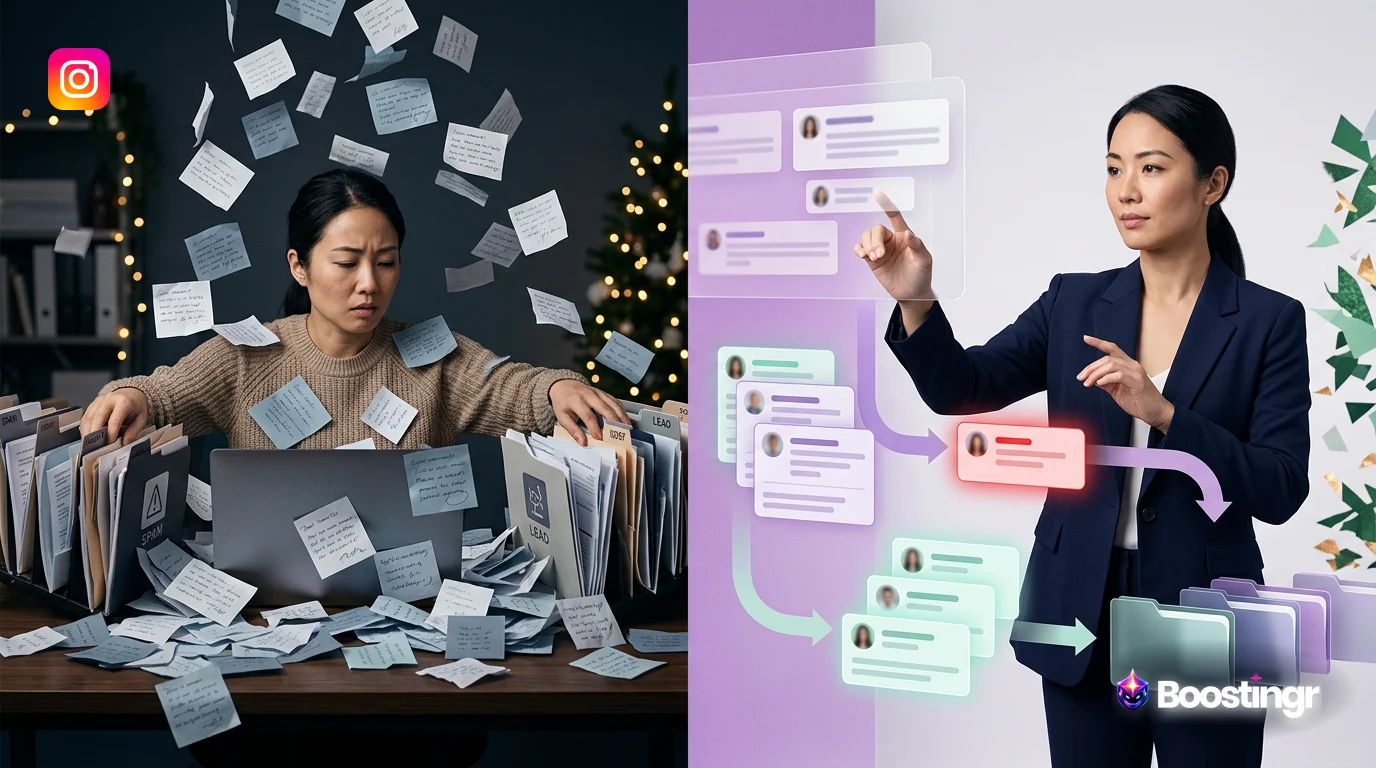
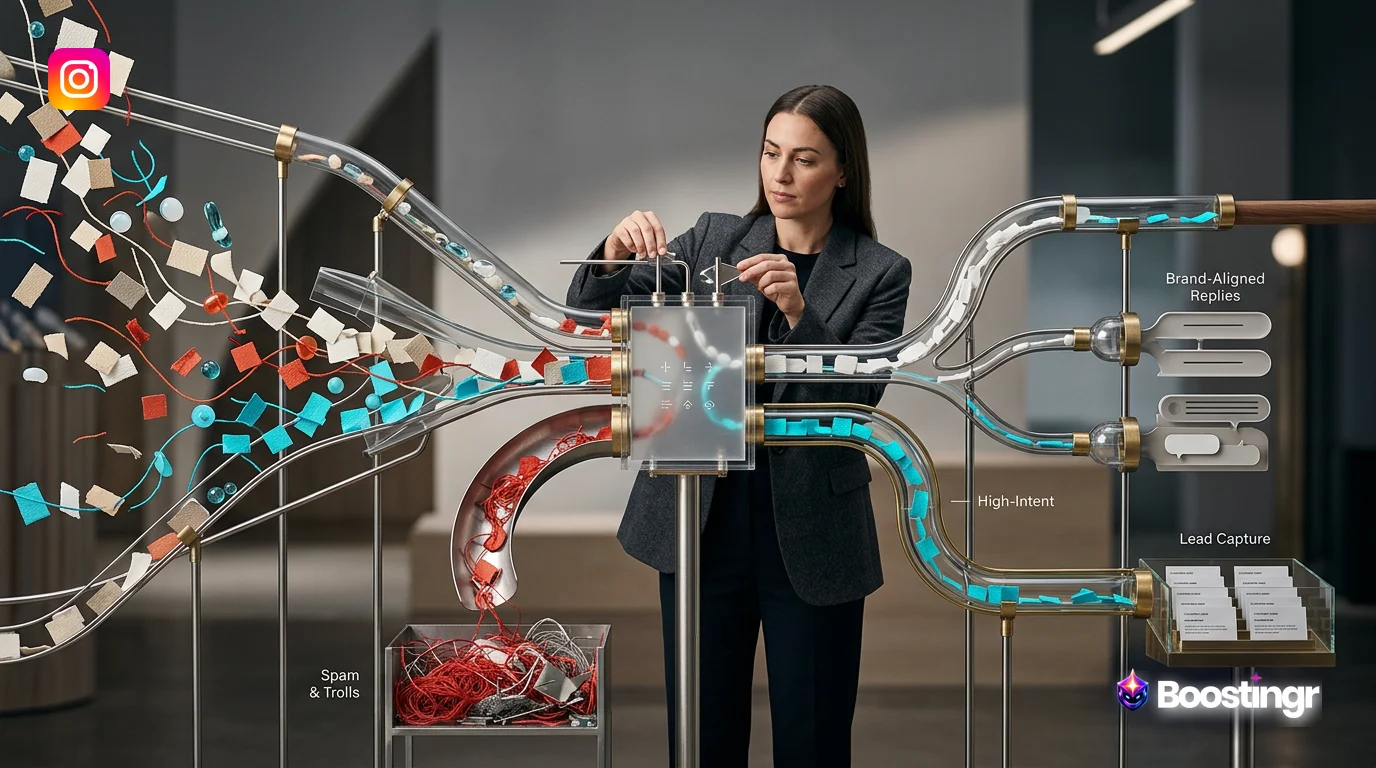
Instagram comment automation uses AI to manage public comments on posts, Reels, and ads. A strategic workflow involves automatically moderating for spam and trolls, providing instant, brand-aligned replies to common questions, and identifying high-intent comments to capture leads. This transforms a chaotic inbox into an efficient system for engagement, brand safety, and growth, moving beyond basic bots to intelligent understanding.
The Problem: Your Instagram Comments Are a Goldmine and a Minefield
Your Instagram comment section is a double-edged sword. On one side, it's a vibrant hub of customer engagement, a direct line to your audience's thoughts, and a rich source of high-intent leads. On the other, it's a chaotic battleground against spam, trolls, and repetitive questions that can overwhelm your social media team and tarnish your brand's reputation.
Manually sifting through hundreds or thousands of comments is unsustainable. You risk missing critical customer service issues, losing valuable leads to competitors, and allowing harmful content to poison your community. Basic automation tools that rely on simple keyword triggers often fall short, offering clunky, impersonal replies that can do more harm than good. They can't grasp context, sentiment, or true intent.
This is where a strategic approach to **instagram comment automation** becomes a necessity, not a luxury. It's not about replacing your team; it's about empowering them with an intelligent system that handles the noise, so they can focus on the nuance. Boostingr is the operating system for this new era of comment management, turning your comment section from a liability into your most powerful asset for growth.
Beyond Basic Bots: The Shift to Intelligent Comment Automation
For years, the term "automation" on Instagram was synonymous with rudimentary bots. These tools, often associated with platforms like ManyChat, primarily focused on DM automation triggered by a specific keyword in a comment. For example, a user comments "GUIDE," and a bot sends them a DM. While useful for specific campaigns, this approach has significant limitations for managing the entire public comment ecosystem:
* **It's Reactive, Not Proactive:** It only works if a user knows the magic keyword. It can't proactively identify a question, a complaint, or a sales lead phrased in natural language. * **It Ignores Public Conversation:** The primary function is to move the conversation to DMs, leaving the public comment unaddressed. This misses the opportunity to provide value to other users who might have the same question. * **It Lacks Understanding:** A basic `instagram comment bot for business` can't differentiate between a sarcastic comment and genuine praise. It can't detect a troll's subtle jab or understand a complex product question.
Intelligent **instagram comment automation**, powered by platforms like Boostingr, represents a fundamental paradigm shift. Instead of just reading comments for keywords, it *understands people*. By leveraging advanced AI, including sentiment analysis, intent detection, and brand memory, this modern approach provides a comprehensive workflow for managing your entire comment section at scale.
**First-Party Observation:** We've observed that brands using AI to handle the top 80% of repetitive comments (like 'price?' or 'link in bio!') free up their social teams by over 15 hours per week. This allows them to focus on high-value conversations and community building, rather than inbox triage. This isn't just about efficiency; it's about reallocating human expertise to where it matters most.
The Three Pillars of an Effective Instagram Comment Automation Workflow
A robust automation strategy is built on three interconnected pillars. Together, they create a seamless system that protects your brand, engages your community, and drives business results.
Pillar 1: Intelligent Moderation & Brand Safety
Before you can engage, you must protect. A brand-safe environment is non-negotiable. AI-powered moderation acts as your first line of defense, working 24/7 to keep your community safe.
**The Workflow:**
- **Ingest & Classify:** Every comment is instantly analyzed. The AI uses natural language processing (NLP) to classify it based on pre-trained models for spam, hate speech, trolling, and profanity.
- **Action (Hide/Delete):** Based on your custom rules, the system takes immediate action. High-confidence spam or harmful content can be automatically hidden or deleted before it ever pollutes your feed. This is compliant with the Instagram Graph API policies.
- **Review & Escalate:** Borderline cases or comments targeting specific sensitive topics can be flagged and routed to a human moderator for review. This ensures that nuance is never lost and your team only deals with the exceptions, not the rule.
This workflow transforms moderation from a manual, reactive chore into an automated, proactive system. Learn more about how to build this system with our guide to AI comment moderation for brands.
Pillar 2: Scalable, Humanized Replies
Speed is critical on social media. Users expect fast answers. AI enables you to provide instant, helpful responses without sacrificing your brand's unique voice.
**The Workflow:**
- **Analyze Intent & Sentiment:** The AI first understands *why* someone is commenting. Is it a question? A complaint? Praise? The sentiment (positive, negative, neutral) is also assessed.
- **Consult Brand Memory:** For questions, the AI accesses its "Brand Memory"—a knowledge base you've taught it, containing product details, FAQs, shipping policies, and brand voice guidelines. This is the core of Boostingr's "Teach once, engage everywhere" philosophy.
- **Generate & Propose Reply:** The AI drafts a contextually relevant and brand-aligned response. Instead of a canned, robotic answer, it generates a humanized reply. For example, instead of just "Link in bio," it might say, "Great question! You can find all the details on our website, linked right in our bio. Let us know if you need help finding anything specific!"
- **Review or Auto-Publish:** Based on your confidence settings, these `automated instagram comment replies` can be published instantly for common questions, or held in a queue for a quick one-click approval by your team.
This workflow allows you to deliver exceptional customer service at a scale that's impossible for humans alone. Explore how an AI Instagram reply bot can maintain your brand voice.
Pillar 3: Automated Lead Capture & Qualification
Your comment section is filled with buying signals. Comments like "How much is this?", "Do you ship to Canada?", or "I need this!" are clear indicators of purchase intent. An intelligent automation workflow turns these signals into revenue.
**The Workflow:**
- **Detect High-Intent Comments:** The AI is trained to recognize dozens of variations of purchase intent, questions about availability, and other lead signals.
- **Tag & Segment:** When a lead is identified, the system automatically tags the user and the comment. This allows for easy tracking and segmentation within the Boostingr dashboard.
- **Route to CRM & Sales:** Through integrations, the lead information (username, comment, post context) can be instantly pushed to your CRM (like Salesforce or HubSpot), creating a new contact or updating an existing one.
- **Initiate Conversation:** Simultaneously, the system can trigger a personalized DM to the user to continue the conversation, or reply publicly to guide them to the next step, effectively creating a seamless Instagram lead capture funnel.
This proactive approach ensures no lead is ever left behind, transforming your Instagram engagement into a predictable and measurable sales channel.
Comparison Table: Instagram Comment Automation Approaches
To understand the value of an intelligent workflow, it's helpful to compare the different methods of managing Instagram comments.
| Feature | Manual Management | Basic Keyword Bots | AI-Powered Workflow (Boostingr) |
|---|---|---|---|
| **Speed** | Slow, dependent on team availability | Fast for specific keywords | Instant, 24/7 for all comment types |
| **Accuracy** | High, but prone to human error | Low, cannot understand context or nuance | Very High, understands intent and sentiment |
| **Scalability** | Very Low, does not scale with growth | Medium, scales for simple triggers | Very High, scales infinitely with comment volume |
| **Brand Safety** | Reactive, relies on manual detection | None, cannot detect spam or trolls | Proactive, automatically hides/deletes harmful content |
| **Lead Capture** | Manual, inconsistent, easily missed | None, unless using a specific keyword | Automated, proactively identifies and routes all leads |
| **Humanization** | High (per comment) | Very Low, often sounds robotic | High, uses Brand Memory for on-brand, natural replies |
Building Your Instagram Comment Workflow Automation Engine with Boostingr
Setting up your intelligent automation system isn't about writing complex code; it's about teaching an AI to think like your best community manager. With Boostingr, you create a powerful `instagram comment workflow automation` engine through a simple, strategic process.
Step 1: Teach Your AI - Establish Brand Memory
This is the foundation. Before the AI can reply, it needs to learn. You'll populate Boostingr's Brand Memory with: * **Brand Voice & Tone:** Is your brand witty, formal, empathetic, or playful? Provide examples. * **Product & Service Catalog:** Details, specs, pricing, and availability for everything you sell. * **Frequently Asked Questions (FAQs):** Your policies on shipping, returns, and customer service. * **Company Information:** Your mission, history, and values.
Boostingr ingests this information, creating a centralized brain that ensures every AI-generated interaction is 100% on-brand and accurate.
Step 2: Configure Your Moderation Rules
Next, you build your fortress. In Boostingr, you define the rules of engagement for your community. * **Set Sensitivity Levels:** Choose how aggressively you want to hide spam, profanity, and hateful comments. * **Create Custom Blocklists:** Add specific keywords, phrases, or links you want to automatically hide. * **Define Escalation Paths:** Decide what happens with flagged comments. Should they go to a specific team member's queue? Should they be tagged for urgent review? You design the flow that works for your team structure.
Step 3: Design Your Reply Flows
This is where you automate engagement. You'll create workflows based on the AI's understanding. * **For 'Question' Intent:** If the AI detects a question and finds the answer in Brand Memory, create a rule to auto-reply. * **For 'Purchase Intent':** If the AI detects a lead, create a rule to reply publicly with a helpful nudge (e.g., "We'll DM you the details!") and simultaneously trigger a DM and a CRM integration. * **For 'Negative Sentiment':** If the AI detects a complaint, create a rule to automatically hide the comment (to prevent pile-ons) and escalate it to your customer support team for a human touch. * **For 'Positive Sentiment':** If the AI detects praise, create a rule to tag the user as a 'Brand Advocate' and queue up a delightful reply for your team to approve.
Step 4: Integrate Your Lead Capture Pipeline
Finally, connect your automation engine to your business systems. Boostingr offers seamless integrations to: * **CRMs (Salesforce, HubSpot):** Automatically create and update leads. * **Help Desks (Zendesk, Gorgias):** Create support tickets from negative comments. * **Collaboration Tools (Slack):** Send real-time alerts to your team for urgent issues or major sales opportunities.
By connecting these systems, you close the loop between social engagement and business operations, creating a truly unified customer experience.
Practical Examples and Use Cases
Let's see how this workflow applies to different types of businesses.
Use Case 1: The Global Ecommerce Fashion Brand
* **Problem:** Over 5,000 comments per day across dozens of ads and posts, mostly "Price?", "Do you ship to Brazil?", and spam. * **Workflow Solution:** * **Moderation:** Boostingr auto-hides 99% of spam and comments with competitor links. * **Replies:** The AI, using Brand Memory, instantly replies to price questions with a link to the product page and answers shipping questions based on the user's likely location. * **Lead Capture:** Comments like "I need this for a wedding next month!" are tagged as 'Urgent Purchase Intent' and a DM is sent offering expedited shipping options. * **Result:** Reply time drops from 6 hours to 30 seconds. The social team is freed up to create style guides and engage with influencer collaborations. Sales attributed to comment-driven leads increase by 18%.
Use Case 2: The B2B SaaS Company
* **Problem:** High-value, technical questions get lost in a sea of low-value comments on their educational Reels. * **Workflow Solution:** * **Moderation:** Hides irrelevant or unprofessional comments to maintain a professional brand image. * **Replies & Intent:** The AI identifies simple questions (e.g., "Is this in the free tier?") and answers them. It recognizes complex technical questions or feature requests and automatically routes them to a Slack channel for the product team. * **Lead Capture:** When a user comments, "My CMO was just asking about a solution for this," the AI detects the high-value lead, tags the user, and creates a new lead in Salesforce for an account executive to follow up. * **Result:** The sales cycle shortens as qualified leads are identified and engaged faster. The product team gets a real-time feed of user feedback.
Use Case 3: The Mega-Creator / Influencer
* **Problem:** A single viral Reel can generate 50,000+ comments, making it impossible to engage with fans or filter out hate. * **Workflow Solution:** * **Moderation:** Aggressively hides trolling, hate speech, and personal attacks, creating a safer space for their community. * **Replies:** The AI identifies the most frequently asked questions ("What camera do you use?") and provides automated replies. It also identifies comments with positive sentiment from repeat commenters. * **Engagement:** The system queues up a list of 'Superfans' (users who comment frequently with positive sentiment), allowing the creator to spend 30 minutes personally replying to their most loyal followers instead of wading through spam. * **Result:** Community health improves dramatically. The creator strengthens their relationship with their core audience, leading to higher engagement and better brand partnership opportunities.
**First-Party Observation:** A common misconception is that automation is impersonal. However, our data shows that when an `instagram comment bot for business` is powered by true intent detection and brand memory, customer satisfaction scores can increase. The key is providing a fast, accurate, and helpful *first* response, which AI excels at, setting the stage for deeper human connection where needed.
Checklist: Launching Your Instagram Comment Automation Strategy
Ready to build your workflow? Follow these steps.
- [ ] **Audit Your Current State:** Analyze your current comment volume, type, and team workload.
- [ ] **Define Your Goals:** What's your top priority? Brand safety, lead capture, or response time?
- [ ] **Choose an Intelligent Platform:** Select a tool like Boostingr that offers AI intent detection, not just keyword triggers.
- [ ] **Document Your Brand:** Gather your brand voice guidelines, FAQs, and product information to build your Brand Memory.
- [ ] **Configure Moderation First:** Set up your spam, troll, and profanity filters to create a clean foundation.
- [ ] **Build Reply Flows for High-Volume Comments:** Start by automating replies to your top 3-5 most common questions.
- [ ] **Set Up Lead Detection & Routing:** Define what a lead looks like for your business and connect it to your sales process.
- [ ] **Start with Human Review:** Initially, set all AI replies to require team approval. This builds trust in the system.
- [ ] **Gradually Increase Automation:** As you gain confidence in the AI's accuracy, switch high-performing flows to full automation.
- [ ] **Monitor & Optimize:** Regularly review your automation performance. Refine your Brand Memory and rules based on real-world comments.
Key Takeaways
* **Move Beyond Basic Bots:** True **instagram comment automation** is about understanding intent and context, not just reacting to keywords. * **Build on Three Pillars:** An effective strategy integrates intelligent moderation, scalable replies, and automated lead capture. * **Workflow is Everything:** The power lies in creating a connected system where comments are automatically classified, routed, and acted upon based on your business rules. * **Brand Memory is Your Moat:** Teaching an AI your brand's unique knowledge and voice is what separates generic replies from humanized engagement. * **Automation Empowers Humans:** The goal is not to replace your team, but to handle the repetitive 80% of comments, freeing up your human experts to focus on the high-value 20%. * **Start with Safety, Scale with Engagement:** Always prioritize creating a safe environment first. Then, layer on reply and lead capture automation to drive growth.
Original Diagrams
These original visuals explain the workflow in a faster, more defensible format than plain text alone and give the article first-party assets that are easier to understand and harder to copy.
Comment Processing Workflow
This workflow illustrates how every Instagram comment is instantly captured and routed through an intelligent system. The automation decides whether to reply, moderate, or escalate the comment to a human agent, ensuring no interaction is missed.
AI Decision Tree
The AI's decision-making process is like a sophisticated flowchart. It analyzes each comment for sentiment, keywords, and intent to determine the most appropriate action, whether it's answering a question, hiding spam, or flagging a sales lead.
Moderation Pipeline
This pipeline demonstrates the multi-layered approach to comment moderation. The system automatically filters out spam, hides inappropriate language, and flags comments that violate brand safety guidelines, creating a healthier community space.
Intent Classification Flow
Here's how the automation intelligently categorizes comments based on the user's underlying intent. It can distinguish between a potential sales lead, a customer service query, and simple positive feedback, routing each to the correct destination.
Brand Memory Diagram
To ensure every automated reply is accurate and on-brand, the AI consults a centralized 'Brand Memory.' This knowledge base contains everything from FAQs and product details to your specific brand voice and tone.
Conclusion: From Comment Chaos to Community Intelligence
Instagram is no longer just a visual platform; it's a conversational one. The brands that win in the next decade will be those that master this conversation at scale. Relying on manual management or outdated bot technology is like trying to navigate a superhighway on a bicycle.
By implementing a definitive workflow for **instagram comment automation**, you transform your comment section from a source of stress into a strategic engine for growth. You protect your brand, delight your customers with instant, helpful answers, and turn casual interest into measurable revenue. This is the future of community management—a perfect synergy between artificial intelligence and human expertise.
Ready to stop drowning in comments and start driving results? Explore Boostingr's platform and see how our intelligent workflow can revolutionize your social strategy.
FAQs
Is Instagram comment automation safe for my account?
Yes, when done correctly. Using a platform like Boostingr that is built on the official Instagram Graph API is 100% safe and compliant. Unlike shady bots that use scraping or fake accounts, modern AI automation works within Instagram's rules to manage comments on your own posts. The risk comes from low-quality bots that generate spammy, irrelevant replies, which can harm your brand's reputation.
Can an AI bot really sound like my brand?
Absolutely. This is the key difference between basic bots and an AI platform with "Brand Memory." By teaching the AI your specific tone of voice, product information, and policies, platforms like Boostingr can generate replies that are not only accurate but also perfectly aligned with your brand's personality. The goal is humanized, not robotic, engagement.
How is this different from ManyChat or other DM bots?
DM bots primarily focus on driving users from a public comment to a private DM, usually based on a single keyword. An intelligent comment automation platform like Boostingr manages the *entire* public comment lifecycle. It proactively moderates for spam, trolls, and hate speech, provides AI-generated public replies to a wide range of questions, and identifies leads—all without requiring a user to type a specific keyword.
Will automation hurt my Instagram engagement?
No, strategic automation will improve it. By providing fast, helpful answers and cleaning up spam, you create a better experience for your community, which encourages more high-quality engagement. It also frees up your human team to focus on more meaningful conversations, community building, and creating better content, which are the ultimate drivers of engagement.
What's the first step to getting started with Instagram comment automation?
Start with moderation. Before you automate a single reply, set up a system to automatically hide spam, profanity, and hateful comments. This provides immediate value by cleaning up your digital storefront and creating a safe environment. Once that foundation is in place, you can begin layering in automated replies for your most common questions.
How does the AI identify leads from comments?
AI models are trained on millions of comments to recognize patterns of purchase intent. It looks beyond simple keywords like "buy" or "price." It understands natural language phrases like "I need this in my life," "Do you have this in a size 10?" or "My husband would love this for his birthday." By analyzing the context and semantics, the AI can accurately flag comments that signal a user is close to making a purchasing decision.
Can I approve AI-generated replies before they are posted?
Yes. All reputable AI comment management platforms, including Boostingr, provide workflow controls. You can set the system to full automation for high-confidence scenarios (like spam detection) but require human, one-click approval for public-facing replies. This allows your team to maintain full control and build trust in the AI's capabilities before scaling up automation.
Evidence, Experience, and References
This article is based on Boostingr's direct experience in developing and implementing AI-powered comment management systems for hundreds of global brands. Our insights are derived from analyzing billions of public social media comments and observing the practical workflows that drive brand safety, efficiency, and revenue. All technical capabilities described are compliant with the official APIs of platforms like Meta, as outlined in their developer documentation. For more on Google's view on quality content, see their SEO Starter Guide.
About the Author
The Boostingr team is composed of AI engineers, data scientists, and veteran social media strategists. We are dedicated to building the intelligent operating system for brand-customer conversations. Our focus is on moving beyond simple automation to create systems that understand people, protect communities, and unlock the strategic value hidden within social media comments.
Last Updated
October 2024
Search Intent and Topic Map
This guide targets readers researching instagram comment automation and maps the topic to practical evaluation and implementation decisions. Supporting concepts include automated instagram comment replies, instagram comment workflow automation, instagram comment bot for business, ai comment management, brand safe ai replies, comment moderation automation. These terms are used only where they clarify the reader's question, not as repeated ranking phrases.