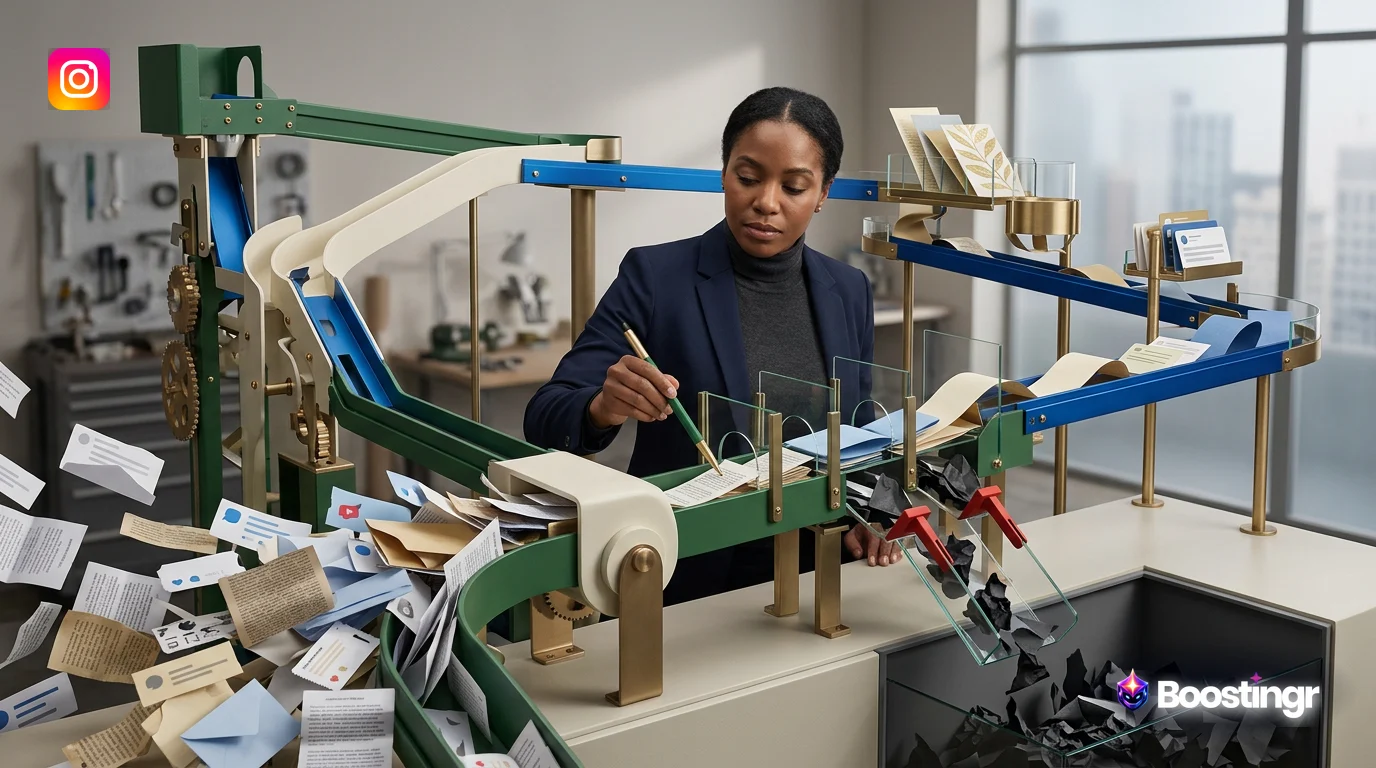
The Problem with Forgetful AI: Why Your Comment Replies Feel Robotic
Your brand invests heavily in creating a unique voice, personality, and relationship with its audience. You run creative campaigns, post engaging content, and foster a community around your products or services. Then, a potential customer asks a great question in the comments, and your automated reply is... generic. It’s a robotic, context-less response that ignores their previous interactions and your brand’s carefully crafted persona. It’s a missed opportunity.
This is the core problem with traditional social media automation. It’s built on simple keyword triggers and static, pre-written responses. It can’t remember, learn, or adapt. It treats every user and every comment as if it’s the first one it has ever seen. In a world where personalization is paramount, this forgetful AI is no longer enough. It can even damage your brand's reputation by appearing tone-deaf or unhelpful.
Enter the solution: **brand memory for AI replies**. This isn't just a buzzword; it's a fundamental shift in how artificial intelligence engages with your community. It’s the difference between an AI that simply *reads* comments and an AI that *understands* people. Platforms like Boostingr are pioneering this approach, creating an AI-powered operating system for comment management that learns your brand, remembers your customers, and engages with humanized intelligence.
This guide will explore the concept of brand memory for AI replies, breaking down how it transforms raw comment data into a powerful engine for moderation, engagement, and strategic growth. We'll show you how to move beyond basic automation and build a system that truly represents your brand in every single interaction.
What is Brand Memory and Why Does It Matter for AI Replies?
Brand memory, in the context of AI comment management, is a dynamic, learning repository of information that allows an AI to make context-aware, personalized, and consistent decisions. It’s the AI’s long-term memory, composed of your brand’s unique DNA and its history of interactions with the community.
Think of it like training a new community manager. You wouldn't just give them a list of keywords and tell them to start replying. You would immerse them in your brand culture. You'd show them:
* **Your Brand Voice:** Are you witty and playful, or formal and authoritative? Do you use emojis? What phrases should you always or never use? * **Your Products and Policies:** How do your products work? What is your return policy? Where can customers find more information? * **Past Customer Interactions:** How have you handled similar questions before? Who are your most loyal fans? Are there any sensitive topics to navigate carefully?
Brand memory for AI replies digitizes and scales this entire training process. It allows the AI to draw upon this deep well of knowledge for every comment it analyzes. This stands in stark contrast to traditional automation, which operates with significant limitations:
* **Keyword-Based Triggers:** These systems can only react to specific words. They miss nuance, sarcasm, and context. A comment like "Your shipping is unbelievably fast!" and "Your shipping is unbelievably slow!" might both trigger a reply for "shipping," leading to an inappropriate response. * **Static Responses:** The replies are pre-written and repetitive. Customers quickly notice they are talking to a simple bot, which diminishes the sense of personal connection. * **No Learning Capability:** The system never improves. It makes the same mistakes and gives the same generic answers day after day.
The benefits of upgrading to an AI with brand memory are transformative:
- **Unwavering Consistency:** Every reply, whether for a product question on Instagram or a support query on YouTube, aligns with your brand's voice and policies. This is Boostingr's philosophy of "Teach once, engage everywhere."
- **Personalization at Scale:** The AI can reference a user's history. It can acknowledge a loyal fan, offer a more patient tone to a previously frustrated customer, or provide a follow-up to a past conversation.
- **Enhanced Brand Safety:** By understanding context and sentiment, the AI avoids embarrassing mistakes. It knows not to post a cheerful, emoji-filled reply to a comment expressing serious frustration or to promote a product in a thread about a service outage.
- **Strategic Intelligence:** Brand memory turns your comment section from a chaotic stream of data into a structured source of community intelligence. It identifies trends, surfaces common pain points, and highlights what your customers love most.
Ultimately, brand memory for AI replies is about building and maintaining relationships. It ensures that your automated engagement feels less like automation and more like a genuine extension of your brand.
From Raw Data to Actionable Intelligence: The Comment Processing Workflow
To truly appreciate the power of brand memory, you need to understand the journey a comment takes from the moment it's posted to the moment your brand responds. With an advanced platform like Boostingr, this is a sophisticated, multi-stage process that turns raw data into intelligent action in seconds.
Step 1: Ingestion and Initial Triage
It all starts with data ingestion. Using official, secure APIs like the Instagram Graph API, the system pulls in comments from all your connected social accounts (Instagram, Facebook, YouTube, etc.) in real-time. But it doesn't just grab the text; it captures a wealth of metadata: the user's handle, a link to the comment, the time it was posted, and its relationship to other comments in the thread.
Immediately, the first layer of AI triage kicks in. The system performs a high-speed scan for the most toxic and unwanted content. This is where AI-powered spam detection and troll detection come into play. Comments containing phishing links, hate speech, or obvious spam are automatically hidden or flagged for deletion based on your pre-set rules, cleaning your comment section before most of your audience ever sees the negativity.
Step 2: Deep Classification with AI
Comments that pass the initial triage move to the next stage: deep classification. This is where the AI goes beyond keywords to understand the *meaning* behind the words. It uses multiple Natural Language Processing (NLP) models simultaneously:
* **Sentiment Analysis:** Is the user happy, angry, frustrated, or neutral? A sophisticated AI can detect mixed sentiment, such as a customer who loves the product but is unhappy with the shipping. This nuance is critical for crafting the right reply. * **Intent Detection:** What does the user *want*? The AI classifies the comment's purpose. Common intents include: * **Purchase Intent:** "How much is this?" "Is the blue one in stock?" * **Customer Support:** "My order hasn't arrived." "How do I reset my password?" * **Praise/Positive Feedback:** "I love this product!" "Your team is the best!" * **General Question:** "What are your store hours?" "Do you ship to Canada?" * **Negative Feedback:** "This broke after one use." "The update is full of bugs."
This classification is the foundation for all subsequent actions. It tells the system not just *what* was said, but *why* it was said.
Step 3: Contextualization with Brand Memory
This is the magic step where brand memory for AI replies truly shines. The classified comment is now cross-referenced with the brand memory database. The AI asks a series of questions:
* **User History:** Has this person commented before? Were their past comments positive or negative? Are they a known brand advocate or someone who has had issues in the past? * **Brand Knowledge:** Does the comment ask a question that's in our knowledge base? Is it related to a known issue (e.g., a current sale, a temporary site outage)? * **Response History:** How have we successfully responded to similar comments (with the same intent and sentiment) in the past? What replies have been approved by human moderators?
By combining the real-time classification (intent, sentiment) with historical context (user history, brand knowledge), the AI develops a complete picture of the situation.
Step 4: Intelligent Action and The Learning Loop
Armed with this comprehensive understanding, the AI can now take the most appropriate action, according to the workflows you've defined:
* **Auto-Hide/Route:** A comment with negative sentiment and a support intent from a first-time commenter might be automatically routed to a human support agent's queue for high-touch service. * **Draft AI Reply:** A comment with positive sentiment and praise might trigger the AI to draft a unique, on-brand thank you message for a human moderator to approve with a single click. * **Auto-Reply:** A general question with neutral sentiment that is clearly answered in the knowledge base (e.g., "What are your hours?") can be answered automatically, providing an instant, helpful response. * **Lead Capture:** A comment with clear purchase intent ("I want to buy this!") can trigger a specialized Instagram lead capture workflow, sending the user a DM to complete their purchase.
Crucially, every action taken—especially replies approved or edited by a human—feeds back into the brand memory. This creates a powerful learning loop. When you edit an AI-drafted reply to better match your brand's voice, the AI learns from your correction. It understands, "Ah, for this type of comment, this tone is better." This ensures the system gets smarter, more accurate, and more aligned with your brand over time.
## Comparison Table: Brand Memory vs. Traditional Automation
To understand the leap forward that brand memory represents, it's helpful to compare it directly with the traditional automation tools many brands still use. These tools, while useful for simple tasks, lack the intelligence and adaptability required for genuine community engagement.
| Feature | Traditional Automation (e.g., Keyword Triggers) | AI with Brand Memory (e.g., Boostingr) |
|---|---|---|
| **Context Awareness** | **Low.** Reacts only to specific keywords, ignoring sentiment, user history, and conversational context. | **High.** Analyzes sentiment, intent, and user history to understand the full context of the comment. |
| **Personalization** | **None.** Delivers the same static, pre-written reply to everyone who uses a trigger word. | **Dynamic.** Crafts unique replies based on the user's past interactions, sentiment, and specific question. |
| **Learning Ability** | **Static.** The system does not learn or improve from interactions. It must be manually updated. | **Adaptive.** Learns from every human-approved or edited reply, constantly refining its tone and accuracy. |
| **Brand Voice** | **Rigid.** Can only use pre-approved, canned responses. Fails to capture brand personality nuances. | **Flexible.** Is trained on brand guidelines to adopt a specific voice, from witty to formal, and applies it consistently. |
| **Workflow Complexity** | **Simple.** Limited to "If keyword, then reply." Cannot handle multi-step or conditional logic easily. | **Sophisticated.** Can route comments, tag users, trigger lead capture flows, and decide when *not* to reply based on complex rules. |
| **Brand Safety** | **Risky.** Prone to errors by replying inappropriately to sarcastic or negative comments that contain a keyword. | **High.** Sentiment and intent analysis prevent tone-deaf replies, and complex issues are automatically escalated to humans. |
| **Efficiency** | **Moderate.** Automates simple, repetitive questions but requires significant human oversight for everything else. | **Exponential.** As the AI learns, it can handle a growing percentage of comments autonomously, freeing up human teams for high-value tasks. |
This comparison makes it clear: while traditional automation can check a box, an AI equipped with brand memory functions as a true partner in community management.
How Boostingr Builds and Utilizes Brand Memory
Boostingr was designed from the ground up around the concept of brand memory. Our philosophy is "Teach once, engage everywhere." This means the initial investment you make in teaching the AI your brand's nuances pays dividends across all your connected social media accounts, creating a consistent and intelligent brand presence at scale.
Here’s how the process works within the Boostingr platform:
The Onboarding and "Teaching" Phase
Building a powerful brand memory doesn't start with the AI; it starts with your brand. During onboarding, you provide the foundational knowledge that forms the AI's core understanding:
- **Brand Voice & Tone:** You provide examples of your ideal communication style. You can specify the level of formality, use of emojis, and even upload documents containing your brand's detailed voice and tone guidelines. The AI ingests this to learn your personality.
- **Knowledge Base Integration:** You connect or create a knowledge base of your products, services, FAQs, and company policies. This is the "factual" part of the brand memory. When a user asks, "Do you offer free returns?" the AI can pull the correct answer directly from this trusted source.
- **Moderation and Routing Rules:** You define the rules of engagement. What types of comments should be hidden instantly? Which ones require immediate escalation to the support team? Which users (e.g., VIPs, influencers) should always be routed to a human? This creates the AI's decision-making framework.
This initial setup is the most critical step. It provides the guardrails and core knowledge the AI will use in every future interaction.
The Continuous Learning Loop
Once onboarded, the AI begins analyzing your comments. But it doesn't start replying to everything on its own. Instead, it enters a collaborative phase with your team. For most comments, the AI Instagram reply bot will draft a suggested reply based on its understanding of the comment's intent, sentiment, and the brand memory.
Your community manager then sees this suggestion in the Boostingr dashboard. They have three choices:
* **Approve:** If the reply is perfect, they approve it with one click, and it's posted instantly. * **Edit & Approve:** If the reply is good but needs a small tweak, they can edit it and then approve. * **Reject/Write New:** If the suggestion is off-base, they can reject it and write their own reply.
Every one of these actions is a learning moment for the AI. An approved reply reinforces its current understanding. An edited reply teaches it nuance. For example, if you consistently add a specific emoji to thank-you messages, the AI will start including it in future suggestions. This human-in-the-loop system is the engine of brand memory.
> **Boostingr First-Party Observation:** Our data shows that the most successful brands on Boostingr are those whose teams spend 1-2 hours per week in the first month reviewing and refining AI-suggested replies. This initial investment in 'teaching' the AI pays massive dividends in long-term automation efficiency and brand safety.
Over time, the AI's suggestions become so accurate that your team's role shifts from writing replies to simply approving them. This allows a small team to manage a massive volume of comments with a personal, on-brand touch, turning comment management from a time-consuming chore into a streamlined, strategic operation.
## Practical Examples and Use Cases
Theory is one thing, but the true power of brand memory for AI replies is revealed in its practical application across different business functions. Here’s how various teams can leverage this technology.
Use Case 1: Ecommerce and Sales
An online clothing brand posts a new dress on Instagram. The comments start flooding in.
* **Comment 1:** "OMG I need this! How much is it?" * **Action:** The AI detects **Purchase Intent**. It cross-references the post with the product catalog in its brand memory, finds the price, and replies: "We're so glad you love it! The 'Sunset Dream' dress is $89. You can tap the link in our bio to shop now! ✨" * **Comment 2:** "Does this come in black?" (from a user who has purchased 5 times before) * **Action:** The AI detects a **Product Question** and sees the user is a **VIP customer** in its memory. It drafts a personalized reply: "Great question and so good to see you again! Yes, it does come in black. We've just sent you a DM with a direct link to it. 😊" * **Comment 3:** "Ugh, I wish you had free shipping." * **Action:** The AI detects **Negative Sentiment** and a **Policy Question**. It knows from its knowledge base that the brand offers free shipping over $100. It replies: "We hear you! Just so you know, we offer free standard shipping on all orders over $100. Maybe add a cute accessory to your cart? 😉"
This workflow not only answers questions instantly but also upsells and nurtures customer relationships, directly impacting sales. For more on this, see our guide to AI replies for ecommerce.
Use Case 2: Customer Support and Brand Reputation
A software company announces a new feature. The community response is mixed.
* **Comment 1:** "I can't find the new button, where is it?" * **Action:** The AI recognizes a **Support Question**. It pulls the answer from its knowledge base (which was updated with the new feature's documentation) and replies with a helpful, step-by-step guide. * **Comment 2:** "This update is terrible, it broke my entire workflow! I'm so frustrated." * **Action:** The AI detects strong **Negative Sentiment** and **Urgent Support Intent**. Its rules dictate that such comments are immediately routed to a human agent. It hides the comment from public view to prevent a pile-on and creates a high-priority ticket in the support queue with the user's history attached. The AI does *not* attempt to reply, avoiding a tone-deaf automated response. * **Comment 3:** "I was skeptical, but this is actually a game-changer. Great job, team!" * **Action:** The AI detects **Positive Sentiment** and **Praise**. It drafts a reply that reflects the brand's appreciative tone: "That's what we love to hear! We're thrilled the new feature is working well for you. Thanks for being an awesome part of our community!"
This approach allows the brand to manage its reputation proactively, providing instant help for simple issues while ensuring complex problems get a human touch. You can explore this further in our guide to the comment sentiment dashboard.
Use Case 3: Lead Generation and Growth
A B2B service provider shares a case study on Facebook.
* **Comment 1:** "This is exactly the problem we're facing. What does something like this cost?" * **Action:** The AI detects high **Purchase Intent** and a **Pricing Question**. This triggers a lead capture workflow. The AI posts a public reply: "That's a great question! We'd love to discuss your specific needs. I've just sent you a private message to connect you with one of our specialists." Simultaneously, it sends a DM to the user to collect their contact information and alerts the sales team.
By understanding the intent behind the comment, the AI turns a passive social media audience into a pipeline of qualified leads.
## Original Diagrams
These original visuals explain the workflow in a faster, more defensible format than plain text alone and give the article first-party assets that are easier to understand and harder to copy.
Comment Processing Workflow
This diagram illustrates the journey of a user's comment from the moment it's posted to the generation of a brand-aligned AI reply. It highlights key stages like data ingestion, analysis, and response creation, powered by Brand Memory.
AI Decision Tree
See how the AI decides the best course of action for each comment using a sophisticated decision tree. This process considers user intent, sentiment, and historical context to choose between replying, escalating to a human, or taking other actions.
Moderation Pipeline
This workflow demonstrates how Brand Memory aids in trust and safety by automatically identifying and handling spam or policy-violating comments. The system learns from past moderation actions to become more accurate over time.
Intent Classification Flow
Discover how the AI deciphers the 'why' behind a comment, classifying it as a purchase inquiry, a support request, or positive feedback. This classification is the first step toward providing a truly relevant reply.
Brand Memory Diagram
At the heart of the system is Brand Memory, a dynamic knowledge base that connects brand guidelines, product information, and user interaction history. This diagram breaks down the core components that allow the AI to reply with context and personality.
## Checklist: Preparing Your Brand for AI with Brand Memory
Adopting an AI-powered comment management system with brand memory is a strategic move. Proper preparation is key to a smooth and successful implementation. Use this checklist to ensure your brand is ready.
* **[ ] Document Your Brand Voice:** Create a comprehensive guide detailing your brand's personality, tone, level of formality, use of emojis, and key phrases to use or avoid. The more detailed, the better the AI will learn.
* **[ ] Centralize Your Knowledge:** Compile all frequently asked questions, product specifications, pricing information, return policies, and shipping details into a single, accessible knowledge base or document.
* **[ ] Define Clear Moderation Policies:** Decide on firm rules for what constitutes spam, hate speech, or a support crisis. Create a simple flowchart for your team: what should be hidden immediately? What needs to be escalated? What can be answered publicly?
* **[ ] Set Specific Goals:** What do you want to achieve? Examples include: * Reduce first-response time by 50%. * Increase lead capture from comments by 25%. * Decrease the number of negative comments seen by the public. * Free up 10 hours per week for your community management team.
* **[ ] Identify Key Stakeholders:** Determine who will be responsible for reviewing and approving AI-drafted replies. This is typically a community manager or social media manager. Ensure they have the time allocated, especially in the first few weeks.
* **[ ] List All Social Accounts:** Make a list of all the social media profiles (Instagram, Facebook pages, YouTube channels, etc.) you want to connect to the system.
* **[ ] Audit Past Performance:** Review your last 1,000 comments manually. Categorize them by intent and sentiment. This will give you a baseline to measure the AI's impact and help you prioritize which workflows to build first.
The Future of Community Engagement: Predictive and Proactive
Brand memory for AI replies is the current frontier of intelligent comment management, but it's also the stepping stone to what comes next: predictive and proactive engagement. As the AI's brand memory grows richer with every interaction, its capabilities will expand.
Imagine an AI that can:
* **Predict Viral Posts:** By analyzing initial comment velocity and sentiment, the AI could alert your team that a post is about to take off, allowing you to allocate resources accordingly. * **Identify Emerging Crises:** By detecting a sudden spike in negative sentiment around a specific topic across multiple posts, the AI could flag a potential PR crisis before it explodes, giving your team a critical head start. * **Suggest Content Ideas:** By synthesizing the most common questions and positive feedback from your community, the AI can provide data-backed suggestions for your next blog post, video, or product feature.
This level of engagement aligns perfectly with what search engines like Google value. Google's documentation on creating helpful, reliable, people-first content emphasizes user experience. A well-managed, helpful, and positive comment section is a strong signal of a healthy community and a positive user experience, which can indirectly contribute to your brand's overall digital authority.
> **Boostingr First-Party Observation:** We've noticed a correlation between brands with high engagement rates in their comment sections and those who successfully leverage our Community Intelligence Platform features. The data suggests that by actively managing and learning from comments, brands create a virtuous cycle where better engagement leads to more data, which in turn leads to even smarter engagement.
## Key Takeaways
If you're looking to elevate your social media strategy, moving beyond basic automation is no longer optional. Here are the key takeaways from this guide:
* **Brand Memory is Essential:** True AI engagement requires brand memory—the ability to learn from brand guidelines, knowledge bases, and past interactions to provide contextual, personalized replies. * **It's a Multi-Stage Process:** Intelligent comment management involves a sophisticated workflow of ingestion, triage, deep classification (sentiment/intent), contextualization, and intelligent action. * **Humans are Part of the Loop:** The best systems use a human-in-the-loop model where teams approve or edit AI suggestions, continuously teaching and refining the AI's brand memory. * **It Drives Real Business Value:** Brand memory for AI replies isn't just about saving time. It's a tool for increasing sales, providing better support, capturing leads, and protecting your brand's reputation. * **Preparation is Key:** A successful implementation starts with documenting your brand voice, centralizing knowledge, and defining clear goals and moderation policies. * **The Future is Proactive:** The ultimate goal is to evolve from reactive comment replies to a proactive and predictive engagement strategy powered by deep community intelligence.
## FAQs
**1. Will using an AI with brand memory make my brand sound like a robot?**
No, quite the opposite. A well-trained AI with brand memory is designed to sound *less* robotic. Because it's trained on your specific brand voice and learns from your team's edits, it can generate diverse, context-aware replies that feel more human than the static, repetitive responses of traditional automation.
**2. How long does it take to "teach" the AI our brand memory?**
The initial setup, where you provide brand guidelines and a knowledge base, can be done in a few hours. The real learning happens in the first 2-4 weeks of active use. By consistently reviewing and approving AI-drafted replies, you rapidly train the AI. Most brands see a significant increase in automation accuracy and efficiency within the first month.
**3. Is brand memory secure? Will our data be shared?**
Security is paramount. With a platform like Boostingr, your brand memory is yours alone. It is isolated and used exclusively for your account. All data is handled through secure, official APIs, and robust security measures are in place to protect your proprietary brand and customer information.
**4. What's the difference between brand memory and a simple knowledge base?**
A knowledge base is a static collection of facts (e.g., product prices, policies). Brand memory is a dynamic system that *includes* the knowledge base but also incorporates brand voice, user interaction history, and the learnings from every approved human reply. It knows not just *what* to say, but *how* and *when* to say it.
**5. Can the AI handle comments in different languages?**
Yes, advanced AI models can detect the language of a comment and are capable of replying in that same language. When setting up your brand memory, you can provide voice and tone guidelines for multiple languages to ensure your brand presence is consistent globally.
**6. How does this differ from tools like Sprinklr or Sprout Social?**
While large social media management suites offer many features, their automation capabilities are often built around rules and routing. A specialized platform like Boostingr is hyper-focused on deep AI for comment analysis and reply generation. It's designed to build a true, learning brand memory for unparalleled reply quality and brand safety, going deeper than the broader, more generalized toolsets.
**7. What happens if the AI makes a mistake?**
This is why the human-in-the-loop system is so important. In the beginning, your team acts as a safety net, approving or editing all replies. You can set the system to be more cautious, requiring approval for most comments, and only allow full auto-replies for very specific, low-risk scenarios (like answering "what are your hours?"). This gives you complete control and minimizes risk.
Conclusion: Your Comments Are a Goldmine, Not a Chore
For too long, comment sections have been viewed as a moderation chore—a chaotic space to be controlled rather than a strategic asset to be cultivated. The rise of AI with brand memory fundamentally changes this equation. Your comments are a real-time, unfiltered firehose of customer feedback, questions, and intent.
By implementing a system that can understand this data with nuance and context, you transform a cost center into a powerful engine for growth. You can answer customers faster, capture high-intent leads the moment they express interest, and build a brand personality that fosters genuine loyalty and advocacy.
Stop settling for forgetful bots and generic replies. It's time to invest in an intelligent system that remembers your brand, understands your customers, and engages with the personality you've worked so hard to build.
Ready to unlock the intelligence in your comments? Explore Boostingr's use cases, check out our pricing, or sign up today to see how brand memory can revolutionize your community engagement.
Supplemental Workflow Diagrams
These original diagram briefs are placeholders for generated visual workflow assets and explain what each final diagram should teach the reader.
Comment Processing Workflow
Show the end-to-end flow from incoming public comment to classification, moderation decision, reply path, and retained community learning for Brand Memory For Ai Replies.
AI Decision Tree
Visualize how the system distinguishes low-risk, ambiguous, and high-risk comments before choosing reply, review, hide, or escalate.
Moderation Pipeline
Illustrate how spam, abuse, policy checks, priority scoring, and review layers work together before a public action goes live.
Intent Classification Flow
Explain how comment text, post context, intent, sentiment, and policy signals combine to produce the next best action.
Brand Memory Diagram
Show how approved offers, tone rules, support boundaries, and campaign context feed one brand-safe reply system across connected accounts.