The Problem with Forgetful AI: Why Generic Replies Are Costing Your Brand
In the rush to automate social media engagement, brands have embraced AI reply tools. The promise was efficiency: instant responses, 24/7 coverage, and reduced manual labor. But a significant problem has emerged. Most AI is forgetful. It treats every comment as a new, isolated event, responding with generic, robotic phrases that lack context, personality, and warmth.
This isn't just a missed opportunity; it's a potential liability. A generic "Thanks for your comment!" to a detailed product complaint feels dismissive. An automated reply that misses the sarcasm in a comment makes your brand look foolish. This is the cost of using AI without a memory. It erodes trust, alienates your community, and undermines the very engagement you're trying to build.
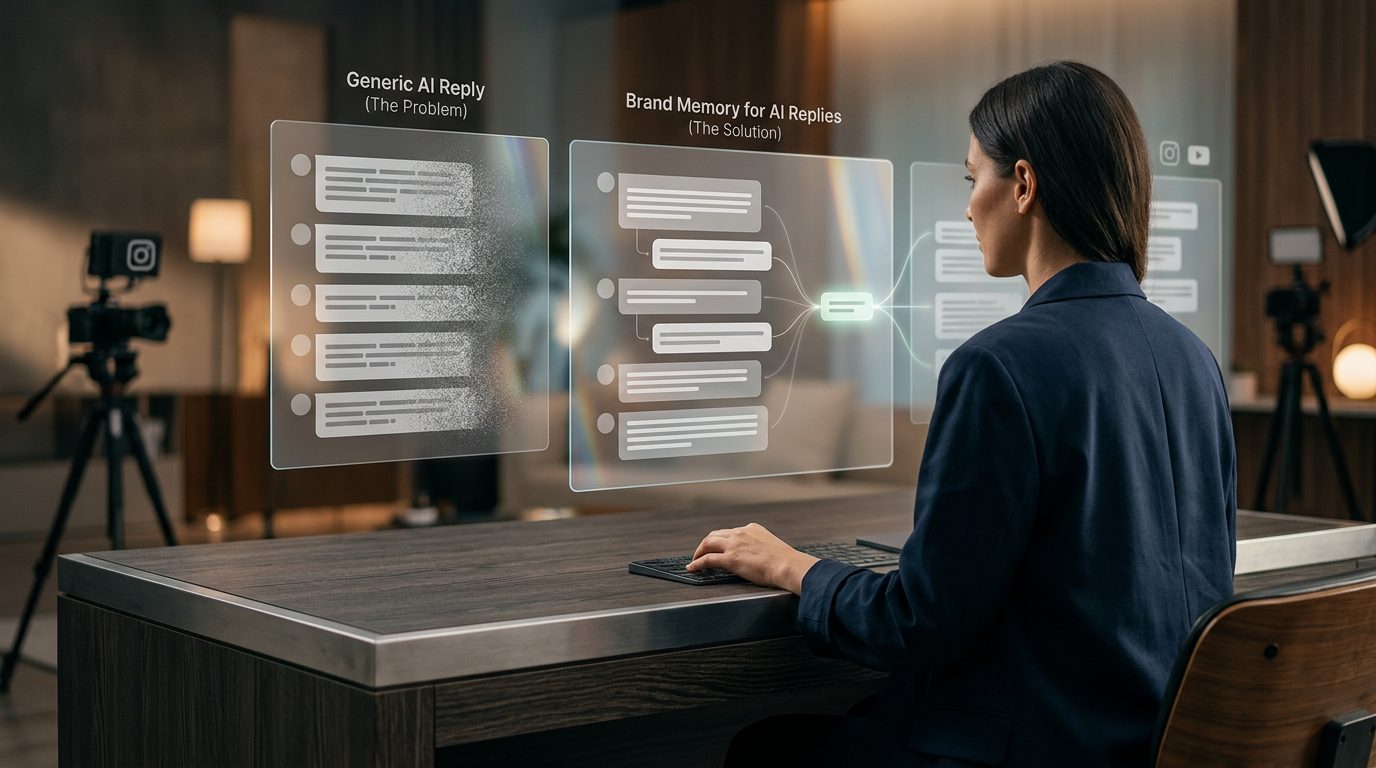
But what if your AI could remember? What if it could recall past conversations, understand your brand's unique voice, recognize your most loyal fans, and know exactly how to handle a complex customer service issue? This is the power of **brand memory for AI replies**. It's the critical evolution from basic automation to intelligent, humanized engagement.
This guide will walk you through the concept of brand memory, showing you how to transform raw comment data into a sophisticated intelligence layer that powers smarter moderation, authentic replies, and strategic business growth. With a platform like Boostingr, which serves as the operating system for this new era of comment management, you can teach your AI once and engage everywhere with confidence and consistency.
What is Brand Memory for AI Replies (And What It's Not)?
**Brand memory for AI replies** is the cumulative, learned intelligence that an AI system uses to ensure every automated interaction is consistent, context-aware, and perfectly aligned with your brand's voice, values, policies, and history. It's the 'brain' that sits behind your AI, allowing it to move beyond simple keyword triggers and into the realm of genuine understanding.
Think of it like a seasoned community manager. They don't just see a comment; they see the person behind it. They remember if that user is a new follower, a long-time advocate, or someone who had a support issue last week. They know the brand's tone of voice inside and out. They recognize inside jokes from the community. Brand memory digitizes and scales this exact expertise.
Here’s what it’s *not*:
* **It's not a simple keyword trigger.** A basic bot sees "price" and replies with a link to the pricing page. An AI with brand memory understands the difference between "What's the price?" (purchase intent) and "The price is too high!" (negative feedback). * **It's not a static script.** Chatbots often follow rigid, pre-written conversational flows. Brand memory is dynamic. It allows the AI to generate novel responses based on a deep understanding of countless variables, ensuring replies feel fresh and authentic. * **It's not just personalization.** Remembering a user's first name is table stakes. Brand memory is about contextualization—understanding the history of your relationship with that user and the wider community conversation.
This is the essence of Boostingr's philosophy: "Teach once, engage everywhere." By investing in building a robust brand memory, you create a single source of truth that governs every AI-powered interaction across all your connected social accounts. Your AI doesn't just read comments; it understands people.
The Core Components of a Powerful Brand Memory
A functional brand memory isn't a single piece of data; it's a complex, interconnected database of institutional knowledge. It's built from several key components working in concert:
- **Historical Interaction Data:** This is the foundation. It includes every comment a user has ever left, every reply your brand has ever sent them, and the outcomes of those interactions. Did they make a purchase after a conversation? Did their sentiment improve after a support interaction?
* **Tone of Voice:** Is your brand witty, formal, empathetic, or playful? The AI learns to adopt the correct tone based on the situation. * **Lexicon:** Approved terminology (e.g., "team members" not "employees"), product names, and phrases to always use or avoid. * **Safety Policies:** Strict rules about profanity, hate speech, and spam that go beyond simple keyword blocking to understand context and intent.
- **Brand Governance & Voice Guidelines:** This is your brand's DNA, digitized. It includes:
- **Community & Contextual Knowledge:** Your community has its own culture. A powerful brand memory understands and incorporates this context. This could include recognizing community-specific slang, acknowledging recurring inside jokes, or knowing the history of a long-running conversation thread.
- **User-Level Intelligence:** The AI builds a profile for each user. It can tag them based on their behavior: `loyal-advocate`, `new-lead`, `potential-churn-risk`, `known-troll`, `influencer`. This allows the AI to prioritize and tailor responses accordingly.
- **Moderation & Action History:** The memory logs every moderation action—every comment hidden, every user blocked, every reply edited by a human. This creates a powerful feedback loop. When a human moderator hides a comment the AI missed, the AI learns a new rule for what constitutes a policy violation, making it smarter for the next time.
From Raw Data to Actionable Intelligence: The Boostingr Workflow
Transforming a chaotic stream of comments into a coherent brand memory requires a sophisticated, multi-stage process. Here’s how a platform like Boostingr acts as the central nervous system for your comment strategy.
Step 1: Ingestion and First-Pass Classification
It all starts with data collection. Using official, stable APIs like the Instagram Graph API, Boostingr securely ingests every comment, reply, and mention in real-time from your connected accounts (Instagram, Facebook, YouTube, etc.). The moment a comment is posted, it enters the processing pipeline. The first layer of analysis is immediate: high-confidence spam, gibberish, and comments from previously blocked users are instantly filtered out, reducing noise by over 90% for many brands.
Step 2: Deep Understanding with Layered AI Models
This is where Boostingr truly begins to *understand* the comment. It’s not just reading text; it's deciphering meaning through multiple AI models:
* **Sentiment Analysis:** The system goes beyond a simple `positive`/`negative` label. It analyzes the intensity and nuance. Is the comment slightly disappointed or furious? Is it casually happy or ecstatically positive? This emotional context is crucial for crafting an appropriate response. You can learn more in our guide to sentiment analysis for comments. * **Intent Detection:** This is arguably the most critical step. The AI determines the user's goal. Are they asking a pre-purchase question, seeking customer support, expressing purchase intent, providing unsolicited feedback, or simply engaging socially? Classifying intent correctly determines the entire subsequent workflow. Our ultimate guide to intent detection covers this in depth.
Step 3: Querying the Brand Memory
With the comment classified and understood, the AI now queries the brand memory for context. It asks a series of questions in milliseconds:
* **User History:** "Has this user commented before? Are they tagged as a `high-value-customer`? Did we resolve a support ticket for them last month?" * **Contextual History:** "Is this comment part of a thread about a known service outage? Is this a reply to a question we've answered 50 times this week?" * **Policy Check:** "Does this comment contain subtle profanity or a dog-whistle that violates our community guidelines, even if it doesn't use a blocked keyword?" * **Priority Check:** "Does this comment match the criteria for a 'Hot Lead' as defined in our Instagram lead capture workflow?"
Step 4: The Decision Engine: Moderation and Reply Generation
Armed with a complete picture, the AI now executes the appropriate workflow. This isn't a single action but a decision tree with multiple potential outcomes:
* **Auto-Moderate:** Instantly hide comments that are identified as troll attacks, spam, or severe policy violations. * **Flag for Review:** For nuanced or high-stakes comments (e.g., a legal threat, a complaint from a VIP), the AI can flag the comment and route it to the appropriate human team member with all the contextual data attached. * **Auto-Reply:** For common questions or simple positive comments, the AI can generate a humanized, on-brand reply. Because it has access to the brand memory, the reply won't be a generic template. It will be a contextually appropriate response that reflects your brand's voice. * **Draft and Hold:** For more complex replies, the AI can draft a suggested response based on all available data and hold it for a human moderator to review, edit, and approve with a single click. This 'co-pilot' mode massively speeds up response times without sacrificing control.
Step 5: The Continuous Learning Loop
The process doesn't end once an action is taken. Every decision, especially those made by human moderators, feeds back into the system.
* If a human edits an AI-drafted reply to be more empathetic, the AI learns that nuance for future interactions. * If a human hides a comment that the AI initially left public, the AI's moderation model is updated. * If a user tagged as a `lead` converts to a customer, that positive outcome reinforces the lead identification criteria.
This constant refinement ensures the brand memory is not a static database but a living, evolving intelligence that gets smarter and more aligned with your brand over time.
## Practical Examples and Use Cases
Theory is one thing; practical application is another. Let's see how brand memory works in real-world scenarios.
Use Case 1: The High-Growth Ecommerce Brand
* **Scenario:** A user comments on an Instagram post for a new dress: "omg I love this but not sure about the fit for bigger chests. is the fabric stretchy?" * **Without Brand Memory:** The comment might get a generic reply like, "Hi! You can find all product details on our website!" This is unhelpful and creates friction. * **With Boostingr's Brand Memory:**
- **Intent Detection:** The AI identifies this as `pre-purchase-question` and `product-inquiry`.
- **Brand Memory Query:** The AI accesses its knowledge base, which has been taught that questions about "fit" and "stretch" for this specific dress are common. It knows the brand voice is helpful and body-positive.
- **Generated Reply:** The AI drafts a reply: "Great question! The fabric has a wonderful amount of stretch and many of our customers have told us it's very accommodating. For reference, our model in the third photo is a 36DD. We also have a super easy, free return policy if you'd like to try it on at home! 😊"
- **Workflow:** The comment is also automatically tagged as a `warm-lead` and can be monitored for a follow-up purchase.
Use Case 2: The B2B SaaS Company
* **Scenario:** A user comments on a LinkedIn post: "We're looking to switch providers. Does your platform integrate with Salesforce and Marketo?" * **Without Brand Memory:** This critical lead magnet could sit unanswered for hours, or get a slow reply from a marketing intern who needs to check with the engineering team. * **With Boostingr's Brand Memory:**
a. It instantly posts a public reply: "We do! Both are core integrations for our platform. Someone from our integrations team will DM you in just a moment to share the technical documentation." b. It simultaneously sends an alert to the sales team's Slack channel with the user's details and a link to the comment. c. It assigns a task to a pre-sales engineer to follow up via DM or email. This entire process turns a public comment into a qualified sales pipeline opportunity in under 60 seconds. Learn more about this process in our article on mastering lead capture from social comments.
- **Intent Detection:** The AI immediately flags this as `high-intent-lead` and `technical-question`.
- **Brand Memory Query:** The AI knows that "Salesforce" and "Marketo" are key integration partners. It also checks the user's profile and sees their job title is "Director of Marketing Operations" at a 500-person company, elevating the priority.
- **Workflow Execution:** The system triggers a multi-step workflow:
Use Case 3: The National Restaurant Chain
* **Scenario:** A user posts on the brand's Facebook page: "I was at your Boston location last night and the service was terrible. My order was wrong and the manager was rude. Never coming back." * **Without Brand Memory:** This five-alarm fire could go unnoticed, or a junior social media manager could issue a generic apology, further angering the customer. * **With Boostingr's Brand Memory:**
a. The AI can be configured to automatically hide the comment temporarily to prevent a public pile-on, while still keeping it visible to page admins. b. It immediately routes the comment, user history, and sentiment analysis to the dedicated customer support team and the regional manager for the Boston area. c. It can send an automated, empathetic DM: "We are so sorry to hear about your experience. This is not the standard we hold ourselves to. We've flagged this for our regional management team, who will be investigating immediately. Could you please share a contact number or email so they can reach out to you directly to make this right?"
- **Sentiment & Intent:** The AI detects `high-negative-sentiment` and `customer-support-escalation`.
- **Brand Memory Query:** The AI recognizes "Boston location" and accesses the specific protocol for handling complaints related to that franchise. It also checks the user's history and sees they are a frequent commenter who is usually positive, indicating this is an unusual and serious issue.
- **Workflow Execution:**
## Comparison Table
Not all comment management tools are created equal. Understanding the differences is key to choosing a solution that truly builds brand equity rather than just clearing a notification queue.
| Feature | Basic Automation (e.g., simple bots) | Enterprise Suites (e.g., Sprinklr, Sprout Social) | Specialized AI (Boostingr) |
|---|---|---|---|
| **Core Function** | Keyword-based triggers and replies. | All-in-one marketing suite (publishing, listening, analytics). | Deep comment understanding, moderation, and reply generation. |
| **Reply Generation** | Static, templated responses. | Templated replies, some basic dynamic fields. | Context-aware, generative replies based on brand memory, sentiment, and intent. |
| **Moderation** | Keyword blocklists. | Keyword/user blocklists, manual workflows. | Proactive AI moderation (trolls, spam, hate speech) with a continuous learning loop. |
| **Learning Mechanism** | None. Rules are manually set. | Limited. Relies on broad, platform-wide models. | Continuous learning from every human interaction, creating a bespoke brand memory. |
| **Primary Use Case** | Answering simple, repetitive FAQs. | Managing overall social media presence and campaigns. | Scaling high-quality, humanized community engagement and turning comments into intelligence. |
First-Party Observations from Boostingr
From our unique vantage point helping brands manage millions of comments, we've identified key patterns that separate successful AI implementations from frustrating ones.
**Observation 1: The 'Co-Pilot' Phase is Crucial.** We've observed that brands who dedicate the first two weeks to actively 'co-piloting' with our AI—reviewing its suggestions, editing drafted replies, and manually moderating edge cases—build a robust brand memory exponentially faster. These brands typically see over a 70% reduction in the need for manual intervention within 30 days. This initial time investment in teaching the AI is the single biggest predictor of long-term success and scalability.
**Observation 2: The Power of Uncovering 'Hidden Intent'.** Many brands overlook comments that don't contain obvious buying signals. However, our intent models consistently uncover 'aspirational leads' from comments like, "Wow, I wish I could afford this," or "Saving up for this one!" These are often ignored. We've seen that brands using Boostingr to engage these users with a helpful, non-pressuring reply (e.g., "We're so glad you love it! Just so you know, we do offer Afterpay as an option on our site.") see a measurable lift in conversions and build significant goodwill. It's a perfect example of how a sophisticated AI Instagram reply bot can drive revenue from unexpected places.
## Checklist: Implementing Brand Memory for AI Replies
Ready to build your own brand memory? Follow this strategic checklist to ensure a smooth and successful implementation.
- [ ] **Document Your Foundation:** Before you touch any software, write down your brand's voice, tone, and personality. Create a clear lexicon of preferred and forbidden terms.
- [ ] **Define Moderation Policies:** Create a clear, written policy for what constitutes spam, hate speech, or a support issue. This will be your AI's constitution.
- [ ] **Choose a Specialized Platform:** Select a tool like Boostingr that is built specifically for deep comment understanding and has a true brand memory component.
- [ ] **Connect Your Social Accounts:** Securely integrate all your primary social media profiles where you receive high volumes of comments.
- [ ] **Commit to the 'Teaching' Phase:** Dedicate resources for the first 1-2 weeks to actively review, edit, and approve AI suggestions. This is the most critical step.
- [ ] **Configure Intelligent Workflows:** Set up rules for routing comments. For example: `IF intent = 'purchase-intent' AND sentiment = 'positive' THEN tag as 'Hot Lead' AND notify sales`.
- [ ] **Establish Lead Capture Criteria:** Define what constitutes a lead from a comment and build a workflow to capture and nurture them, as detailed in our Instagram lead capture guide.
- [ ] **Review Performance Dashboards:** Regularly check your analytics. Is the AI's accuracy improving? Are response times decreasing? Use a comment sentiment dashboard to monitor community health.
- [ ] **Leverage Community Intelligence:** Use the insights gathered to inform your broader strategy. If everyone is asking about a certain feature, it's not just a comment to be answered—it's a signal to your product and marketing teams. Explore this further in our guide to community intelligence platforms.
- [ ] **Start Your Journey:** Don't wait for your comment section to become a crisis. Get started today by exploring options and signing up for a platform that can grow with you. You can sign up for Boostingr here.
## Original Diagrams
These original visuals explain the workflow in a faster, more defensible format than plain text alone and give the article first-party assets that are easier to understand and harder to copy.
Comment Processing Workflow
This workflow illustrates how a user's comment is ingested, analyzed against the brand memory, and used to generate a smart, context-aware reply. It transforms a simple interaction into an intelligent data point for future engagement.
AI Decision Tree
This decision tree demonstrates the AI's logic, showing how it evaluates a comment's intent and user history to choose the most appropriate action. Instead of a single generic response, the AI can decide to reply positively, escalate to a human, or flag for moderation.
Moderation Pipeline
This pipeline shows how the AI acts as a first line of defense, automatically identifying and filtering spam or policy-violating comments. This ensures a safe community environment while escalating genuinely negative feedback for human review.
Intent Classification Flow
See how the AI deconstructs a comment to understand its underlying intent, such as a purchase inquiry, a support request, or simple praise. This classification is the crucial first step in delivering a relevant and helpful response.
Brand Memory Diagram
Brand memory is a centralized knowledge base that gives the AI its context and personality. It combines historical user interactions, brand voice guidelines, and product information to ensure every reply is consistent, informed, and on-brand.
## Key Takeaways
If you remember nothing else from this guide, keep these key points in mind:
* **Memory is the Differentiator:** The ability to remember context, history, and brand rules is what separates truly intelligent AI from basic, frustrating bots. * **Comments are an Intelligence Asset:** With the right system, your comment section transforms from a moderation chore into a rich source of data for lead generation, customer service, and product development. * **The Process is Key:** Building a brand memory is a systematic process: ingest, classify, understand, query, act, and learn. Skipping a step breaks the chain. * **Human-in-the-Loop is a Feature, Not a Bug:** The best systems use humans to teach and refine the AI. This 'co-pilot' model combines the scale of AI with the nuance of human expertise. * **It Starts with a Strategic Choice:** You must consciously choose to move beyond generic tools and invest in a platform built for deep, contextual understanding. This aligns with the broader principle of creating helpful, user-first experiences, as championed by search engines like Google in their SEO starter guide.
Conclusion: Your Brand Deserves to Be Remembered
Your brand is more than a logo and a product; it's the sum of every interaction a customer has with you. In the digital age, a massive portion of those interactions happens in the comment sections of your social media. Leaving those conversations to forgetful bots or overwhelmed human moderators is a recipe for a diluted brand and a disengaged community.
The future of community management lies in creating a powerful partnership between humans and AI. It’s about augmenting your team with an AI that has a perfect, scalable memory—an AI that understands your brand as well as you do.
Building a **brand memory for AI replies** is a strategic investment in consistency, efficiency, and authenticity. It allows you to protect your brand's reputation through intelligent moderation, foster loyalty through personalized conversations, and drive growth by identifying opportunities in plain sight. Stop letting your AI have amnesia. It's time to build a memory that turns comments into your most valuable asset.
Ready to build an AI that truly understands your brand? Explore Boostingr's use cases for Instagram comment automation, see our transparent pricing, or visit our blog for more insights on transforming your community management.
## FAQs
Supplemental Workflow Diagrams
These original diagram briefs are placeholders for generated visual workflow assets and explain what each final diagram should teach the reader.
Comment Processing Workflow
Show the end-to-end flow from incoming public comment to classification, moderation decision, reply path, and retained community learning for Brand Memory For Ai Replies.
AI Decision Tree
Visualize how the system distinguishes low-risk, ambiguous, and high-risk comments before choosing reply, review, hide, or escalate.
Moderation Pipeline
Illustrate how spam, abuse, policy checks, priority scoring, and review layers work together before a public action goes live.
Intent Classification Flow
Explain how comment text, post context, intent, sentiment, and policy signals combine to produce the next best action.
Brand Memory Diagram
Show how approved offers, tone rules, support boundaries, and campaign context feed one brand-safe reply system across connected accounts.