The Hidden Cost of 'Good Enough' Instagram Moderation
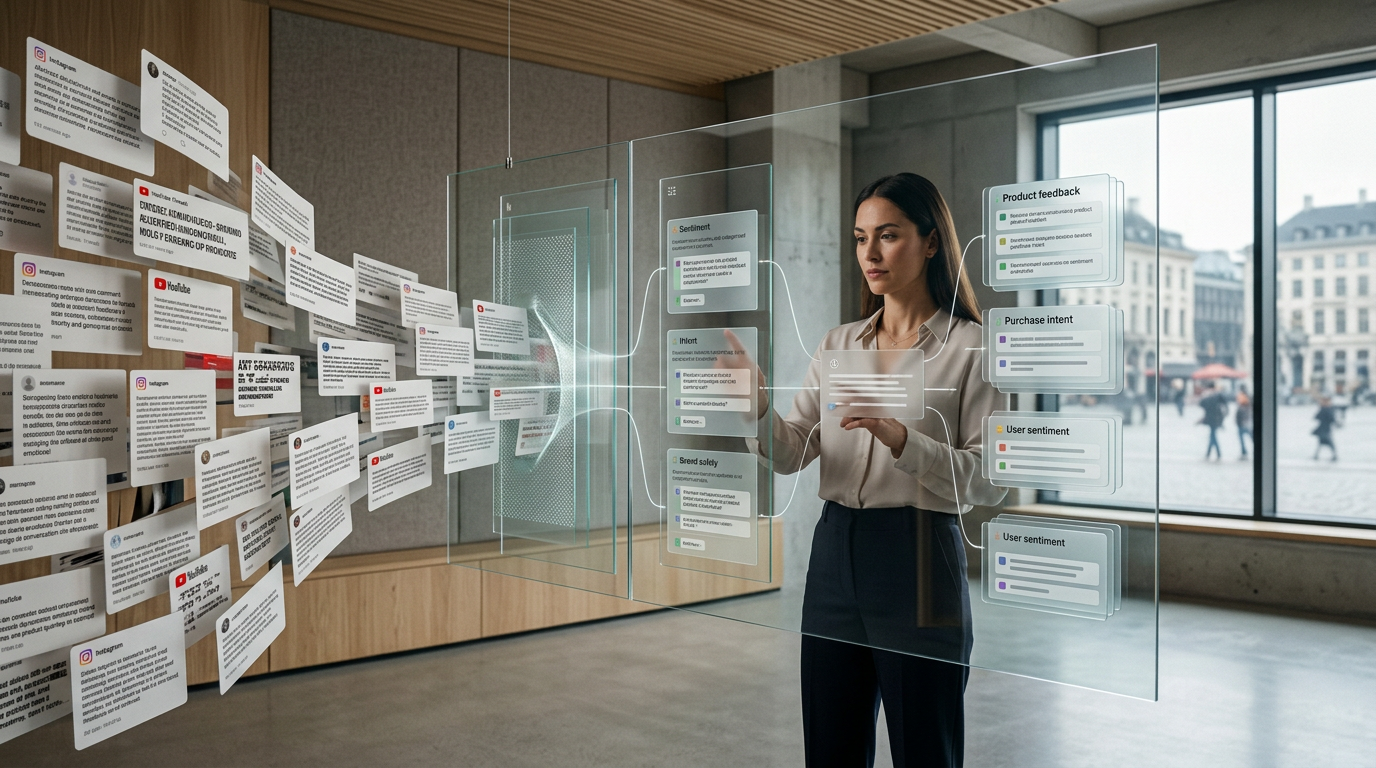
Your Instagram comments are buzzing. For a growing brand, this is the dream—a sign of a thriving community and effective content. But with volume comes chaos. Spam floods your posts, trolls hijack conversations, important customer questions get buried, and potential sales leads vanish into the noise. You need a solution, so you turn to an **instagram moderation tool**.
But here's the problem: most tools on the market are stuck in the past. They offer basic keyword filters, hidden word lists, and simple canned replies. While this might seem 'good enough' to catch the most obvious profanity, it's a leaky bucket strategy. You're still spending hours manually reviewing hidden comments, missing nuanced negativity, and failing to capitalize on the valuable opportunities hidden within your community's feedback.
This isn't just inefficient; it's a strategic blind spot. True community management isn't about silencing noise; it's about understanding the people behind the comments. It's about separating spam from sentiment, questions from qualified leads, and trolls from customers needing help. A modern **instagram moderation tool** shouldn't just be a filter; it should be an intelligent operating system for your community.
This guide compares the outdated approach of basic filters with the transformative power of a true AI-powered comment management platform. We'll explore how moving beyond simple rules allows you to not only protect your brand but also unlock unprecedented growth, engagement, and intelligence from your Instagram comments. Boostingr is built on this principle: to not just read comments, but to understand people.
The Severe Limitations of Basic Moderation Tools
Before we can appreciate what a modern solution does, we must first understand the pitfalls of the tools most brands are familiar with. These typically include Instagram's native features and first-generation automation apps.
**1. Instagram's Native 'Hidden Words' Feature:** Instagram allows you to create a custom list of words, phrases, and emojis you want to hide. It also has a pre-set filter for offensive content. While a good first line of defense, it's incredibly blunt.
* **The Problem:** It lacks context. A comment like "This price is insane!" could be positive (insanely good) or negative (insanely high). A keyword filter for "insane" might hide a glowing testimonial. This leads to constant manual review of the 'hidden comments' folder, defeating the purpose of automation.
**2. Simple Keyword-Based Automation:** Many social media management platforms offer moderation based on simple "if this, then that" logic. If a comment contains "price," trigger a canned reply. If it contains a curse word, hide it.
* **The Problem:** This approach is rigid and easily fooled. Spammers use variations like "pr1ce" or leetspeak to bypass filters. Sarcasm and passive-aggressive comments ("Wow, *another* delayed shipment. Great job.") fly completely under the radar. You're left with a false sense of security while your brand reputation takes subtle hits.
**3. Canned and Static Replies:** Automating replies is a huge time-saver, but basic tools rely on a small library of pre-written, static responses. Everyone who asks about shipping gets the exact same message.
* **The Problem:** Audiences can spot a generic, robotic reply from a mile away. It feels impersonal and can damage the brand's authenticity. There's no personalization, no acknowledgment of the user's specific tone, and no ability to adapt the response based on the nuances of their question.
These basic tools force your team into a reactive, manual-heavy workflow. You're constantly playing catch-up, managing exceptions, and missing the bigger picture. The core issue is that these tools don't *understand* language; they just match patterns.
Defining the Modern AI Instagram Moderation Tool
A true **instagram moderation tool** is a paradigm shift. It moves from pattern matching to genuine comprehension, powered by sophisticated AI models. It's an integrated system designed to analyze, understand, and act on comments with intelligence and nuance. Let's break down its core pillars.
Pillar 1: Intelligent Detection (Beyond Keywords)
This is where the magic begins. Instead of just looking for specific words, an advanced AI tool analyzes the entire comment for meaning and context.
* **AI Spam & Troll Detection:** Sophisticated models are trained on millions of examples to recognize the *behavioral patterns* of spam and trolling, even if they don't use obvious keywords. This includes detecting bot-like activity, repeated irrelevant links, and subtle harassment that keyword filters would miss. * **Sentiment Analysis:** The AI goes beyond 'positive' or 'negative' to understand a spectrum of feeling: positive, negative, neutral, and even mixed. It can tell the difference between "I'm not happy" and "I'm furious," allowing you to prioritize the most urgent negative comments. * **Intent Detection:** This is a game-changer. The AI classifies comments based on the user's underlying goal. Is it a **Purchase Intent** comment ("How much is this?"), a **Customer Support** query ("Mine arrived broken"), genuine **Praise** ("Best product ever!"), or a simple **Question** ("What colors does it come in?"). This classification is the foundation for intelligent automation.
Pillar 2: Automated, Intelligent Workflows (Beyond Hiding)
Once a comment is understood, an advanced tool can execute a workflow that's far more sophisticated than just 'hide' or 'reply'.
* **Classify & Route:** Based on the detected intent, comments are automatically sorted. Spam is hidden, support questions are flagged for the customer service team, and sales leads are routed to a dedicated workflow. This creates an organized, prioritized inbox out of chaos. * **Human-in-the-Loop Approval:** For sensitive topics or high-value interactions, the AI doesn't have to act alone. It can draft a perfect, on-brand reply and hold it for a human team member to approve with a single click. This combines the speed of AI with the final say of human oversight. * **Trigger Complex Actions:** A purchase intent comment can trigger a workflow that not only drafts a reply but also tags the user in your CRM, adds them to a 'hot leads' list, and alerts the sales team. This turns your comment section into an active part of your business operations.
Pillar 3: Humanized Engagement (Beyond Canned Replies)
Generic replies are a community killer. A true **instagram moderation tool** focuses on creating authentic interactions at scale.
* **Brand Memory:** This is a core concept at Boostingr. The AI is trained on your specific brand guidelines, product information, FAQ documents, and even past successful replies. It learns your voice, tone, and policies. This ensures that every AI-assisted reply sounds like it came directly from your brand manager, not a robot. This is the essence of our "Teach once, engage everywhere" philosophy. * **Contextual AI Replies:** The AI generates unique replies for each comment. It considers the user's sentiment, the specific question asked, and the brand's learned memory to craft a response that is relevant, personal, and empathetic. If a user is frustrated, the reply will be apologetic and helpful. If they're excited, it will be enthusiastic.
Pillar 4: Community Intelligence (Beyond Moderation)
Moderation is only half the battle. The data flowing through your comments is a goldmine of business intelligence. A modern tool helps you extract it.
* **Lead Capture & Management:** By automatically identifying purchase intent, a tool like Boostingr transforms your comment section into a powerful Instagram lead capture funnel. It ensures no potential customer is ever missed. * **Actionable Insights:** Dashboards and reports show you trends in sentiment, common questions, and recurring product feedback. Are people suddenly complaining about shipping? Is a certain feature getting a lot of praise? This data, detailed in our AI Community Intelligence guide, is crucial for product development, marketing strategy, and overall business improvement.
Comparison Table
Let's visualize the difference between the old way and the new way.
| Feature | Basic Moderation Tools | Advanced AI Instagram Moderation Tool (like Boostingr) |
|---|---|---|
| **Core Technology** | Keyword matching, regex rules | Natural Language Processing (NLP), AI/ML models |
| **Spam Detection** | Catches obvious keywords; easily bypassed | Detects spam patterns, leetspeak, and bot behavior |
| **Troll Detection** | Relies on profanity filters | Understands context, sarcasm, and targeted harassment |
| **Sentiment Analysis** | No, or very basic positive/negative | Multi-layered: positive, negative, neutral, mixed, urgent |
| **Intent Detection** | No | Yes: purchase intent, support, question, feedback, etc. |
| **Automated Replies** | Static, canned responses | Dynamic, contextual, humanized AI-generated replies |
| **Brand Consistency** | Manual enforcement | AI-powered **Brand Memory** ensures consistent tone & voice |
| **Workflow** | Hide, delete, or a single canned reply | Classify, route, prioritize, flag for review, trigger actions |
| **Lead Capture** | Manual searching | Automatic identification and workflow integration |
| **Analytics** | Basic counts (number of hidden comments) | Deep **Community Intelligence**: trends, insights, feedback analysis |
| **Scalability** | Poor; requires more human hours as volume grows | Excellent; AI handles volume, freeing humans for strategy |
Practical Examples and Use Cases
Theory is great, but how does this work in the real world? Here are some practical applications of a true **instagram moderation tool**.
**Use Case 1: The Fast-Growing Ecommerce Brand**
* **Challenge:** A fashion brand's posts are flooded with comments after a successful ad campaign. Among the hundreds of emoji reactions are dozens of questions like "Do you ship to Canada?", "How much for the blue one?", and "Where can I get this??". Manually finding and replying to each is impossible. * **AI Solution:**
* **Result:** No lead is missed. The social media team avoids burnout, and customers get fast, accurate answers, leading to higher conversion rates.
- Boostingr's AI instantly identifies comments with **purchase intent** and **questions**.
- Spam comments ("DM for a collab!") are automatically hidden.
- For purchase intent comments, the AI Instagram reply bot drafts personalized replies. Using **Brand Memory**, it knows the brand's shipping policies and can answer the Canada question directly. For price questions, it can direct the user to the product page.
- Each of these comments is automatically tagged as a 'lead' and can even be pushed to the brand's sales dashboard.
**Use Case 2: The High-Profile Creator**
* **Challenge:** A creator with millions of followers wants to maintain a positive community, but their comment section is a constant target for trolls, hate speech, and scams. * **AI Solution:**
* **Result:** The community remains a safe and positive space. The creator can engage with real fans without wading through a sea of toxicity, strengthening their relationship with their audience.
- The AI's advanced troll and spam detection models are set to a high-confidence setting, automatically hiding 99% of malicious content without touching genuine fan comments.
- Comments with negative sentiment but no trolling indicators (i.e., legitimate criticism) are flagged for the creator's personal review.
- The AI identifies recurring questions from fans ("When is the next video?") and uses its AI comment moderation capabilities to draft friendly, on-brand replies for the creator to approve.
**Use Case 3: The Global B2B Software Company**
* **Challenge:** A SaaS company uses Instagram for brand marketing. They get technical support questions and feature requests mixed in with marketing responses. These critical comments are often missed by the marketing team. * **AI Solution:**
* **Result:** The customer feels heard immediately. The support issue is routed to the correct team without manual intervention, preventing churn and improving customer satisfaction.
- The AI's **intent detection** identifies comments like "The new update broke my integration" as **Customer Support** issues.
- Instead of just replying, the tool triggers a workflow: it automatically creates a ticket in the company's support system (e.g., Zendesk or Jira), including the user's comment and a link to the post.
- It then posts a reply: "Thanks for letting us know. We've created a support ticket for you, and our team will reach out via email shortly."
Original Diagrams
These original visuals explain the workflow in a faster, more defensible format than plain text alone and give the article first-party assets that are easier to understand and harder to copy.
Comment Processing Workflow
This diagram illustrates how a modern moderation tool processes every incoming comment. Instead of a simple pass/fail filter, it uses intelligent analysis to sort, prioritize, and act on comments efficiently.
AI Decision Tree
Unlike basic tools that only check for banned words, a true AI moderation tool uses a complex decision-making process. It analyzes multiple layers of context to determine the most appropriate action for each unique comment.
Moderation Pipeline
This visual represents the end-to-end moderation pipeline. Each stage adds a layer of intelligence, transforming a chaotic stream of comments into organized, actionable data and community interactions.
Intent Classification Flow
A key function of a true moderation tool is understanding *why* someone is commenting. This flow shows how the AI classifies comments by intent, allowing you to automatically escalate sales leads or support questions.
Brand Memory Diagram
This illustrates how an advanced AI develops a 'brand memory' from your guidelines and past interactions. This allows it to generate replies that are not just accurate, but also perfectly match your brand's unique voice and tone.
Checklist: Choosing the Right Instagram Moderation Tool
When evaluating solutions, use this checklist to ensure you're investing in a tool that drives real value, not just a glorified filter.
- [ ] **AI-Powered Analysis:** Does the tool offer true sentiment and intent detection, or just keyword flagging?
- [ ] **Nuanced Detection:** Can it reliably distinguish between spam, trolls, and legitimate negative feedback?
- [ ] **Dynamic AI Replies:** Does it generate contextual, human-like replies, or is it limited to a list of canned responses?
- [ ] **Brand Safety & Control:** Does it have a **Brand Memory** feature to learn your voice and tone? Can you set up approval workflows?
- [ ] **Lead Generation:** Can the tool automatically identify and capture sales leads from comments? See how it works for Instagram lead capture.
- [ ] **Actionable Intelligence:** Does it provide dashboards and reports that offer genuine community intelligence, not just vanity metrics? Explore the possibilities with AI Community Intelligence.
- [ ] **Scalability:** Is the platform built to handle thousands of comments per day without a drop in performance or accuracy? It must be built on a robust API like the Instagram Graph API.
- [ ] **Workflow Automation:** Can you build custom rules and workflows that route comments to the right people or systems (e.g., CRM, support desk)?
- [ ] **Human-in-the-Loop:** Does it allow for easy collaboration between AI and your human team, ensuring you always have the final say?
**First-Party Observation:** At Boostingr, we've seen that brands who prioritize these deeper capabilities during their evaluation process are far more successful. They transition from seeing comments as a chore to seeing them as a strategic asset. The ROI isn't just in time saved; it's in leads captured, churn prevented, and product innovations discovered.
Key Takeaways
If you only remember a few things from this guide, let them be these:
* **Basic Moderation is Obsolete:** Simple keyword filters and canned replies are no longer sufficient for managing a modern brand community on Instagram. They create manual work and miss critical context. * **Understanding is Key:** A true **instagram moderation tool** uses AI to *understand* the sentiment and intent behind comments, not just match words. * **Look for the Four Pillars:** A powerful tool must have Intelligent Detection, Automated Workflows, Humanized Engagement (powered by Brand Memory), and provide deep Community Intelligence. * **Shift from Labor to Strategy:** The goal is to automate the tedious 90% of comment management so your team can focus on the high-value 10%—strategic engagement, trend analysis, and building relationships. * **Comments are a Business Asset:** With the right tool, your Instagram comment section transforms from a moderation headache into a rich source of sales leads, customer feedback, and strategic insights.
FAQs
Here are answers to some common questions about advanced Instagram moderation.
**1. What's the difference between an Instagram moderation tool and a general social media management tool?** A general social media management tool (like Hootsuite or Sprout Social) is a jack-of-all-trades, focusing on scheduling, publishing, and a unified inbox. An advanced **instagram moderation tool** like Boostingr is a specialist. It's purpose-built for the deep, AI-powered analysis and management of comment conversations at scale, offering far more depth in sentiment, intent, and automated workflows.
**2. Can an AI tool really sound human and stay on-brand?** Yes, but only if it has a feature like **Brand Memory**. A generic AI will sound robotic. An AI trained on your specific brand voice, product details, and past replies learns to mimic your unique style. It's the difference between a random stranger answering for you and a well-trained brand expert. Our guide on Brand Memory for AI replies explains this in detail.
**3. Is it safe to fully automate comment replies on Instagram?** We recommend a hybrid approach. It's perfectly safe to fully automate replies to common, low-risk questions or to hide obvious spam. For more complex or sensitive comments, the best practice is to use a 'human-in-the-loop' workflow. The AI drafts the reply, and a human team member approves it with one click. This gives you the best of both worlds: speed and safety.
**4. How does an Instagram moderation tool help with lead generation?** By using AI to detect **purchase intent**. The tool automatically identifies comments like "Where can I buy this?", "How much?", or "Is this available in my country?". It can then automatically tag these users as leads, draft a reply with a direct link to purchase, and even integrate with your CRM, ensuring your sales team never misses an opportunity.
**5. What is 'Community Intelligence' and how is it different from analytics?** Standard analytics tells you *what* happened (e.g., you got 500 comments). Community intelligence, a concept we explore in our deep dive on the topic, tells you *why* it happened. It analyzes the content of those 500 comments to reveal trends, sentiment shifts, common product complaints, and emerging customer needs, turning raw data into strategic business insights.
**6. Will using an automation tool get my Instagram account banned?** No, as long as the tool is reputable and uses the official Meta/Instagram Graph API. Legitimate tools like Boostingr operate within the strict guidelines set by Meta. They don't perform spammy actions like auto-following or bulk liking. The danger comes from shady, unauthorized tools that use scraping or other forbidden methods. Always ensure your provider is an official Meta partner.
Your Comments Are More Than Just Comments
The conversation happening on your Instagram posts is one of your brand's most valuable, and volatile, assets. Leaving its management to outdated, simplistic tools is like trying to navigate a superhighway with a horse and buggy. You'll be overwhelmed, you'll miss your exits, and you'll eventually get left behind.
A true **instagram moderation tool** isn't an expense; it's an investment in efficiency, brand reputation, and growth. It's the operating system that turns chaotic comment sections into a streamlined engine for customer service, lead generation, and business intelligence.
Stop just filtering. It's time to start understanding.
**Ready to see what a true AI-powered comment management platform can do for your brand? Explore Boostingr's pricing or sign up to experience the future of community engagement today.**