Quick Answer
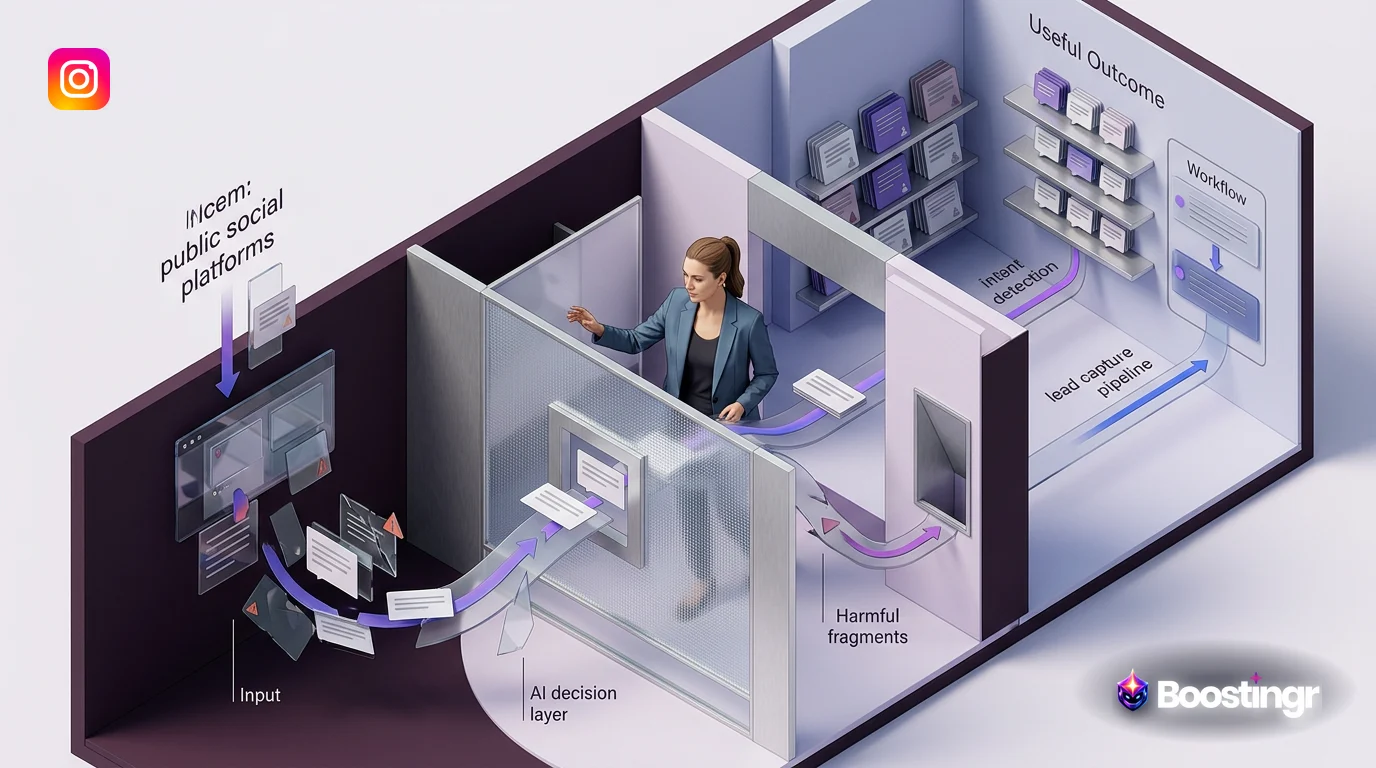
AI community management is an advanced system that uses artificial intelligence to automate and scale online community engagement, primarily through social media comments. It goes beyond simple moderation by understanding comment intent, sentiment, and context to deliver humanized replies, capture leads, detect spam and trolls, and generate actionable community intelligence. This creates a cohesive, brand-aligned workflow for managing audience interactions at scale.
The Shift from Disconnected Tools to an Integrated System
The constant flood of comments across Instagram, Facebook, YouTube, and TikTok is a double-edged sword. On one hand, it’s a goldmine of engagement, feedback, and sales opportunities. On the other, it’s an overwhelming, chaotic firehose that most brands struggle to manage effectively.
For years, the standard approach has been a patchwork of manual labor and brittle automation. Social media managers spend hours manually hiding spam, replying to repetitive questions, and trying to spot the rare, high-value lead. To cope, they adopt tools with basic inbox rules or keyword triggers. You might set a rule to hide comments with profanity or auto-reply to comments containing "price."
But this approach is fundamentally broken. It’s reactive, not proactive. It lacks understanding and creates frustrating, robotic user experiences. A keyword filter can’t distinguish between a genuine question and a sarcastic remark. An auto-reply can’t handle a nuanced product inquiry. This old model leaves growth on the table and puts your brand's reputation at risk.
The future isn’t another tool; it’s a complete paradigm shift. The solution is a true **AI community management** system—an intelligent operating system for your audience engagement. Instead of just reacting to keywords, this system understands the people behind the comments, enabling you to build a strategic, scalable workflow for moderation, engagement, and growth. Platforms like Boostingr are at the forefront of this evolution, transforming chaotic comment sections into a central nervous system for brand intelligence.
What Defines a True AI Community Management System?
A genuine **AI community management** system is more than a collection of features; it's an integrated platform where each component works in concert to create a seamless workflow. It moves beyond the limitations of first-generation tools by incorporating deep learning models that understand language, context, and human intent.
Here are the core pillars that distinguish a true system from a simple tool:
1. Advanced AI Comment Moderation
This isn't just about a blocklist. True AI moderation involves a sophisticated classification pipeline. When a comment comes in, the AI instantly analyzes it across multiple vectors: toxicity, spam, trolling, profanity, and relevance. It can distinguish between a hateful comment that needs to be hidden immediately and a negative but valid piece of customer feedback that should be routed to the support team. This nuanced understanding ensures brand safety without silencing valuable customer voices. You can learn more about this process in our AI comment moderation workflow guide.
2. Context-Aware AI Replies
Generic, one-size-fits-all replies are a hallmark of outdated automation. An intelligent system leverages Natural Language Understanding (NLU) to grasp the context of a conversation. It knows the difference between "What's the price?" and "Is the price worth it?" It understands slang, emojis, and cultural nuances. This allows the AI to generate humanized, brand-aligned responses that feel authentic and helpful, not robotic. Boostingr’s AI Instagram reply bot is designed to master this, ensuring every interaction reinforces your brand's personality.
3. Granular Intent Detection
This is perhaps the most significant leap forward. Instead of just analyzing if a comment is positive or negative (sentiment analysis), intent detection identifies the *purpose* behind the comment. A sophisticated **AI community management** system can classify comments into dozens of categories, such as:
* **Purchase Intent:** "Where can I buy this?" or "Is this available in blue?" * **Support Request:** "My order hasn't arrived," or "How do I reset my password?" * **Positive Feedback:** "I love this product!" or "Best customer service ever!" * **Negative Feedback:** "This broke after one use," or "I'm disappointed with the quality." * **General Question:** "What are your store hours?" or "Do you ship to Canada?"
This classification is the trigger for all subsequent workflows, from lead capture to customer support escalation.
4. Actionable Comment Community Intelligence
Your comment section is the world's most honest focus group. An **AI community management** system aggregates and analyzes thousands of comments to provide high-level insights. This is the essence of **comment community intelligence**. Instead of manually reading comments to guess what people think, you get a dashboard that visualizes:
* Sentiment trends over time. * The most common questions and complaints. * Emerging topics of conversation. * Feedback on specific products or campaigns.
This intelligence transforms your community from a cost center to a strategic asset, informing marketing, product development, and overall business strategy.
5. Persistent Brand Memory
How can an AI reply with authority and accuracy? Through Brand Memory. This feature allows you to "teach" the AI your brand's specific knowledge base. You provide it with your product details, return policies, brand voice guidelines, founder's story, and FAQs. The AI internalizes this information, ensuring that every reply is not only contextually appropriate but also factually correct and perfectly on-brand. With Boostingr, you can teach the AI once and it will apply that knowledge everywhere, across all your connected social accounts.
Comparison Table: AI Community Management Systems vs. Traditional Tools
The difference between a modern system and legacy tools becomes clear when you compare their capabilities side-by-side.
| Feature | Traditional Tools (e.g., Hootsuite, Sprout Social) | Basic Automation (e.g., ManyChat) | AI Community Management System (Boostingr) |
|---|---|---|---|
| **Comment Understanding** | Keyword-based filtering and basic sentiment. | Keyword triggers, primarily for DMs. | Deep understanding of intent, sentiment, context, and nuance. |
| **Reply Capability** | Canned responses or manual replies. | Pre-scripted, rigid DM flows. | Dynamic, humanized, on-brand replies in public comments and DMs. |
| **Moderation Logic** | Simple "hide/delete" based on keywords. | Limited to no public comment moderation. | Multi-layered classification (spam, troll, hate) with custom routing and escalation. |
| **Lead Identification** | Manual spotting by a human manager. | Basic keyword triggers (e.g., "buy"). | Proactive intent detection for purchase signals, questions, and interest. |
| **Scalability** | Poor. Requires more human resources as volume grows. | Scales simple flows, but breaks with complexity. | Excellent. Manages millions of comments with consistent logic and quality. |
| **Insight Generation** | Basic analytics (counts, sentiment scores). | Flow-based analytics (e.g., open rates). | Rich **comment community intelligence** dashboard with trend analysis and topic discovery. |
The Strategic Workflow: Building Your AI-Powered Community Management Engine
Adopting an **AI community management** system isn't about flipping a switch; it's about building a strategic, automated engine. Here is a step-by-step workflow using a platform like Boostingr.
Step 1: Centralize and Connect
The foundation of any system is a single source of truth. The first step is to connect all your social media profiles—Instagram, Facebook, YouTube, TikTok—to one centralized platform. This breaks down data silos and ensures that your AI has a complete view of all community interactions. This is a core principle of effective social media comment automation.
Step 2: Architect Your Moderation Pipeline
Next, you define the rules of engagement for brand safety. This isn't a simple on/off filter but a multi-stage pipeline that uses **community management ai** to triage comments intelligently.
- **First Pass - The Gatekeeper:** Automatically hide or delete comments that the AI classifies with high confidence as spam, hate speech, or severe trolling. This immediately cleans your comment section of the worst offenders, protecting your community.
- **Second Pass - Classification:** For all remaining comments, the AI runs sentiment and intent analysis. Each comment is tagged (e.g., `purchase_intent`, `support_request`, `negative_feedback`).
- **Third Pass - Routing:** Based on these tags, you create rules. `Support_request` comments can be automatically routed to your Zendesk or Slack for a human agent. `Negative_feedback` can be flagged for review by a senior manager. `Purchase_intent` comments are sent to the lead capture workflow.
Step 3: Infuse the AI with Brand Memory
This is where you transform a generic AI into *your* AI. You populate the Brand Memory module with your unique business information:
* **Product Catalog:** SKUs, features, pricing, and availability. * **Policies:** Shipping details, return instructions, warranty information. * **Brand Voice:** Adjectives that describe your tone (e.g., witty, professional, empathetic), and examples of good and bad replies. * **FAQs:** Answers to the top 20 questions your community asks.
Boostingr’s “Teach once, engage everywhere” philosophy means this knowledge is instantly accessible for crafting replies on any connected channel.
Step 4: Configure Intent-Based Reply Workflows
With your AI trained, you can now build out your **ai powered community management** reply flows. Instead of `IF comment contains "price" THEN reply...`, your logic becomes much more sophisticated:
* **IF intent IS `purchase_intent` AND sentiment IS `positive`:** * **Action:** Post a public reply like, "That's a great choice! We'll send you a DM with the details right now." and trigger an automated DM with a product link. * **IF intent IS `general_question` AND Brand Memory contains the answer:** * **Action:** Reply publicly with the correct information, drawn directly from the knowledge base. * **IF intent IS `negative_feedback` AND sentiment IS `very_negative`:** * **Action:** Post a public reply like, "We're so sorry to hear this and want to make it right. Please check your DMs for a message from our support team." and simultaneously create a ticket for human follow-up.
Step 5: Activate Proactive Lead Capture
This workflow turns your comment section into a powerful lead generation channel. It's a core component of any modern Instagram lead capture strategy.
- **Identification:** The AI constantly scans for comments indicating purchase intent, such as "How much?", "I need this!", or "Do you have this in a size 10?"
- **Engagement:** It automatically triggers a two-part response. First, a public comment to acknowledge the user and show other visitors that you are responsive. Second, a direct message to move the conversation to a private, conversion-focused channel.
- **Conversion:** The DM can contain a direct link to the product, a discount code to incentivize purchase, or a question to qualify the lead further.
*First-Party Observation:* We've seen brands using Boostingr discover that a specific feature they thought was minor is actually a major talking point in their comments, leading them to adjust their marketing messaging and highlight it more prominently.
Step 6: Monitor, Analyze, and Iterate with Community Intelligence
Your **AI community management** system is now running, but the work isn't over. The final step is to use the analytics dashboard to learn and optimize. Regularly review your **comment community intelligence** reports to:
* Identify your most engaged fans and brand advocates. * Spot recurring product complaints or feature requests. * Measure the sentiment of your brand before and after a campaign launch. * Understand which types of content generate the most positive engagement or purchase intent.
This data-driven feedback loop allows you to continuously refine your marketing, improve your products, and make your AI workflows even smarter.
Practical Examples and Use Cases
How does this strategic workflow look in the real world? Here are a few examples across different industries.
Use Case 1: The Fast-Growing Ecommerce Brand
A direct-to-consumer skincare brand runs an Instagram Reel that goes viral. They receive thousands of comments.
* **The Problem:** Hundreds of comments are spam. Hundreds more are questions about ingredients, shipping, and price. A few dozen are high-intent leads. Manually handling this is impossible. * **The AI Workflow:**
- Boostingr instantly hides 99% of the spam and troll comments.
- It identifies 500+ comments asking about ingredients. Using Brand Memory, it replies to each with a link to the product's ingredient list.
- It detects 75 comments like "I need this!" or "Where to buy?" It replies publicly and sends a DM with a direct checkout link, capturing dozens of sales.
- It flags 10 comments mentioning a skin reaction and routes them to a high-priority support queue for immediate human attention.
**Mini Case Study:** A D2C apparel brand using Boostingr saw a 30% reduction in manual moderation time and a 15% increase in conversions attributed to comment-based lead capture within the first 60 days. By automating replies to size and availability questions, they freed up their social team to focus on high-value conversations.
Use Case 2: The B2B Tech Company
A SaaS company is running Facebook Ads for a new software feature. Their ads generate a lot of comments, ranging from skepticism to genuine interest.
* **The Problem:** The sales team needs to find the real leads, the support team needs to handle technical questions, and the marketing team wants to manage the brand's reputation. * **The AI Workflow:**
- The AI moderates off-topic or unprofessional comments to keep the ad discussion productive.
- It identifies comments like, "Does this integrate with Salesforce?" or "Can we get a demo?" It tags them as `sales_lead` and uses a webhook to push them directly into the company's CRM for a sales rep to follow up.
- It spots technical questions like, "What version of the API does this use?" and routes them to a dedicated Slack channel for the engineering support team. The official Facebook Graph API documentation is a great resource for developers to understand these integrations.
Use Case 3: The Digital Creator
A popular YouTuber posts a new video, and their comment section explodes with engagement from their loyal community.
* **The Problem:** The creator wants to engage with their fans but is overwhelmed by the volume and needs to filter out hateful comments and impersonator spam. * **The AI Workflow:**
- The AI is trained to detect and hide comments from users impersonating the creator (e.g., "DM me for a prize!").
- It identifies the most common questions in the comments (e.g., "What camera do you use?") and automatically replies with pre-approved answers.
- It uses sentiment analysis to find the most positive and supportive comments, flagging them for the creator to personally reply to, maximizing their impact.
*First-Party Observation:* A common mistake we see is brands setting up simple keyword filters that accidentally hide positive comments containing negative words, like 'This is sick!' or 'I'm dying, this is so funny.' A true **AI community management** system that understands nuance and sentiment avoids these embarrassing and engagement-killing errors.
Original Diagrams
These original visuals explain the workflow in a faster, more defensible format than plain text alone and give the article first-party assets that are easier to understand and harder to copy.
Comment Processing Workflow
This diagram illustrates the end-to-end journey of a social media comment within an AI management system. It shows how each comment is ingested, analyzed, and then routed for an appropriate action like a reply, moderation, or data extraction.
AI Decision Tree
See the logical path an AI takes to handle any comment. This decision tree shows how the system evaluates factors like sentiment and keywords to determine whether to generate a reply, flag for moderation, or capture a sales lead.
Moderation Pipeline
This workflow demonstrates how AI automates trust and safety at scale. Comments pass through automated filters for spam and policy violations, with only nuanced cases escalated for human review.
Intent Classification Flow
Understanding 'why' a user is commenting is key. This flow shows how AI analyzes a comment to classify its underlying intent, sorting it into categories like 'Sales Lead', 'Support Request', or 'Feedback'.
Brand Memory Diagram
An AI system's ability to provide consistent, on-brand replies comes from its 'brand memory'. This shows how the AI accesses a central knowledge base of brand voice, product info, and past interactions to generate accurate responses.
Checklist: Implementing Your AI Community Management Strategy
Use this checklist to ensure a smooth and strategic transition to an **AI community management** system.
- [ ] **Audit Your Current Process:** Document the time spent on manual moderation and replies.
- [ ] **Define Your Goals:** Are you aiming for brand safety, lead generation, or better support? Be specific.
- [ ] **Choose the Right Platform:** Select a true AI system like Boostingr, not a simple keyword tool.
- [ ] **Connect All Social Channels:** Centralize your Instagram, Facebook, YouTube, and other accounts.
- [ ] **Build Your Brand Memory:** Compile all essential product info, policies, and brand voice guidelines.
- [ ] **Configure Your Moderation Rules:** Start with strict rules for spam and hate speech.
- [ ] **Design Intent-Based Reply Flows:** Create workflows for your top 3-5 comment intents (e.g., sales, support, praise).
- [ ] **Set Up Routing and Escalation:** Integrate with your helpdesk (Zendesk, etc.) and CRM.
- [ ] **Run a Pilot Program:** Test the AI on a single account or ad campaign before rolling it out everywhere.
- [ ] **Train Your Team:** Ensure your social media managers know how to work with the AI, review its actions, and manage escalations.
- [ ] **Monitor Analytics Weekly:** Review the community intelligence dashboard to find insights and optimize your strategy.
- [ ] **Iterate and Refine:** Use feedback and data to continuously improve your AI's responses and workflows.
Key Takeaways
* **System Over Tools:** The future of community engagement is an integrated **AI community management** system, not a collection of disconnected tools. * **Intent is Key:** Moving beyond sentiment to understand the *intent* behind a comment unlocks strategic workflows for sales, support, and marketing. * **Workflow is Everything:** A successful implementation relies on a well-designed workflow for moderation, replies, routing, and lead capture. * **Brand Memory Creates Authenticity:** Teaching an AI your specific brand knowledge is crucial for generating humanized, accurate, and trustworthy replies. * **Comments are Intelligence:** Your comment section is a rich source of data. An AI system transforms this raw data into **comment community intelligence** that can guide business strategy. * **Automation Drives Growth:** By automating repetitive tasks, you free up your team to focus on high-value activities and scale your engagement in a way that was previously impossible.
Ready to build your own **AI community management** engine? Sign up for Boostingr and transform your comments from a liability into your greatest asset.
Evidence, Experience, and References
This article is based on Boostingr's extensive experience developing and implementing AI-powered comment management solutions for hundreds of brands, from fast-growing ecommerce stores to global enterprises. Our platform processes millions of comments, giving us unique insight into the challenges and opportunities of modern community engagement. Our methodologies are built on best practices in machine learning, natural language processing, and brand safety.
For further technical reading and understanding of the platforms we integrate with, we recommend the official developer documentation:
* Instagram Graph API Documentation * Google's SEO Starter Guide (for understanding how quality engagement can be perceived)
About the Author
The Boostingr team is composed of AI engineers, data scientists, and veteran digital marketers who are passionate about solving the biggest challenges in social media engagement. We are dedicated to building technology that helps brands connect with their communities in more meaningful and scalable ways. Our focus is on creating practical, workflow-first solutions that deliver real business results.
Last Updated
October 2023
FAQs
Search Intent and Topic Map
This guide targets readers researching ai community management and maps the topic to practical evaluation and implementation decisions. Supporting concepts include community management ai, ai powered community management, comment community intelligence, ai comment management, brand safe ai replies, comment moderation automation. These terms are used only where they clarify the reader's question, not as repeated ranking phrases.