Quick Answer
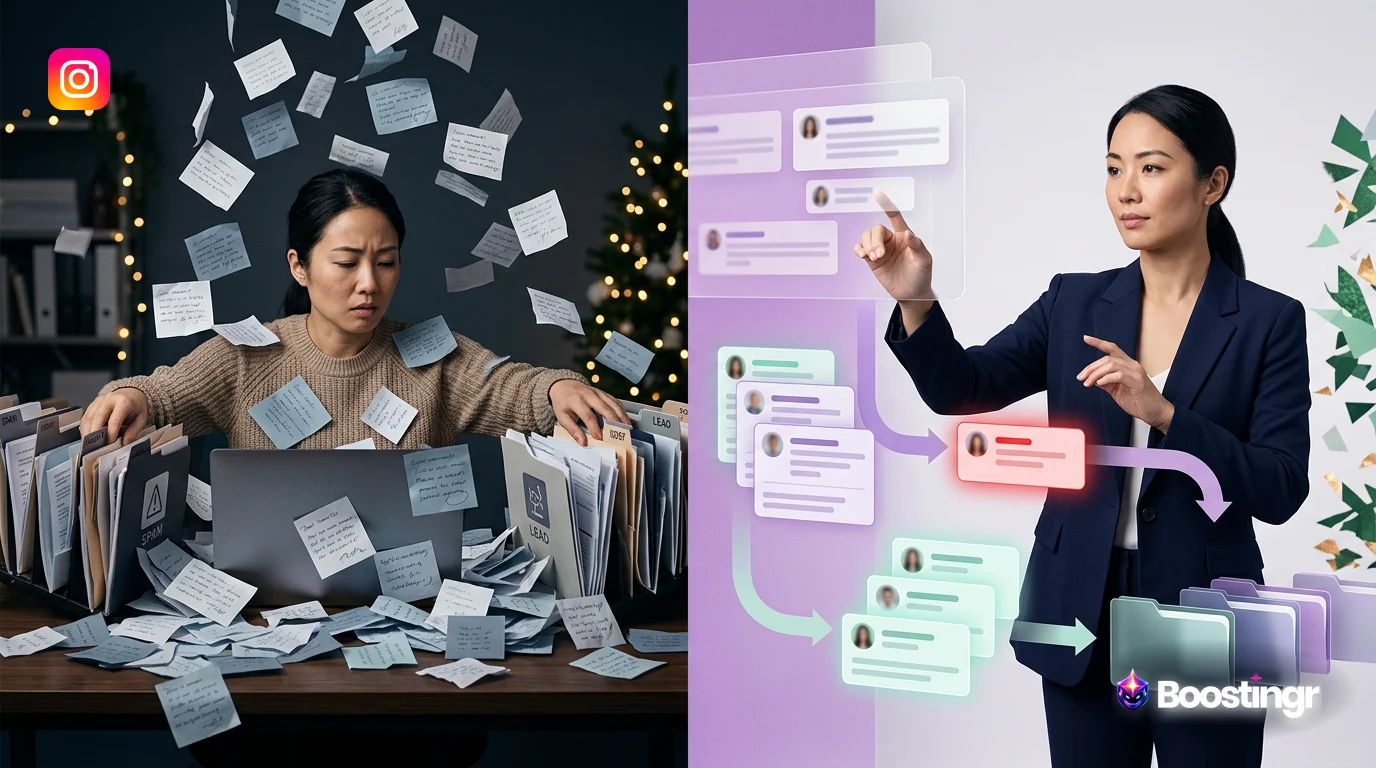
Instagram comment automation is a sophisticated process that uses Artificial Intelligence (AI) to manage a brand's Instagram comments at scale. It goes far beyond simple auto-replies, encompassing the classification of comment intent (e.g., sales lead, support query, spam), intelligent moderation to ensure brand safety, routing comments to the right teams, and generating context-aware replies. It transforms a chaotic comment section into a structured, strategic asset for growth.
Introduction
Your Instagram comment section is a goldmine. It's a real-time focus group, a direct line to customer service, and a powerful sales channel all rolled into one. But for most brands, it's also a source of chaos. The sheer volume of comments—ranging from spam and trolls to genuine praise and urgent customer questions—can be overwhelming. Manual management is a losing battle, leading to missed opportunities, delayed responses, and a tarnished brand image.
Enter **instagram comment automation**. But not the kind you're thinking of. Forget the simplistic, spammy bots of the past that replied with "Great pic!" to everything. The new era of automation is about intelligence. It's about building a sophisticated, end-to-end workflow that can understand, classify, and act on every single comment with precision and strategic purpose. This guide will walk you through how to build that intelligent workflow, moving your brand from reactive comment management to proactive community intelligence.
Why This Topic Matters
Implementing a smart **instagram comment automation** strategy isn't just about saving time; it's a fundamental shift in how you engage with your community and drive business results. In today's digital landscape, speed and relevance are everything. According to the Sprout Social Index, 40% of consumers expect brands to respond within the first hour of reaching out on social media.
Failing to meet these expectations has real consequences. A comment with purchase intent that goes unanswered for hours is a lost sale. A negative comment left to fester can escalate into a PR crisis. A stream of spam comments on your ads makes your brand look unprofessional and untrustworthy.
An intelligent automation workflow solves these problems by:
* **Ensuring Brand Safety:** Automatically hide spam, hate speech, and troll comments in real-time, protecting your community and brand reputation. * **Accelerating Lead Capture:** Instantly identify comments indicating purchase intent, engage the user, and route the lead directly to your sales team or CRM. * **Improving Customer Experience:** Provide instant, helpful responses to common questions and route complex issues to the appropriate support channels without delay. * **Unlocking Audience Insights:** Analyze thousands of comments to understand sentiment, identify trends, and gather valuable product feedback at scale. * **Boosting Operational Efficiency:** Free up your social media team from the tedious task of manual moderation, allowing them to focus on high-value activities like strategy, content creation, and community building.
In short, mastering comment automation transforms your Instagram presence from a passive content channel into an active, automated engine for growth, safety, and customer satisfaction.
Comparison Table
Not all automation is created equal. Understanding the differences between manual processes, basic automation, and intelligent workflows is crucial for choosing the right approach for your brand.
| Feature / Capability | Manual Management | Basic Automation (Keyword-Based) | Intelligent Automation (AI-Powered) |
|---|---|---|---|
| **Comment Moderation** | Slow, inconsistent, and emotionally draining for staff. Done post-facto. | Limited to simple keyword blacklists (e.g., block profanity). Easily bypassed. | Real-time classification and hiding of spam, trolls, hate speech, and self-promo using AI models. |
| **Reply Generation** | Personalized but extremely slow and unscalable. | Sends the same canned reply or DM to everyone who uses a specific keyword. Feels robotic. | Generates context-aware, dynamic replies based on comment intent and brand voice guidelines. |
| **Lead Identification** | Relies on a human scrolling and spotting a lead. High chance of being missed. | Can trigger on keywords like "price" but misses nuanced queries (e.g., "how much for the blue one?"). | Understands purchase intent from natural language, even without specific keywords. |
| **Sentiment & Intent** | A human's subjective guess. Impossible to quantify across thousands of comments. | No real understanding. A keyword is just a trigger, regardless of context or feeling. | Accurately classifies both sentiment (positive/negative) and intent (question, complaint, praise, lead). |
| **Scalability** | Not scalable. Fails completely during viral posts or large ad campaigns. | Scales poorly. Leads to spammy behavior and a high volume of irrelevant automated DMs. | Designed for enterprise scale. Handles tens of thousands of comments per day with consistent rules. |
| **Brand Safety Controls** | Dependent on the individual moderator's judgment at that moment. | Minimal. Can inadvertently create brand-damaging situations with inappropriate auto-replies. | Robust governance with approval workflows, brand memory, and human-in-the-loop escalation paths. |
The Evolution of Instagram Comment Automation
To understand where we are today, it's helpful to see how we got here. The journey of comment automation has been one of increasing sophistication and intelligence.
Phase 1: The Wild West (Manual & Ignored)
In the early days of Instagram, brands fell into two camps. Some tried to manually reply to every comment, a noble but ultimately unsustainable effort that quickly burned out social media managers. Most simply ignored the comment section, treating it as a one-way communication channel. This led to feeds filled with spam and unanswered customer questions, creating a poor user experience.
Phase 2: Keyword-Triggered DMs
The first wave of automation tools, like early versions of ManyChat, introduced a new paradigm: keyword triggers. Brands could set up rules like, "If a comment contains the word 'giveaway', send them a DM with the link." This was a step forward, offering a way to automate some interactions. However, its limitations quickly became apparent. This approach is rigid, lacks context, and often feels spammy to users who receive an automated DM for a comment that wasn't actually a direct request.
> **First-Party Observation from Boostingr:** We frequently onboard clients who are moving away from basic keyword-based systems. Their primary complaint is audience fatigue and frustration. Users were being spammed with irrelevant DMs triggered by a casual keyword mention, which damaged the brand's conversational equity rather than building it.
Phase 3: The Intelligent Workflow (The Present & Future)
We are now in the era of intelligent automation. Modern platforms like Boostingr use advanced AI and Natural Language Processing (NLP) to understand the *meaning* and *intent* behind a comment, not just the keywords it contains. This allows for a much more nuanced and effective workflow.
An intelligent system doesn't just see the word "price." It understands the difference between "What's the price?" (a sales lead), "This is a great price!" (praise), and "The price is too high" (negative feedback). Each of these intents triggers a different, more appropriate action—from capturing a lead to escalating feedback to the product team. This is the core of a modern AI community management system.
Core Components of an Intelligent Automation Workflow
Building a truly effective **instagram comment automation** system involves integrating several key AI-powered components into a unified workflow.
1. AI-Powered Classification & Moderation
This is the foundation of brand safety. Before you can reply or route, you must first clean the house. An intelligent AI comment moderation tool goes far beyond a simple profanity filter. It uses sophisticated models to classify and act on various types of unwanted content in real-time:
* **Spam & Scams:** Detects and hides comments promoting fake accounts, crypto scams, or "get rich quick" schemes. * **Hate Speech & Bullying:** Identifies and removes harmful, discriminatory, or abusive language to protect your community. * **Trolls & Bad Faith Actors:** Recognizes patterns of behavior from users who are trying to derail conversations or provoke others. * **Self-Promotion:** Hides comments from other accounts trying to advertise their own products or services on your posts.
By automatically hiding this content within seconds, you maintain a safe and professional environment on your posts and ads, 24/7.
2. Intent and Sentiment Analysis
Once the noise is filtered out, the real intelligence begins. This is about understanding what people are actually saying. It's crucial to distinguish between sentiment and intent:
* **Sentiment Analysis:** Determines the emotional tone of the comment (Positive, Negative, Neutral). This is useful for high-level reporting and prioritizing negative comments that need immediate attention. Learn more about sentiment analysis for social media comments. * **Intent Detection:** Identifies the user's underlying goal or purpose. This is far more actionable. Common intents include Purchase Intent, Customer Support Question, Product Feedback, Praise, or Collaboration Inquiry.
Knowing that 10% of your comments are "negative" is interesting. Knowing that 8% are "customer support questions" and 2% are "complaints about shipping" is actionable intelligence that can drive business decisions.
3. Dynamic Reply Generation
Canned responses are the death of authentic engagement. Intelligent automation moves beyond static templates by using AI to generate dynamic, relevant replies. This can take several forms:
* **Rule-Based Dynamic Replies:** Create reply templates that pull in specific information. For example, if the AI detects a question about shipping to a specific country, the reply can be tailored: "Yes, we ship to [Country]!" * **AI-Drafted Replies:** The most advanced systems use generative AI, governed by a concept called Brand Memory for AI Replies, to draft on-brand responses for a human manager to review and post. The AI learns your brand's voice, policies, and product information to suggest replies that sound authentic and are always accurate.
4. Strategic Routing and Escalation
Not every comment should be handled by automation. A key part of an intelligent workflow is knowing when to pass the baton to a human. Strategic routing involves setting up rules to send specific types of comments to the right people or systems:
* **Sales Leads:** Comments with high purchase intent can be automatically sent to a dedicated Slack channel for the sales team or pushed directly into a CRM like Salesforce. * **Support Tickets:** Urgent customer service issues (e.g., "My order is missing") can automatically create a ticket in Zendesk, Gorgias, or your helpdesk of choice. * **PR Risks:** Highly negative or sensitive comments can be flagged and escalated to a crisis management or communications team. * **UGC & Praise:** Positive comments and testimonials can be collected in a specific folder for the marketing team to use as user-generated content.
5. Lead Capture and Qualification
This is one of the most valuable applications of comment automation. The workflow for an Instagram lead capture tool is a perfect example of these components working together:
- A user comments on your ad: "This is amazing, how much is it?"
- The AI instantly detects **Purchase Intent**.
- The system automatically posts a public reply: "Glad you like it! We're sending you the details in a DM right now."
- Simultaneously, it sends a personalized DM: "Hey [Username]! The price is $99. Would you like the link to purchase?"
- If the user responds positively, their information is captured and can be synced with your CRM, marking them as a hot lead.
This entire process happens in seconds, engaging the lead at the peak of their interest and dramatically increasing conversion rates.
Original Diagrams
These original visuals explain the workflow in a faster, more defensible format than plain text alone and give the article first-party assets that are easier to understand and harder to copy.
Comment Processing Workflow
This diagram illustrates the end-to-end journey of an Instagram comment within an intelligent automation system. It shows how a single comment is received, analyzed, and acted upon in a structured, multi-step process.
AI Decision Tree
This decision tree visualizes the logic the system uses to classify a comment. The AI branches out based on factors like sentiment, keywords, and intent to determine the correct response path.
Moderation Pipeline
This pipeline demonstrates the multi-layered approach to brand safety. Each comment passes through sequential filters to automatically hide spam, remove harmful content, and ensure the comment section remains a positive space.
Intent Classification Flow
This flow shows how the AI categorizes each comment by its underlying intent. It sorts them into distinct buckets for sales, support, or general feedback for efficient team routing.
Brand Memory Diagram
Intelligent replies are powered by knowledge. This diagram shows how the AI taps into a central 'Brand Memory'—a database of your brand's FAQs and user history—to craft accurate and contextually relevant responses.
Practical Examples and Use Cases
How does this look in the real world? Here’s how different types of businesses leverage intelligent comment automation.
Ecommerce Brand
An online fashion retailer uses automation on their Instagram Ads. The AI automatically hides comments from competitors or those promoting counterfeit goods. When users ask, "Is this available in black?" or "How much is shipping?", the AI provides an instant, accurate reply and offers to continue the conversation in DMs to close the sale. Positive comments featuring customers wearing the product are automatically tagged as potential UGC and sent to the marketing team.
B2B SaaS Company
A SaaS company running a campaign promoting a new whitepaper uses comment automation to manage inquiries. Comments like "Send me the link" or "How can I download this?" trigger an automated DM with the direct link, capturing the lead's information. Technical questions identified by the AI are automatically routed to the support team's Slack channel, while comments expressing interest in a demo are sent directly to the sales team's CRM.
Large Creator/Influencer
A top fitness influencer with millions of followers uses automation to maintain their sanity. The system filters out 99% of spam and hateful comments. It's trained to automatically answer the top 20 most common questions they receive, such as "What's your workout split?" or "Link to your protein powder?" This allows the creator and their team to focus on engaging with the most meaningful and thoughtful comments from their community.
Enterprise Marketing Team
A Fortune 500 CPG brand manages dozens of regional Instagram accounts. They use a centralized automation platform to enforce brand safety and voice consistency across all of them. The AI moderates comments in multiple languages, escalates any potential PR issues to the corporate communications team, and provides a unified dashboard showing sentiment trends across all markets.
> **First-Party Observation from Boostingr:** We consistently see our enterprise clients reduce their teams' manual moderation time by over 90% within the first 30 days. This has a profound impact, shifting their social media managers from being reactive 'comment janitors' to proactive strategists who can now analyze the insights gathered by the AI to inform future campaigns.
Checklist: Implementing Your Instagram Comment Automation Strategy
Ready to get started? Follow this checklist to build a robust and effective automation workflow.
- [ ] **Define Clear Goals:** What do you want to achieve? (e.g., reduce response time by 50%, increase comment-to-lead conversion by 20%, eliminate 95% of spam).
- [ ] **Audit Your Comments:** Manually review your last 1,000 comments. Categorize them by type (spam, question, lead, complaint) to understand your specific needs.
- [ ] **Choose an Intelligent Tool:** Select an instagram automation tool that focuses on AI-powered intent analysis, not just keyword triggers. Look for features like moderation, routing, and CRM integrations.
- [ ] **Configure Moderation First:** Before setting up replies, establish your brand safety baseline. Configure the AI to automatically hide spam, hate speech, and other unwanted content.
- [ ] **Map Out Reply Workflows:** For each major comment intent (e.g., sales question, support issue, praise), define the desired automated action (e.g., public reply, DM, escalation).
- [ ] **Establish Escalation Paths:** Determine which types of comments require human intervention and set up a clear process for routing them to the correct person or team.
- [ ] **Connect Your Tech Stack:** Integrate your automation tool with your CRM (Salesforce, HubSpot), helpdesk (Zendesk, Gorgias), and internal communication tools (Slack, Teams).
- [ ] **Define Your Brand Voice for AI:** If using AI-generated replies, provide clear guidelines, examples, and information to ensure the AI stays on brand. Use a tool with a brand memory feature.
- [ ] **Test and Calibrate:** Start by enabling automation on a few organic posts. Monitor its performance, review its actions, and fine-tune the rules before rolling it out to high-volume ads.
- [ ] **Monitor Analytics and Refine:** Regularly review the performance dashboard. Are you meeting your goals? Are there new comment trends the AI needs to learn? Continuously optimize your workflow.
Key Takeaways
* Intelligent **instagram comment automation** is a complete workflow for classifying, moderating, and responding to comments at scale—it's not just a simple auto-reply bot. * The critical shift is from basic keyword triggers to sophisticated, AI-powered **intent detection**, which understands the true purpose behind a user's comment. * A robust automation strategy is built on core components: AI moderation for instagram brand safety, intent analysis for actionable insights, dynamic replies for authentic engagement, and strategic routing for efficiency. * The primary benefits are massive gains in operational efficiency, a safer online community, accelerated instagram lead capture, and a better overall customer experience. * When choosing a tool, prioritize intelligence, scalability, and governance features. The right platform is a strategic partner for growth, not just a simple utility.
FAQs
**1. Is Instagram comment automation against Instagram's terms of service?** No, when done correctly. Using automation for spammy, irrelevant, or repetitive commenting is against the rules. However, using an intelligent tool to moderate your own comment section, hide harmful content, and provide relevant, helpful replies to users who have engaged with you is perfectly acceptable and aligns with creating a positive user experience. The key is relevance and value. For more details, you can always consult Instagram's Platform Policy.
**2. Will my audience know I'm using automation?** With basic, keyword-based bots, yes—it's often painfully obvious. With an intelligent workflow, it's much less likely. The goal isn't to trick users; it's to provide a faster, more efficient, and still helpful response. By using dynamic replies, routing complex issues to humans, and maintaining a consistent brand voice, the experience feels seamless and helpful, not robotic.
**3. How is this different from a ManyChat bot?** While tools like ManyChat are powerful for creating structured DM flows, their comment automation has historically been based on simple keyword triggers (e.g., "comment 'GROWTH' to get the guide"). Intelligent systems like Boostingr don't rely on users typing a specific keyword. They use AI to analyze the natural language of *any* comment, understand its intent, and then trigger a much more sophisticated and context-aware workflow that can include public replies, moderation, and routing, not just a DM.
**4. Can I automate replies to comments on Instagram Ads?** Yes, and this is one of the most powerful use cases. Ad comments are often high-volume and high-intent. An intelligent automation tool can work 24/7 to moderate your ad comments, remove spam, answer questions, and capture leads in real-time, maximizing your return on ad spend (ROAS).
**5. What's the difference between sentiment analysis and intent detection?** Sentiment analysis tells you the *feeling* of a comment (positive, negative, neutral). Intent detection tells you the *purpose* of the comment. For example, "Your shipping is so fast!" is positive sentiment. "How fast is your shipping?" is neutral sentiment but has a clear 'Customer Support Question' intent. Intent is far more actionable for building automated workflows.
**6. How does the AI learn my brand's voice for replies?** Advanced platforms use a feature often called "Brand Memory" or a knowledge base. You provide the AI with documents, past replies, website content, and specific guidelines about your brand's tone (e.g., "be helpful and friendly, use emojis, don't use slang"). The AI uses this information as its source of truth to generate replies that are consistent with your brand identity.
**7. How much does Instagram comment automation cost?** Pricing varies widely. Basic keyword tools can be very cheap or even free, but offer limited functionality. Sophisticated, AI-powered platforms are a more significant investment, often priced based on comment volume or the number of accounts connected. While the upfront cost is higher, the ROI from increased efficiency, brand safety, and lead capture often provides a far greater return.
Evidence, Experience, and References
This article is based on extensive experience in developing and implementing AI-powered social media management solutions for brands ranging from small businesses to Fortune 500 enterprises. The insights are drawn from analyzing millions of social media comments and observing the evolution of automation technologies. The strategies and frameworks described are best practices adopted by leading brands to effectively manage their online communities. All statistics are cited from reputable industry sources.
About the Author
This article was written by the team at Boostingr, a leading provider of AI-powered comment automation and community intelligence solutions. Our mission is to help brands move beyond simple moderation and unlock the strategic value hidden within their social media conversations. We build intelligent workflows that enhance brand safety, accelerate growth, and foster meaningful community engagement.
Last Updated
October 2023
Search Intent and Topic Map
This guide targets readers researching instagram comment automation and maps the topic to practical evaluation and implementation decisions. Supporting concepts include automated instagram comment replies, instagram comment workflow automation, instagram comment bot for business, ai comment management, brand safe ai replies, comment moderation automation. These terms are used only where they clarify the reader's question, not as repeated ranking phrases.