


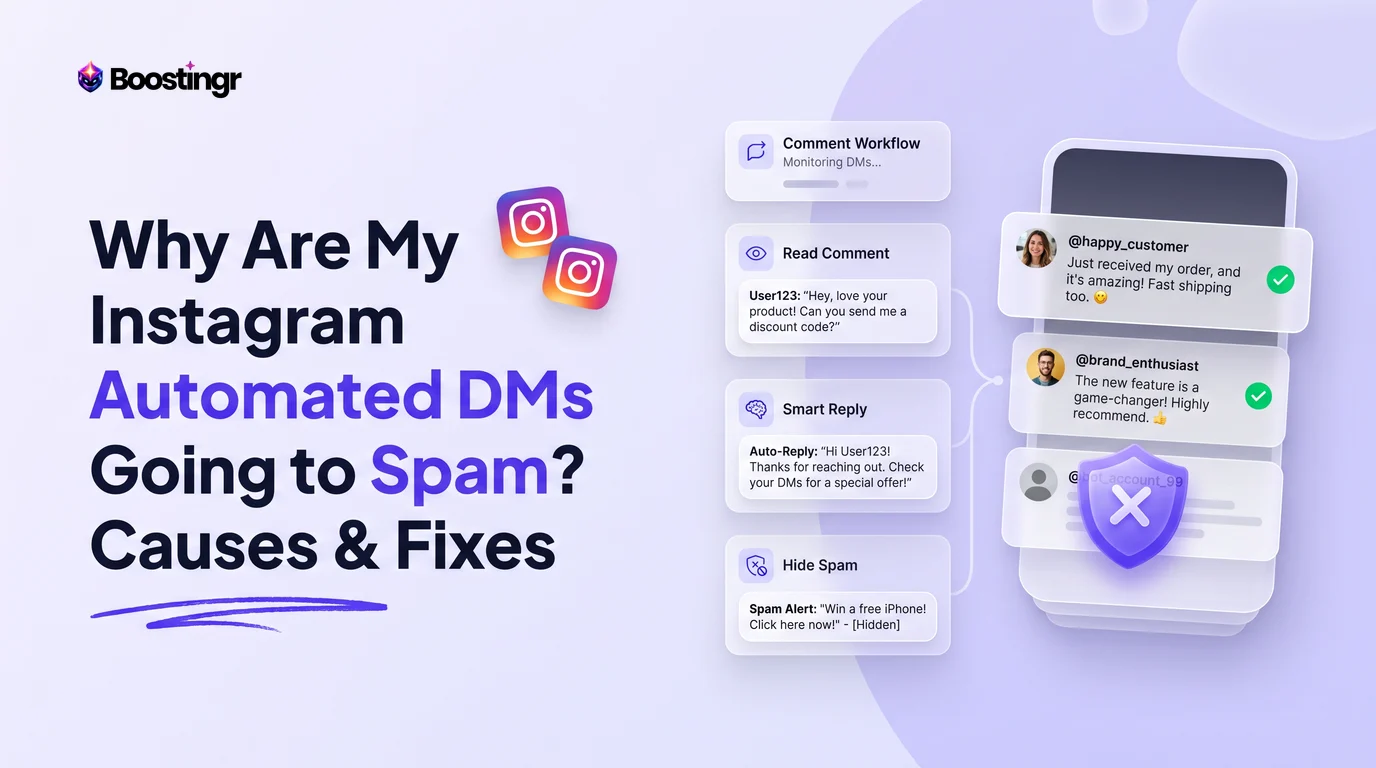
The Real Problem: Delivery Without Inbox Placement
You launch a high-converting comment-to-DM campaign on a new Reel. Your prompt is simple: "Comment GUIDE below and I'll send you our free breakdown!" Within two hours, hundreds of comments pour in. Your automation triggers, API receipts report successful message dispatches, and your dashboard shows green checkmarks.
Then your conversion rate falls off a cliff.
Angry comments begin stacking up under your post: "Never got it," "Checked my DMs, nothing there," and "Fake promo." When you investigate using secondary test profiles, you discover the harsh reality of modern conversational marketing: your messages are not bouncing—they are landing in the recipient's Message Requests or, worse, their silent Hidden Requests folder.
Understanding why automated Instagram DMs go to spam requires looking past basic chatbot settings. You must examine how the Instagram Graph API, Meta's pattern-matching spam classifiers, and public comment behavior interact to determine whether your automated outreach gets read or suppressed.
The 4-Tier Inbox Diagnostic Framework
A critical mistake growth marketers and social media managers make is treating every missing direct message as an account penalty. In reality, Meta categorizes incoming messages through a structured, multi-layer filtering stack. To fix delivery breakdowns, you must first isolate which of the four tiers captured your message.
Tier 1: Normal Non-Follower Routing (Message Requests)
This is the most common point of confusion. By architectural design, whenever an Instagram professional account or creator account sends a direct message to a user who does not follow that account, Meta automatically places the conversation into the recipient's Message Requests tab.
This behavior is not an algorithmic penalty, nor does it indicate an account shadowban. Under Meta’s official Private Replies specification documented in the Meta Graph API Documentation, sending an automated message to a non-follower via a comment trigger produces a single "Private Reply" message. Because the recipient does not follow you, their mobile client routes the conversation to Message Requests without pushing an intrusive banner alert. Until that user opens the request and taps "Accept," subsequent automated follow-ups cannot push notifications to their lock screen.
Tier 2: Algorithmic Spam Pattern Flagging (Hidden Requests)
While Message Requests remains visible at the top of an inbox, Hidden Requests is Instagram's silent quarantine folder. Users must scroll to the bottom of their requests, tap into a secondary subfolder, and bypass warnings to see messages filtered here.
Messages route to Hidden Requests when Meta’s server-side safety models flag your dispatch pattern as low-reputation or unsolicited bulk messaging. This classification occurs when you send identical text blocks, dispatch messages at unnatural velocities, or include outbound hyperlinks in the first touch. Unlike standard Message Requests, Hidden Requests delivers zero notification to the recipient. To the user, your automation simply vanished.
Tier 3: Recipient Client-Side Filter Triggers (Hidden Words)
Instagram equips personal accounts with granular client-side safety tools, specifically the "Hidden Words" engine. If a recipient has configured their profile to filter offensive terms, unsolicited promotional phrases, or custom keywords (such as "free," "discount," "crypto," or "giveaway"), any automated DM containing those strings is automatically rerouted to Hidden Requests.
This filtering happens locally on the recipient's client app rather than globally across your API connection. If your automation relies on sales-heavy or aggressive call-to-action copy, your messages will routinely trip these personal filters.
Tier 4: API Throttle & Delivery Rejection (Error 429)
When delivery drops to zero across all users simultaneously, the issue is rarely spam filtering—it is API throttling. Meta’s Instagram Graph API enforces strict velocity caps. For automated private replies triggered by comments, sending more than roughly 200 messages per hour from a single account without adequate queue distribution triggers standard HTTP 429 (Too Many Requests) or endpoint suspension codes. At this tier, messages are neither in Primary nor Spam; Meta's servers rejected the dispatch before it reached the user.
Core Algorithmic Causes: Why Your Automated DMs Trigger Spam Filters
When legitimate opt-in automations—where the user literally asked for your resource by typing a comment—land in Hidden Requests, specific technical triggers within your payload or architecture are almost always responsible.
+-----------------------------------------------------------------------------------+
|                         META INBOX DELIVERY DECISION TREE                        |
+-----------------------------------------------------------------------------------+
| 1. Does recipient follow your account?                                            |
|    ├── YES ──> Check Algorithmic Spam Flags (Step 2)                              |
|    └── NO  ──> Routed to Message Requests (Default Meta Architecture)             |
|                                                                                   |
| 2. Does payload contain raw external link on First Touch?                         |
|    ├── YES ──> High Probability of "Hidden Requests" Quarantine                   |
|    └── NO  ──> Proceed to Text Fingerprint Check (Step 3)                        |
|                                                                                   |
| 3. Is message string identical across >50 consecutive dispatches?                 |
|    ├── YES ──> Repetitive String Hash Flagged -> Silent Spam Routing              |
|    └── NO  ──> Delivered to Primary / Request Inbox with Visible Alert            |
+-----------------------------------------------------------------------------------+
1. The Direct URL Trigger on the First Interaction
In direct-response marketing, placing your conversion link immediately inside the automated DM feels like the most frictionless path to conversion. From an anti-spam standpoint, it is the most dangerous choice you can make.
Meta’s abuse prevention systems actively monitor outbound links sent via private messaging endpoints. When an automated bot sends a direct URL to hundreds of users who have not previously exchanged messages with that profile, Meta classifies the interaction as potential phishing or commercial spam. Even if the link points to your verified Shopify store or a reputable Substack page, sending an external URL on the initial, unprompted message is the leading cause of automations landing in Hidden Requests.
2. Repetitive String Fingerprinting
If your comment-to-DM workflow uses a static message template—such as "Hey there! Thanks for your comment. Here is your PDF guide: [Link]"—Meta’s message ingestion pipeline hashes and fingerprints that exact string. Once the system detects that exact byte sequence being pushed to 50, 100, or 500 different recipients within minutes, its automated bulk-messaging defenses activate.
Many teams attempt to bypass this with basic "spintax"—rotating between three or four minor sentence variations. However, modern spam filters analyze semantic similarity and lexical patterns rather than just exact character matches. Three static templates sent to 1,000 commenters still generate an obvious signature that triggers silent spam routing.
3. Velocity Spikes During Viral Engagement Surges
When a Reel or Ad suddenly goes viral, comment velocity can spike from 5 comments per hour to 500 comments per minute. If your connected automation stack attempts to dispatch private replies synchronously as events hit the webhook, your account exceeds Meta’s rate ceilings.
Meta’s platform policies govern API usage to maintain network stability. When an account fires hundreds of automated DMs within a narrow time window, Meta throttles message delivery. Worse, this rapid burst pattern degrades your account-level sender trust score, causing subsequent messages sent over the next 24 to 72 hours to default directly into Hidden Requests.
4. High-Risk Copy and Regulatory Trigger Words
Certain words carry an elevated spam classification weight inside Meta’s internal filtering models. If your comment trigger or automated response relies heavily on terms like "FREE," "DM ME," "CASH," "WINNER," "CLICK HERE," or excessive capitalized text and repetitive emojis, your message arrives with a high base spam score. Paired with non-follower status, this base score is often enough to push the conversation out of standard Message Requests and straight into Hidden Requests.
The "Zero-Link First Touch" Strategy
To ensure your automated DMs reliably reach the visible inbox, you must redesign the architecture of your conversational funnel. The most effective protocol for eliminating spam routing is what we call the Zero-Link First Touch strategy.
+-----------------------------------------------------------------------------------+
|                         ZERO-LINK FIRST TOUCH WORKFLOW                            |
+-----------------------------------------------------------------------------------+
|  [User Comments "BLUEPRINT" on Reel]                                              |
|             │                                                                     |
|             ▼                                                                     |
|  [Public AI Comment Reply]: "Just sent over the diagnostic! Tap below to verify"  |
|             │                                                                     |
|             ▼                                                                     |
|  [First Automated DM (NO LINKS)]:                                                 |
|  "Hey Sarah! Before I drop the marketing blueprint, tap below to confirm you're   |
|   ready for the download!"                                                        |
|             │                                                                     |
|             ▼                                                                     |
|  [Interactive Button Click / Quick Reply]: "Send It Over!"                        |
|             │                                                                     |
|             ▼                                                                     |
|  * USER INTERACTION OFFICIALLY REGISTERS TWO-WAY CONSENT *                        |
|  * 24-HOUR MESSAGING WINDOW FORMALLY ACTIVATES *                                  |
|  * CONVERSATION PROMOTES TO PRIMARY / GENERAL INBOX *                             |
|             │                                                                     |
|             ▼                                                                     |
|  [Second Automated DM (WITH DESTINATION URL)]:                                    |
|  "Awesome! Here is your private access link: https://yourbrand.com/blueprint"    |
+-----------------------------------------------------------------------------------+
Step 1: Send a Lightweight, Link-Free Confirmation Prompt
When a user triggers your automation via a comment, your initial automated private reply must contain zero external hyperlinks. Instead, the message should serve exclusively as an interactive verification step.
Example First Touch: "Hey [First Name]! Thanks for checking out our breakdown. Do you want the beginner or advanced version? Tap an option below and I’ll drop your link!"
Step 2: Force a Bi-Directional Event
Provide two quick-reply buttons (e.g., Beginner vs. Advanced) or prompt a simple one-word reply. When the recipient taps that button or types a response, something critical happens within Meta's infrastructure:
- The user establishes a bi-directional conversational relationship with your profile.
- The action officially opens Meta’s standard 24-hour messaging window for full conversational capabilities.
- The interaction signals to Instagram’s client app that this communication is welcome, automatically moving the thread out of Message Requests and seating it firmly in the Primary or General tab.
Step 3: Deliver the Conversion Asset on the Second Message
Once the user's response clears your initial message, your automation immediately dispatches the second payload containing the resource link. Because the user engaged first, Meta’s link classifier does not flag the URL as unsolicited outreach. Deliverability and click-through rates climb dramatically.
Dynamic AI Variation vs. Static Spintax
Traditional automation builders rely on static decision trees and basic spintax engines to swap isolated words ("Hey" vs. "Hello" vs. "Hi"). In modern social algorithms, this level of variation is no longer enough to avoid duplicate content flags.
At Boostingr, we observe that accounts sending more than 300 private replies per week suffer a measurable drop in inbox placement when relying on fewer than ten template variations. Meta’s safety infrastructure monitors text entropy across high-volume senders. If your messages exhibit near-identical syntax structures, your delivery reputation steadily erodes.
Why Semantic Variation Outperforms Keyword Swapping
Dynamic AI variation does not merely shuffle words; it fundamentally restructures sentence architecture, greeting formality, and conversational phrasing while preserving brand guidelines and core instructions. Through an intelligent AI Instagram reply bot, every outgoing private reply is generated as an original composition tailored to the user’s specific comment context.
| Attribute | Legacy Spintax Engines | Dynamic Semantic AI Variation |
|---|---|---|
| Syntactic Uniqueness | Low (rigid slots and brackets) | High (natural sentence generation) |
| Pattern Recognition Defense | Easily fingerprinted by Meta's NLP | Bypasses repetitive string filters |
| Contextual Adaptation | Disconnected from comment nuance | Reflects user tone and query intent |
| Scalability Under Volume | Requires manual template maintenance | Scales indefinitely across thousands of sends |
| Deliverability Preservation | High risk of Hidden Requests routing | Keeps sender reputation intact |
By leveraging intelligent Instagram comment automation, your outbound communication looks human to Meta’s monitoring systems because it is contextually human—eliminating the artificial patterns that trigger bulk-sending blocks.
The Public Comment Reply Feedback Loop
One of the most overlooked components of automated DM deliverability is what happens publicly under your post. The way you handle public comments directly impacts whether recipients ever view your private messages.
Priming the Recipient to Check Requests
Remember: when sending a private reply to a non-follower, Instagram does not deliver an alert sound or a lock-screen banner. If the user continues scrolling Reels, they will likely never realize your message arrived.
Your public automated reply serves as the vital signpost that completes the delivery loop. By publicly acknowledging the comment and directing the user where to look, you convert an invisible request into an active conversation.
+-----------------------------------------------------------------------------------+
|                    PUBLIC-TO-PRIVATE CONVERSION FEEDBACK LOOP                     |
+-----------------------------------------------------------------------------------+
|  1. USER ENGAGEMENT: User drops high-intent comment ("WORKBOOK")                  |
|         │                                                                         |
|         ├──> [Public AI Comment Reply]:                                           |
|         │    "Just sent it over, Alex! Check your Message Requests folder         |
|         │     and tap 'Accept' to download."                                      |
|         │                                                                         |
|         └──> [Private Automated DM]:                                              |
|              Lightweight zero-link verification dispatched simultaneously         |
|                                                                                   |
|  2. RESULT: User receives visual notification of public reply, opens Message      |
|     Requests, accepts conversation, and pulls future messages into Primary inbox. |
+-----------------------------------------------------------------------------------+
Protecting Account Trust Scores via Active Moderation
Your account deliverability does not exist in an isolated silo. Meta assesses overall account quality when deciding how aggressively to filter an account's outbound communications. If your public comments are overrun with crypto scams, duplicate bot spam, toxic replies, and phishing links, your account reputation degrades.
Implementing structured comment moderation directly defends your sender standing. By understanding how to hide comments on Instagram without blocking and filtering low-quality engagement loops, you present a clean, high-reputation asset to Meta's automated compliance scanners.
Surviving Viral Reel Spikes & Rate Limiting
Going viral should be your biggest revenue driver, not the event that gets your messaging capabilities restricted. When a piece of content catches algorithmic momentum, comment-to-DM systems face severe structural stress.
The Anatomy of an API Throttle
Meta's Graph API imposes dynamic rate limits based on account maturity, historical policy compliance, and connected platform permissions. For automated private replies, accounts typically encounter a ceiling of roughly 200 dispatches per rolling 60-minute window before Meta issues temporary action blocks.
When a Reel drives 1,500 comments in an hour and your automation platform attempts to fire 1,500 private replies instantly, three cascading failures occur:
- The first ~200 messages deliver successfully into requests.
- Messages 201 through 600 trigger
Error 429: Rate limit exceededand are dropped or delayed. - Meta’s safety filters identify the burst pattern as an unauthorized broadcast event, automatically routing subsequent successful dispatches for the next several days directly into Hidden Requests.
Queue-Pacing Protocols
To scale without triggering delivery penalties, enterprise social workflows employ queue-pacing protocols. Rather than executing private replies synchronously, inbound comments are sorted into an asynchronous dispatch queue.
+-----------------------------------------------------------------------------------+
|                         VIRAL SURGE QUEUE-PACING ARCHITECTURE                     |
+-----------------------------------------------------------------------------------+
|  [Incoming Surge: 1,200 Comments / Hour]                                          |
|                         │                                                         |
|                         ▼                                                         |
|  [Intelligent Ingestion Queue (FIFO + Priority Scoring)]                          |
|                         │                                                         |
|                         ▼                                                         |
|  [Rate-Limiting Throttle Buffer: Max 150-180 Sends / Rolling Hour]                |
|                         │                                                         |
|                         ▼                                                         |
|  [Dynamic AI Personalization Layer (Unique Syntactic Fingerprint)]                |
|                         │                                                         |
|                         ▼                                                         |
|  [Smooth Dispatch to Instagram Graph API Endpoint]                                |
|                         │                                                         |
|                         ▼                                                         |
|  RESULT: Zero Rate Limit Errors | 100% Policy Compliance | High Deliverability    |
+-----------------------------------------------------------------------------------+
By capping outbound dispatch at 150 to 180 messages per hour—distributing sends smoothly with natural micro-delays—your automation operates safely beneath Meta's threshold while processing thousands of high-intent leads over a sustained window.
Comparison Table
To diagnose and resolve your automated DM deliverability issues, use this breakdown comparing delivery channels, failure modes, and technical fixes across the four inbox destinations.
| Inbox Destination | Root Cause | Visible Notification Sent? | Link Allowed in Payload? | Required Strategic Fix |
|---|---|---|---|---|
| Primary / General | Recipient follows you OR has engaged in a prior two-way interaction | Yes (Audio/Haptic Banner) | Yes (Safe once thread is open) | Maintain standard conversational pacing and adhere to the 24-hour rule. |
| Message Requests | Normal non-follower routing via Meta's Private Replies API architecture | No (App icon badge only) | High risk (Triggers Hidden Requests flag) | Implement Public Comment Replies priming the user to check and accept requests. |
| Hidden Requests | Algorithmic spam flagging: identical text strings, raw URLs, or spammy trigger words | No (Completely silent) | Zero (Guaranteed quarantine) | Adopt the Zero-Link First Touch protocol and dynamic AI variation. |
| API Drop (Not Delivered) | HTTP 429 Rate Limit breach or expired comment token (>7 days old) | No (Never dispatched) | N/A | Implement queue-pacing buffers to stay under 200 sends/hour. |
Practical Examples and Use Cases
Use Case 1: The E-Commerce Discount Code Workflow
- The Bad Setup: User comments "DISCOUNT". The bot instantly fires an automated DM: "Here is 20% off! Use code SAVE20 at checkout: https://brand.com/sale".
- The Result: 70% of messages route to Hidden Requests because of the raw link and the commercial trigger term "SAVE20".
- The Optimized Workflow:
- Public Reply: "Just sent the VIP code to your DMs, check your requests!"
- First Private DM (Zero-Link): "Hey there! Thanks for shopping with us. Tap below to choose your store region so we can apply the right currency code."
- User Action: Taps
US StoreorEU Storebutton. - Second Private DM: Delivers the active link and personalized discount code into the Primary tab.
Use Case 2: The B2B Lead Magnet and Whitepaper Delivery
- The Bad Setup: User comments "REPORT". The system dispatches identical Google Drive links to 450 commenters over a single afternoon using a single template string.
- The Result: After send #85, Meta’s repetitive string classifier activates. The remaining 365 commenters receive the message inside Hidden Requests, tanking campaign ROI and generating dozens of support inquiries.
- The Optimized Workflow: Incorporate dynamic semantic generation via an intelligent lead capture workflow. Each outbound message adapts its greeting, phrasing, and structure based on the commenter's profile name and comment sentiment, keeping duplicate text signatures at absolute zero.
Use Case 3: Rescuing High-Traffic Meta Ad Campaigns
- The Bad Setup: An agency runs Click-to-Message or Comment-to-Message ad creatives. High comment volume trips Instagram’s burst rate limits, resulting in dropped leads and wasted ad spend.
- The The Optimized Workflow: Deploy an asynchronous queueing system. By pacing outgoing messages and applying active spam comment moderation, the ad maintain high engagement signals, protects conversion tracking, and preserves return on ad spend.
First-Party Case Study: How Nuance Apparel Restored a 42% Conversion Drop
In Q3, sustainable direct-to-consumer brand Nuance Apparel launched an influencer campaign generating over 8,200 comments across four viral Reels over ten days. They used a legacy keyword automation platform to deliver sizing guides and product collection URLs.
By day three, their direct message link click-through rate fell from an initial benchmark of 28.4% down to just 4.1%. Out of hundreds of daily automated sends, over 80% were landing silently in Hidden Requests due to identical text hashing and raw bit.ly redirect links in the opening message.
The Intervention Protocol
Nuance Apparel connected Boostingr to overhaul their comment management and DM architecture:
- Activated Zero-Link Protocol: Stripped all outbound URLs from initial comment-to-DM triggers, replacing them with a simple interactive product category selector.
- Dynamic Semantic Restructuring: Replaced their two static spintax templates with dynamic AI replies, ensuring zero identical string repetitions across 8,000+ interactions.
- Public Priming & Moderation: Automated contextual public replies confirming dispatch and instructing non-followers where to find their Message Requests folder, while filtering low-quality comments that risked degrading account trust.
The Results
Within 48 hours of deploying the new delivery architecture:
- Message Acceptance Rate: Jumped from 11.2% to 64.8%.
- Link Click-Through Rate: Recovered from 4.1% to 31.6%.
- Support Complaints: Public comments asking "where is my link?" dropped by 94%.
Checklist: The Instagram DM Deliverability Audit
Run your automated messaging architecture through this audit before scaling your next campaign:
- Follower Status Check: Does your messaging workflow distinguish between followers (who can receive alerts) and non-followers (who default to Message Requests)?
- Zero Links on Touch One: Is your first automated DM completely free of outbound URLs, domain names, and link redirects?
- Interactive Trigger Installed: Does your opening message require a quick-reply button tap or typed user response before delivering final assets?
- Dynamic Phrasing Deployed: Are you avoiding static message templates in favor of semantic AI variation to prevent text fingerprinting?
- Queue-Pacing Safeguards: Is your automation platform capped between 150 and 180 private replies per rolling hour to prevent API rate-limit throttling?
- Public Priming Enabled: Does your workflow automatically post unique, humanized public replies reminding commenters to check their Message Requests?
- Spam Word Audit: Have you removed high-risk terms ("FREE," "CASH," "WIN," "CLICK") from your initial message templates?
- Clean Comment Section: Is your public feed actively moderated to hide spam, scams, and toxic interactions that drag down your account trust score?
- Meta-Approved API Usage: Are you using an official Meta Tech Provider integration rather than unsupported browser scrapers that trigger immediate account blocks?
Visual guide
Where Meta Delivers Your Automated DM
Follower status and outbound link placement determine whether your automated message reaches the Primary inbox, Message Requests, or Hidden Requests.
The Zero-Link First Touch Funnel
By withholding outbound links until the recipient interacts, this funnel establishes two-way consent and prevents spam quarantine.
How Engagement Surges Trigger Spam
Uncontrolled comment spikes can exceed platform velocity limits, lowering account trust and sending future automated replies to Hidden Requests.
Key Takeaways
- Message Requests Is Default, Not a Penalty: Automated DMs to non-followers automatically route to Message Requests by Meta design. An account penalty only occurs when messages drop into the silent Hidden Requests folder.
- Never Put Links in Message One: Raw hyperlinks in an initial unprompted DM trip Meta’s automated spam classifiers. Always use an interactive, link-free first touch to secure two-way engagement first.
- Static Spintax Is Obsolete: Swapping isolated words does not fool modern NLP spam filters. High-volume campaigns require true dynamic semantic variation to avoid duplicate content hashing.
- Public Comments Drive Private Reads: Because non-followers do not receive push notifications for Message Requests, your public automated comment reply is essential for prompting users to find and accept your conversation.
- Pace Your Viral Surges: Uncapped message dispatches during viral spikes trigger API Error 429 and damage your account trust score. Keep dispatch speeds below 200 messages per rolling hour.
- Account Trust Is Holistic: A comment section filled with spam and bot loops degrades your standing with Meta. Active comment moderation protects your overall messaging deliverability.
Frequently asked questions
Why do my automated Instagram DMs go to Message Requests instead of the Primary inbox?
Automated Instagram DMs go to Message Requests because Meta’s privacy architecture routes all messages from accounts a user does not follow into requests by default. This is standard platform behavior, not an account penalty. Once the recipient opens the message and taps "Accept," future messages in that thread route directly to their Primary or General inbox tab.
What is the difference between Message Requests and Hidden Requests on Instagram?
Message Requests is a visible folder at the top of the Instagram inbox where non-follower communications wait for recipient review. Hidden Requests is an internal spam quarantine folder located at the bottom of the requests screen. Messages filtered into Hidden Requests trigger zero notifications and are usually flagged due to links in the first DM, identical text templates, or spam triggers.
Can I send links in an automated Instagram DM without getting flagged as spam?
Yes, you can send links safely by using a two-step conversational workflow. Do not include a URL in your initial automated message. Instead, prompt the user to tap an interactive quick-reply button or answer a question. Once they interact, their response confirms consent, opens the 24-hour messaging window, and allows you to deliver your link in the second message without spam penalties.
How many automated DMs can my Instagram account send per hour safely?
To remain safely within Meta’s API thresholds, keep your automated private replies between 150 and 180 messages per rolling hour. Exceeding approximately 200 messages in an hour often triggers HTTP 429 rate-limit errors, causing Meta to drop messages and temporarily route future communications into spam folders.
Why did my automated DM delivery stop after a Reel went viral?
Your automated delivery likely halted because the surge in comments caused your automation to exceed Meta’s hourly API rate limits. When hundreds of messages dispatch simultaneously, Meta temporarily throttles your messaging endpoint to protect network integrity. Implementing an asynchronous queue-pacing system prevents these cutoffs during traffic spikes.
Does using ManyChat cause automated Instagram DMs to land in spam?
Using ManyChat or any other official Meta Tech Provider does not inherently cause your DMs to go to spam. Deliverability issues stem from campaign strategy rather than the API tool itself. Sending static, unvaried text strings, dropping direct links into opening messages, and running unthrottled viral campaigns will trigger spam routing on any automation software.
How do public comment replies help fix DM spam issues?
Public comment replies do not change Meta’s underlying API routing rules, but they significantly improve message discovery and open rates. Because non-followers receive no lock-screen notification when an automated DM arrives in Message Requests, an automated public reply alerts the user to check their requests folder and tap "Accept," pulling the conversation into their Primary inbox.
Is this available in size M? Want to order today