


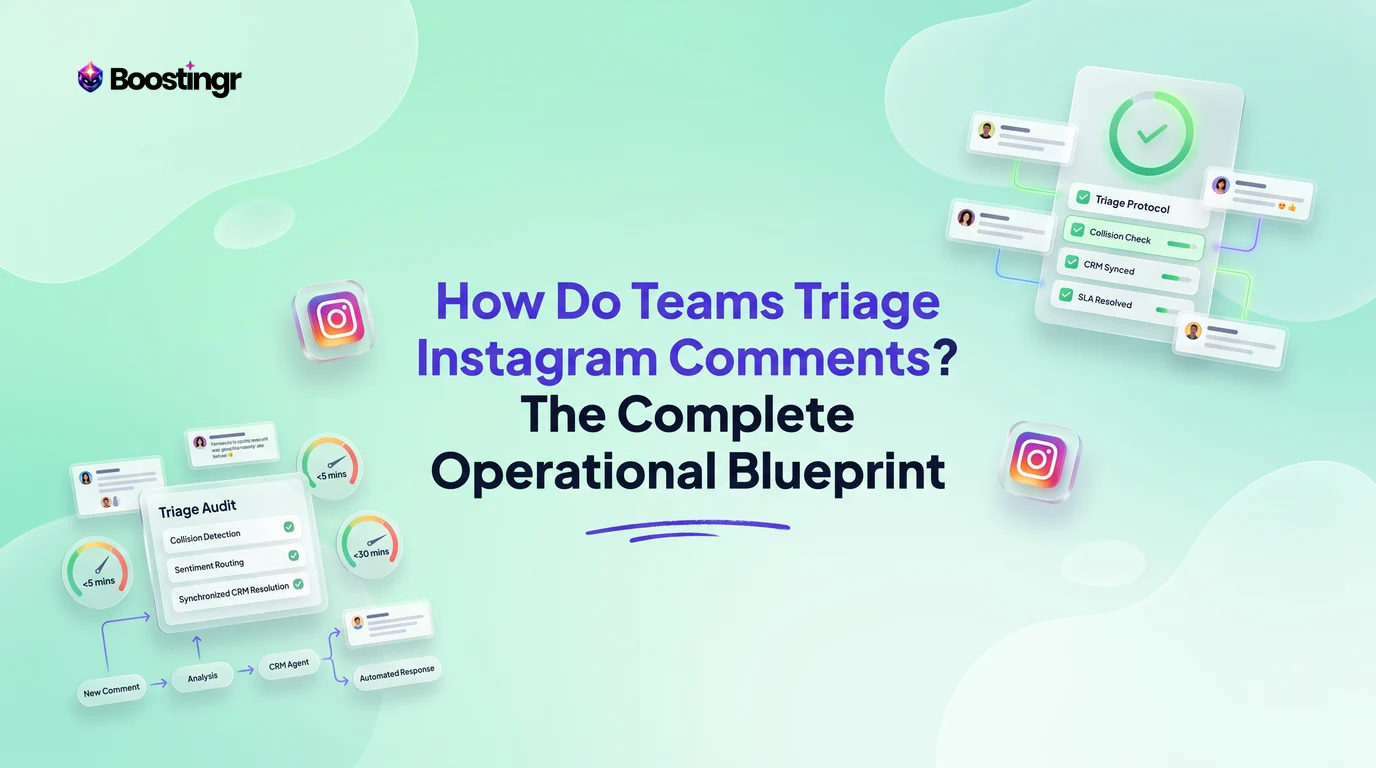
The Instagram Triage Dilemma: Why Native Workflows Fail at Scale
For enterprise consumer brands, high-growth e-commerce merchants, and digital agencies, managing Instagram engagement has shifted from a light marketing task to a mission-critical operational challenge. When an organic Reel hits the algorithm or a paid Meta campaign scales to six figures in monthly spend, thousands of incoming comments flood the brand account across diverse surfaces:
- Standard organic feed posts and carousels
- Viral algorithmic Reels
- Paid dark posts (ad creative not visible on the main profile grid)
Native tools like Meta Business Suite and the Instagram mobile app were built for single community managers handling manageable volumes. When multiple operators attempt managing instagram comments as a team within native interfaces, operational breakdowns inevitably occur:
- Agent Collision and Race Conditions: Two support specialists reply to the same angry customer with contradictory answers, or both attempt to delete a spam comment simultaneously, creating confusion and embarrassing the brand.
- Context Blindness: Team members responding on mobile cannot see the exact ad creative, target audience copy, or historical customer interactions associated with a comment.
- Brittle Prioritization: Critical pre-purchase inquiries ("Does this fit true to size? Ready to buy!") sit unread behind hundreds of single-emoji reactions, killing conversion rates.
- Unprotected ROAS: Competitors drop referral links and disgruntled users post unfounded accusations on active ad campaigns, driving up customer acquisition costs while teams sleep.
To solve this, leading social operations teams implement an enterprise-grade instagram comment triage workflow. Instead of treating the notification feed as an undifferentiated stream, they treat Instagram comments as a real-time inbound communication pipeline.
[Incoming Comment: Organic / Reel / Dark Ad]
                     │
                     ▼
         [Semantic AI Evaluation]
  (Context, Sentiment, Intent & Slang Analysis)
                     │
       ┌─────────────┼─────────────┐
       ▼             ▼             ▼
 [Brand Risk]   [Commercial]   [Customer Care]
   Auto-Hide     Route to CRM   Helpdesk Sync
  (Zero Delay)    (High Intent) (SLA < 15 Min)
The Multi-Lane Social Media Comment Triage Matrix
To establish an effective triage system, teams must segregate comments based on creative origin and semantic intent. An Instagram comment left on a brand awareness Reel requires entirely different service-level agreements (SLAs) and escalation pathways than a question left on a bottom-of-funnel retargeting ad.
Modern teams implement an operational social media comment triage matrix built across five dedicated priority lanes:
Lane 1: Brand Risk, Abuse, and Competitor Defense (P0 — Immediate)
- Trigger Criteria: Hate speech, harassment, explicit spam, phishing links, counterfeit claims, or direct competitor promotions.
- Operational SLA: Sub-60 seconds (fully automated).
- Action Protocol: Immediate programmatic suppression. The comment is hidden via API so it remains visible only to the author (avoiding the troll blowback of direct deletion). If the account exhibits bot-like patterns, the user is flagged for a domain-level block. For deeper context on how filtering mechanics operate, review our guide on what's the difference between moderation software and basic comment filtering.
Lane 2: Commercial Intent & Pre-Purchase Inquiries (P1 — Urgent)
- Trigger Criteria: Inquiries regarding sizing, inventory availability, shipping timeframes, ingredient safety, or discount codes on promotional posts and dark ads.
- Operational SLA: Under 15 minutes.
- Action Protocol: Route to social sales specialists or execute a contextual automated reply using AI Instagram reply bots. Comments with high buying signals should automatically trigger an instagram comment to dm triage sequence that delivers a direct checkout link with product parameters pre-loaded.
Lane 3: Post-Purchase Customer Care & Escalations (P1 — High)
- Trigger Criteria: Damaged items, delayed deliveries, order lookup requests, subscription cancellations, or refund disputes.
- Operational SLA: Under 30 minutes.
- Action Protocol: Cross-functional handoff. The comment is acknowledged publicly with empathy, then moved directly into an e-commerce customer support desk (such as Gorgias or Zendesk) with historical metadata attached.
Lane 4: UGC, Advocacy, and Social Proof (P2 — Normal)
- Trigger Criteria: Customer testimonials, unboxing reactions, positive reviews, tagging friends, and community encouragement.
- Operational SLA: Under 4 hours.
- Action Protocol: Public engagement. Community managers like the comment and reply in brand voice to amplify algorithmic reach and reward loyal brand advocates.
Lane 5: Ambient Engagement & Emoji Noise (P3 — Low)
- Trigger Criteria: Single emoji comments ("🔥", "❤️"), random tagging with no context, or neutral reactions.
- Operational SLA: Best effort / 24 hours.
- Action Protocol: Automated batch liking or low-priority queueing. These interactions do not require human keyboard time, freeing the team to focus on revenue and risk.
| Lane | Classification | Surface Focus | Priority / Target SLA | Primary Action | Handoff Target |
|---|---|---|---|---|---|
| Lane 1 | Brand Risk & Competitor Spam | Dark Ads & Feed | P0 (< 1 min) | Auto-Hide / Suppress | Trust & Safety Bot |
| Lane 2 | Commercial & Purchase Intent | Dark Ads & Reels | P1 (< 15 min) | Public Reply + DM Link | Social Sales / E-comm Team |
| Lane 3 | Support & Order Escalations | Feed Posts & Reels | P1 (< 30 min) | Empathetic Reply + Ticket | Zendesk / Gorgias Helpdesk |
| Lane 4 | User Advocacy & Social Proof | Organic Posts | P2 (< 4 hours) | Public Amplification | Community Management |
| Lane 5 | Low-Intent Ambient Noise | Algorithmic Reels | P3 (Batch / 24h) | Automated Like / Archive | System Archive |
For enterprise organizations comparing software capabilities across these lanes, our ecommerce moderation tools comparison provides an in-depth breakdown of architectural requirements.
Semantic AI vs. Keyword Triggers: Why Rule Engines Break
Many teams initially attempt how to triage instagram comments using basic keyword-matching rules inside native tools or traditional social aggregators. These legacy keyword lists inevitably fail on Instagram due to the nuanced, non-linear nature of modern digital communication.
The Problem with Rigid Keyword Matching
Keyword rules rely on literal string matching. They cannot interpret sarcasm, negations, cultural slang, or contextual emoji combinations. Consider these actual social comment patterns:
- "This drop is sickening! Take all my money!"
- Keyword Rule: Flags "sickening" as negative sentiment or medical spam. Suppresses the comment.
- Reality: High-enthusiasm purchasing intent from Gen Z fashion buyers.
- "Oh great, another delay. Customer service is SO helpful."
- Keyword Rule: Detects "great" and "helpful". Classifies the comment as Lane 4 (Positive Advocacy).
- Reality: Severe customer frustration requiring Lane 3 support escalation.
- "Not gonna lie, was skeptical after reading bad reviews, but your team completely blew me away. Best boots ever."
- Keyword Rule: Flags "bad reviews" and "skeptical" as brand risk.
- Reality: Exceptional public social proof that should be highlighted and pinned to the top of the post.
Traditional Keyword Approach:
[Comment] ──► [Contains 'refund'?] ──► YES ──► Hide Comment (False Alarm)
                                   └──► NO  ──► Ignore

Semantic AI Approach (Boostingr):
[Comment] ──► [Context Engine: Post Subject + Tone + Intent]
                 │
                 ├── Evaluates nuance, sarcasm, and regional slang
                 ├── Distinguishes 'Where is my refund?' vs 'No refund needed, love it!'
                 └── Routes accurately without manual keyword lists
How Semantic AI Transforms Triage
Platforms engineered specifically for AI comment management, like Boostingr, do not simply scan for banned words. Boostingr does not just read comments, it understands people. By leveraging modern large language models (LLMs) paired with custom brand memory architectures, semantic triage engines evaluate the full conversational picture:
- Post-Level Context: The system evaluates the comment against the specific caption, creative image, and campaign objective of the underlying post.
- Syntactic and Semantic Disambiguation: Sarcasm, double negatives, and modern colloquialisms are parsed accurately based on the surrounding sentence structure.
- Emoji Interpretation: Multiple emojis are evaluated contextually. A skull emoji ("💀") paired with an enthusiastic phrase is recognized as slang for laughter, not violence or morbidity.
- Brand-Tone Alignment: Using "teach once, engage everywhere" memory banks, an AI engine can craft humanized brand-tone replies that mirror the enterprise voice precisely while escalating complex tickets to the right human specialists.
To discover how modern machine learning differentiates trolls from genuine disputes, review our tactical guide on what tool identifies social media trolls or fake accounts.
The Public-to-Private Decision Tree: When to Move to DMs
One of the most contentious operational challenges for social teams is deciding whether to resolve an Instagram comment directly in the public thread or transition the customer into Direct Messages (DMs). Resolving issues in public demonstrates accountability and builds consumer trust, but mishandling public exchanges can trigger viral PR disasters or expose protected user data.
According to research on responding to social media comments, transparent, helpful public brand responses positively influence consumer purchasing decisions. However, operations leaders must establish strict instagram comment routing rules outlining the boundary between public transparency and private resolution.
                     [Incoming Comment Identified]
                                   │
            Does the comment contain or require PII?
            (Order numbers, emails, addresses, billing)
                                   │
                   ┌───────────────┴───────────────┐
                  YES                              NO
                   │                               │
       [Execute DM Transition]           Is customer sentiment
  1. Post public holding reply          highly hostile or toxic?
  2. Trigger deep-linked DM                        │
  3. Sync with e-comm helpdesk             ┌───────┴───────┐
                                          YES              NO
                                           │               │
                                   [Suppress Publicly]   Is it a pre-purchase
                                   1. Auto-hide comment  inquiry or sizing question?
                                   2. Send private DM               │
                                                          ┌─────────┴─────────┐
                                                         YES                  NO
                                                          │                   │
                                                [Public Proof Reply]    [Brand Engagement]
                                                1. Answer publicly      1. Like / Acknowledge
                                                2. Send DM coupon code  2. Close thread
The Golden Rules of Comment-to-DM Triage
1. The PII Absolute Rule
Never permit an Instagram user to post personally identifiable information (PII) in a public comment thread. If a user posts: "My order #48291 hasn't shipped, email is customer@email.com", the triage workflow must instantly:
- Hide the comment to protect the user's privacy.
- Post a public acknowledgment: "Thanks for reaching out! We’ve sent you a direct message to help locate your order securely."
- Automatically open a private DM channel with that user containing the order tracking interface.
2. The Social Proof Maximizer
If a user asks a general commercial question that dozens of other shoppers likely have—such as: "Is this jacket water-resistant in heavy snow?"—never answer with a generic: "DM us for details!"
Forcing shoppers into private messages for basic information creates unnecessary friction and hurts conversion rates. Instead, answer the question thoroughly in the public comment thread for everyone to see, then follow up with an automated direct message containing an exclusive checkout bundle. This converts comments directly into quantifiable pipeline through instagram lead capture workflows.
3. The De-escalation Protocol for Hostile Critics
When a customer is publicly irate, engaging in extended debates in public comments damages brand reputation. The triage protocol requires a two-step de-escalation:
- Publish a single empathetic, accountable public reply: "We are so sorry to hear about your experience with our packaging. We take full responsibility and want to make this right immediately."
- Instantly transition the dialogue to DMs or an escalated ticket queue to resolve the matter privately.
Instagram Comment Collision Prevention and Team Mechanics
As social support teams expand beyond three or four operators, the risk of operational collision spikes dramatically. Without purpose-built systems, teams face "collision chaos": agents reply over one another, multiple representatives send conflicting DM offers, or agents lose track of which comments have already been reviewed.
To manage high-volume social inboxes seamlessly, operations leaders must implement strict instagram comment collision prevention mechanisms.
1. Dynamic Ticket Locking
When an operator clicks into an Instagram comment thread, the platform must issue an ephemeral lock across the entire team interface. Other agents viewing the global social inbox see an active visual avatar of the assigned operator on that comment card, and their reply field is disabled. If the active operator remains idle for more than 90 seconds, the lock releases automatically to prevent stalled queues.
2. Bidirectional API Synchronization
Legacy workflows often suffer from race conditions when agents interact with comments natively on mobile devices while other team members work inside desktop moderation tools. High-performance teams rely on the official Instagram Graph API endpoints to synchronize status states in real time. If an ad manager hides a comment within the Meta Ads Manager app, the desktop social inbox updates instantly to reflect that state, eliminating redundant effort.
3. Unified Customer Context History
Social comment triage cannot operate in a vacuum. When an agent opens an incoming comment, the interface should surface the user's cross-channel profile:
- Has this user commented on previous ad campaigns?
- Have they initiated past DM conversations?
- What is their historical sentiment score (Advocate, Neutral, Chronic Troll)?
- Is their Instagram handle linked to an active Shopify or CRM account?
Equipping operators with unified context eliminates contradictory answers and empowers teams to deliver tailored, hyper-personalized support.
Closed-Loop Cross-Functional Escalation (Helpdesk & CRM Integration)
An Instagram comment triage system must connect directly into the company's broader operational ecosystem. Isolating comment management inside a marketing inbox creates siloed data and frustrates customers who expect unified omnichannel service.
Leading direct-to-consumer (DTC) and enterprise teams build closed-loop instagram comment escalation protocols connecting social engagement directly to their e-commerce helpdesks (Zendesk, Gorgias) and CRM pipelines (HubSpot, Salesforce).
[Instagram Comment Intake: Boostingr Engine]
                   │
       ┌───────────┴───────────┐
       ▼                       ▼
 [Support Intent]        [Sales / Lead Intent]
       │                       │
  Webhook API             Webhook API
       │                       │
       ▼                       ▼
[Gorgias / Zendesk]     [Salesforce / HubSpot]
 - Customer Ticket Created - CRM Contact Enriched
 - Order Data Attached    - Lead Score + 25
 - Support Agent Notified - SDR Follow-Up Assigned
       │                       │
       └───────────┬───────────┘
                   ▼
   [Closed-Loop Status Sync via API]
   (Comment marked 'Resolved' across all tools)
Integrating with Helpdesks: Gorgias & Zendesk
When semantic AI classifies an Instagram comment as Lane 3 (Post-Purchase Support):
- Automated Ticket Creation: An HTTP webhook pushes the comment body, user handle, post permalink, and ad creative title into Zendesk or Gorgias.
- Customer Matching: The helpdesk queries the user's social handle or phone number against historical Shopify or BigCommerce purchase records.
- Macro-Assisted Public Reply: When the tier-2 customer support agent resolves the ticket within the helpdesk, their response synchronizes back to the public Instagram thread via API, marking the comment as resolved across all internal dashboards.
Integrating with CRMs: HubSpot & Salesforce
When comments demonstrate explicit commercial intent (Lane 2):
- Lead Qualification: If a user comments "Can this integrate with our SAP setup? Need this for our 50-person team", the system recognizes enterprise B2B buying intent.
- CRM Enrichment: The prospect is routed into HubSpot or Salesforce as a qualified marketing lead, assigning an outreach task to the relevant account executive.
- Automated DM Bridge: Concurrently, an AI-powered Instagram comment automation workflow initiates a DM sequence asking the user for their preferred business email to send documentation, seamlessly bridging social conversation to closed-won revenue.
Comparison Table: Instagram Triage Workflows
To understand how modern social operations evolve, examine how different operational frameworks handle high-volume Instagram engagement:
| Capability / Workflow Metric | Native Meta Business Suite | Legacy Social Aggregators (Keyword Rules) | Semantic AI Comment Management (Boostingr) |
|---|---|---|---|
| Dark Ad / Paid Post Ingestion | Clunky; requires separate Ads Manager navigation | Inconsistent sync; frequently misses unlinked dark ads | Continuous real-time ingestion across all active ad IDs |
| Intent Classification | None; unorganized chronological stream | Rigid keyword matches; breaks on slang and sarcasm | Semantic LLM engine; understands nuanced context |
| Collision Prevention | Absent; frequent double-replies and overwrites | Basic assignment notes; lacks real-time locks | Real-time presence indicators with automated ticket locking |
| Troll & Spam Defense | Basic manual blocklist; easily circumvented | Static regex; high false-positive rate | Semantic risk filtering with sub-minute auto-hiding |
| Comment-to-DM Transition | Manual click-through; high friction | Template-based; high risk of spam flags | Intelligent, personalized DM triggers with deep-links |
| Cross-Functional Sync | Isolated within Meta ecosystem | Basic email notifications | Native bi-directional sync (Zendesk, Gorgias, CRM) |
| Algorithmic ROAS Protection | None; dark ads vulnerable off-hours | Manual reviews create hours of toxic exposure | 24/7 automated suppression protecting ad performance |
For teams managing high ad spend across Meta platforms, safeguarding ROAS against troll raids and competitor poaching is critical. Read our operational playbook on how to stop competitors commenting on Facebook ads to tighten your ad defense.
Practical Examples and Use Cases
Use Case 1: Scaling Viral Reel Comment Triage for an Apparel Brand
An athletic apparel company released a viral Instagram Reel highlighting a new seamless legging line. Within 48 hours, the Reel generated 14,000 comments. Using native tools, their two community managers were completely overwhelmed.
The Solution: By implementing Boostingr, the brand deployed automated semantic triage:
- 9,200 emoji comments ("🔥", "🙌") were automatically acknowledged with branded likes without human intervention.
- 3,100 sizing and fit questions ("Are these squat-proof?", "Do they run small?") were instantly answered in brand voice using AI Instagram reply bots, accompanied by a DM link offering 10% off their first order.
- 140 order support complaints were tagged and routed directly to Gorgias for same-day resolution.
- Result: The brand achieved a record-breaking conversion weekend while decreasing human moderation time by 82%.
Use Case 2: Dark Ad ROAS Protection for an E-Commerce Supplement Brand
A high-growth supplement brand running $250,000 per month in Meta ads faced sustained comment spam. Dropshipping competitors posted counterfeit purchase links in the comment threads of their top-performing dark ads, causing return on ad spend (ROAS) to drop from 2.8x to 1.7x.
The Solution: The brand introduced a Lane 1 automated defense workflow:
- Semantic AI analyzed incoming comments on all active ad creative in real time.
- Counterfeit claims, promotional affiliate links, and toxic competitor mentions were automatically hidden via the Instagram Graph API within 45 seconds of publication.
- Buyers asking about third-party lab testing received immediate, authoritative public answers detailing safety certifications.
- Result: Ad ROAS recovered to 2.95x within 10 days, completely neutralizing competitor hijacking.
First-Party Mini Case Study: DTC Footwear Brand
- Brand: SwiftStep Footwear (DTC e-commerce brand operating across North America)
- Baseline Problem: A team of four support agents spent 3.5 hours every morning manually reviewing unclassified Instagram comments. High-intent purchase questions frequently sat unanswered for 14+ hours, resulting in abandoned shopping carts.
- Implementation: SwiftStep configured a multi-lane comment triage matrix powered by Boostingr. Semantic models were trained on the brand's product catalog, sizing charts, and return policies using our custom brand memory engine.
- Empirical Outcomes:
- Average response time on commercial comments dropped from 14.2 hours to 6.5 minutes.
- Comment-to-checkout conversion rates increased by 34% over 60 days.
- Zero agent collisions were recorded across 25,000+ customer interactions.
- Customer support CSAT for social tickets rose from 78% to 96%.
First-Party Operational Note: During high-volume seasonal flash sales, our engineering logs consistently reveal that over 68% of incoming Instagram comments on ad creative represent repeated variations of just five product inquiries (shipping speeds, international duties, sizing, restock dates, and material specs). Automating these five repetitive patterns with semantic accuracy frees human agents to focus on high-value customer retention.
Visual guide
Instagram Comment Automated Routing Pipeline
How incoming comments from posts, Reels, and dark ads get categorized by AI and routed instantly to the right team or action.
Keyword Matching Versus Semantic AI
Why simple word filters trigger false alarms on slang, while semantic AI understands the true context of customer feedback.
Public Reply or Private DM Decision
A quick operational check to determine whether an issue should stay public or move into private direct messages.
Checklist: Instagram Comment Triage Operational SOP
Use this operational checklist to evaluate and refine your team's Instagram comment triage infrastructure:
- API Ingestion Completeness: Are your moderation tools actively ingesting comments from all surfaces—including organic feed posts, active Reels, and hidden dark ads?
- Sub-Minute P0 Response: Do you have automated safeguards in place to detect and hide hate speech, phishing links, and competitor spam within 60 seconds?
- Context-Aware Sarcasm Detection: Has your team moved past brittle keyword blocklists to deploy semantic AI capable of parsing slang, sarcasm, and emojis?
- Deterministic Public-to-Private Rules: Does every agent understand the exact criteria for when an issue must be addressed publicly versus moved to direct messages?
- PII Masking Safeguards: Is there an automated rule that immediately hides user emails, phone numbers, and physical addresses posted in public threads?
- Collision Prevention Controls: Does your social inbox feature real-time agent presence indicators and thread locking to eliminate dual-reply errors?
- Helpdesk & CRM Integration: Do escalated support comments automatically generate tracked tickets in Zendesk, Gorgias, or Salesforce with post context attached?
- ROAS Protection Protocols: Are dark ad comments monitored 24/7 so that negative feedback does not suppress ad delivery algorithms or inflate CAC?
- Brand Voice Calibration: Have automated reply models been trained on your specific brand guidelines, FAQs, and tone profiles?
Key Takeaways
- Instagram Comments Are an Inbound Pipeline: Treating comments as casual feedback rather than an operational intake channel leads to lost revenue, agent burn-out, and brand risk.
- Surface Matters: Effective triage differentiates between organic community building, viral Reel discovery, and conversion-focused paid dark ads.
- Semantic AI Outperforms Keywords: Rigid keyword blocklists break under the reality of Instagram slang, sarcasm, and emojis. LLM-based semantic classification accurately interprets true user intent.
- Collision Prevention Is Mandatory: Scaling a social support team past two operators without thread locking and real-time presence indicators causes chaotic, contradictory customer interactions.
- Solve Friction Publicly, Resolve PII Privately: Answer common product questions publicly to generate social proof and drive conversions; move personal data, billing issues, and toxic escalations to private DMs.
- Unify Your Tech Stack: Connect social comment management directly into your CRM and helpdesk ecosystems to ensure seamless omnichannel customer experiences.
Frequently asked questions
What is Instagram comment triage?
Instagram comment triage is the systematic operational process of ingesting, classifying, prioritizing, and assigning incoming public comments across organic posts, Reels, and dark ads to the appropriate human agent or automated workflow based on urgency, commercial value, or risk.
How do teams prevent collision when multiple agents manage Instagram comments?
Teams prevent agent collision by using modern comment management platforms that feature real-time presence indicators, automatic ticket locking when an agent opens a comment thread, and bidirectional API synchronization to prevent dual replies and race conditions.
When should an Instagram comment be resolved publicly versus moved to DMs?
Resolve comments publicly when the response provides shared social proof, answers general product sizing or shipping questions, or clarifies public brand policies. Move to direct messages (DMs) whenever handling personally identifiable information (PII), complex order issues, private account data, or sensitive disputes.
Why does keyword-based comment routing fail on Instagram?
Keyword routing fails because Instagram users rely heavily on slang, shorthand, sarcasm, negations (such as "not bad at all"), and contextual emojis (fire, skull, eye-roll). Rule-based regex cannot interpret semantic intent, leading to false positives, misrouted tickets, and inappropriate automated replies.
How do dark ad comments differ from organic post comments during triage?
Dark ad comments directly impact customer acquisition costs (CAC) and return on ad spend (ROAS). Unlike organic comments that prioritize community building, dark ad comments demand near-instant priority lanes to resolve pre-purchase friction, eliminate competitor spam, and convert high-intent buyers.
Can Instagram comments automatically create tickets in Zendesk or Gorgias?
Yes. Through enterprise integrations and social automation platforms connected to the Instagram Graph API, incoming comments classified as support inquiries can automatically create synchronized tickets in customer service helpdesks like Zendesk, Gorgias, or Salesforce Service Cloud.
How do teams handle high comment volumes during holiday sales or viral spikes?
During sudden traffic spikes, teams deploy automated semantic AI to instantly resolve tier-1 repetitive questions (such as shipping deadlines, inventory restocks, and discount codes) and suppress spam. This deflects up to 70% of inbound volume, allowing human agents to focus exclusively on urgent escalations and high-value commercial conversations.
Is this available in size M? Want to order today