

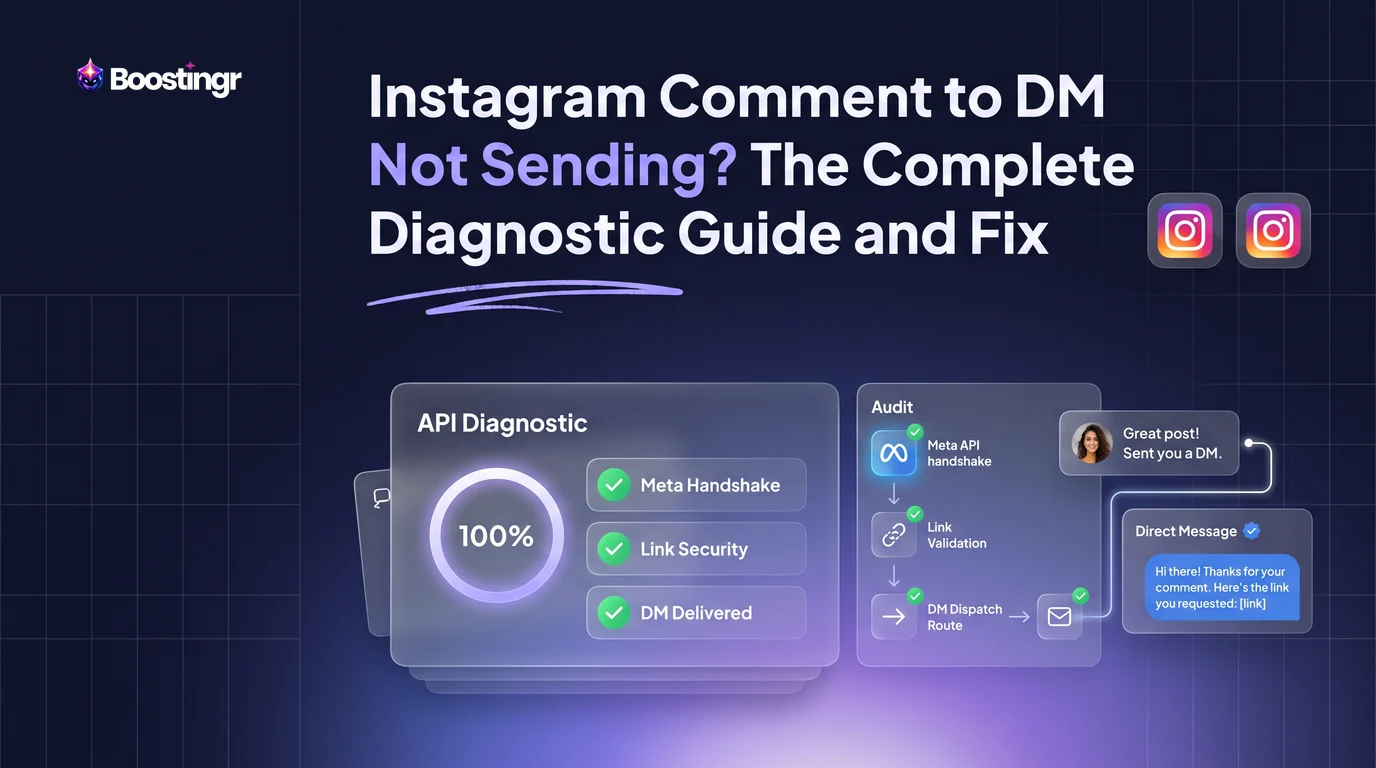
The 60-Second Diagnostic Triage Tree
When a live ad campaign or viral Reel suddenly stops triggering direct messages, you do not have time to browse through disconnected support forums. When your instagram comment automation not sending dm events stall, use this triage hierarchy to isolate the failure layer immediately.
[Comment Published on Post or Reel]
         │
         ▼
Did your automation tool log the comment webhook?
 ├── NO  ──► Check: Page permissions, token validity, or Instagram Connected Tools toggle.
 └── YES ──► Did the platform attempt to send the Private Reply?
              ├── FAILED WITH ERROR ──► Check: 7-day expiration rule or user account restrictions.
              └── MARKED "DELIVERED" ──► But recipient sees nothing?
                           ├── Sent to Non-Follower? ──► Hidden in "Message Requests".
                           └── Contains a URL?       ──► Meta Silent Link Filter dropped the payload.
Symptom 1: Comment Detected, But No Outgoing DM Sent
If your automation dashboard displays incoming comments with timestamps but the outgoing direct message remains unqueued or fails instantly, your webhook pipeline is operational, but your messaging permissions are severed. This occurs when an account retains comment-reading privileges (instagram_manage_comments) while its message dispatch permissions (instagram_manage_messages) have expired, been revoked, or encountered a Meta Business Suite auto reply conflict.
Symptom 2: Nothing Detected at All (Webhooks Silent)
When users post trigger keywords and your automation software shows zero activity, the link between Meta's Graph API edge and your server is dead. This typically happens when an administrator updates their Instagram or Facebook password, changes two-factor authentication (2FA) settings, or if the Instagram account was inadvertently switched from a Professional/Business profile back to a Personal profile.
Symptom 3: DMs Delivered to Followers Only
If followers receive your automated links instantly while non-followers report getting nothing, your technical pipeline is functional. Instead, you are dealing with Instagram's inbox filtering rules. Meta routes automated direct messages sent to users who do not follow you into the "Message Requests" or "Hidden Requests" tab. Without a public comment reply nudging them to verify their filtered requests, non-followers assume the delivery failed.
Symptom 4: Only the First DM Goes Through (Follow-Ups Fail)
If the opening direct message delivers but subsequent messages in your sequence abort, you have hit Meta's messaging window boundary. Meta permits exactly one automated private reply per comment. Unless the recipient replies to your direct message to open the standard 24-hour messaging window, any subsequent outbound message returns an explicit permissions error from the Graph API.
Meta Graph API Infrastructure: Why Automated DMs Fail Silently
Third-party tools do not send messages via Instagram's mobile interface; they communicate directly with endpoints maintained on the Meta Graph API. Understanding these underlying protocols reveals why an instagram auto dm not working state often triggers no visible warning inside your third-party dashboard.
1. The "Allow Access to Messages" Switch in Connected Tools
By far the most common cause of complete DM delivery failure is a hidden setting located inside the native Instagram mobile application. Meta mandates explicit user consent within the mobile client before external API applications can send direct messages on an account's behalf.
To inspect this setting:
- Open your Instagram profile on the mobile app.
- Tap the hamburger menu (≡) in the upper right corner, then select Settings and privacy.
- Navigate to Messages and story replies > Message controls.
- Scroll to Connected tools.
- Verify that Allow access to messages is toggled ON.
If this toggle is disabled, your automation platform will receive comment webhooks, evaluate keywords, and mark DMs as "Sent" in its internal logs, but Meta's API gateway will silently discard every outgoing payload.
+--------------------------------------------------------------------------------+
| NATIVE INSTAGRAM APP SETTINGS PATH                                             |
| Settings & Privacy -> Messages & Story Replies -> Message Controls             |
|   └── Connected Tools -> [x] Allow Access to Messages (MUST BE ENABLED)        |
+--------------------------------------------------------------------------------+
2. Conversation Routing and the Meta Handover Protocol
When businesses connect multiple customer service tools—such as ManyChat, Zendesk, native Meta Business Suite inboxes, and an AI Instagram reply bot—Meta must determine which platform "owns" the conversation thread. This orchestration is governed by the Meta Instagram Handover Protocol.
A meta instagram conversation routing conflict occurs when a secondary application (such as Meta Business Suite Inbox or an older CRM bot) holds the "Primary Receiver" app role, while your comment-to-DM tool is designated as a "Secondary Receiver" without thread control. When an event fires, the secondary tool requests thread control, but if the primary receiver fails to pass control over, outgoing direct messages are blocked.
To verify app roles inside your Facebook Page settings:
- Open your linked Facebook Page.
- Navigate to Settings > New Pages Experience > Advanced Messaging.
- Under Handover Protocol, inspect the Instagram Receiver configuration.
- Confirm that your active comment automation platform is either designated as the Primary Receiver or that all connected applications support automatic pass-thread-control events.
3. The 7-Day Rule and Single Private Reply Restriction
Meta's developer policies establish strict boundaries around automated messaging initiated from feed comments. Under the instagram comment to dm 7 day rule:
- An automated direct message can only be generated for comments posted within the preceding 7 days (168 hours). If a user comments on an older post or Reel that went live weeks ago, calls to the
/messagesedge using thatcomment_idwill return an instagram private reply api error ((#100) Parameter error: comment too old to reply via message). - You are granted exactly one private reply per comment. Attempting to send a second private reply to the same user based on the same
comment_idwill be immediately rejected by Meta's API.
To build compliant multi-step engagement funnels without hitting API errors, your opening message must contain an interactive button or call-to-action that encourages the user to send a reply back to your inbox. Once the user replies, their account enters the standard 24-hour customer service window, allowing follow-up messages.
The "Silent Link Rejection" Trap
Many marketing teams experience scenarios where their automation logs show a green status, but users repeatedly comment, "I never got the link!" If your message contains an external URL, you may have triggered Meta's automated spam and link integrity filters.
Unlike traditional email delivery, which sends bounce notifications, Meta's Graph API frequently accepts a message payload and returns a HTTP 200 OK success response, but subsequently drops the message internally before it reaches the recipient's inbox. This behavior is documented in our breakdown on why automated DMs go to spam.
[Automation Platform] ──HTTP POST with Link──► [Meta Graph API Gateway] (Returns 200 OK)
                                                       │
                                                       ▼
                                            [Meta Link Safety Filter]
                                                       │
                          ┌────────────────────────────┴────────────────────────────┐
                          ▼                                                         ▼
                   [Clean Root Domain]                                   [Flagged / URL Shortener]
                          │                                                         │
                          ▼                                                         ▼
                  Delivered to User                                         Silently Dropped
                                                                           (No User Delivery)
Why Meta Silently Drops Outgoing DMs
- Aggressive URL Shorteners: Unbranded or generic shorteners (such as bit.ly or tinyurl) are frequently exploited by malicious actors. Meta's anti-phishing systems actively deprioritize or block automated private messages containing generic shortened links.
- Unverified Affiliate Redirects: Affiliate links with multi-hop redirects obscure the final destination URL. Meta treats multi-hop redirects as high-risk spam.
- Domain Flagging: If users have previously reported comments or messages containing your root domain, Meta's automated security systems will suppress any private message containing that URL.
Remediation Strategy for Link Delivery
- Always send clean, branded root domains or verified subdomains (e.g.,
shop.yourbrand.com/productinstead ofamzn.to/xyz). - If you must use dynamic routing, utilize Meta's native Quick Reply buttons or generic text prompts first. Deliver the link in message two, after the user interacts with your opening prompt.
- Test link health by manually copy-pasting the exact URL into a personal direct message thread. If Instagram shows a security warning or blocks the manual send, the link cannot be used in automated workflows.
Keyword Fragility vs. AI Intent Detection
If you use traditional rule-based platforms and find your comment to dm keyword not triggering, the issue often lies in rigid string-matching logic rather than an API outage.
The Problem with Exact and Substring Keyword Matching
Traditional chatbots rely on strict keyword conditions: "Exact Match" or "Contains Phrase." Both approaches carry operational trade-offs:
- Exact Match Pitfalls: If you tell your audience to "Comment GUIDE below!", mobile users routinely submit "Guide!", "guide please", "GUIDE 🔥", or experience autocorrect variations like "Guode". An exact-match rule categorizes every one of these high-intent prospects as a non-match, abandoning the lead.
- Contains Match Pitfalls: If you configure a broader "Contains" rule for a keyword like "PRICE", the rule will misfire on negative or irrelevant phrases (e.g., "your pricing is way too high and ridiculous" or "is there a lower price option?"), sending inappropriate promotional messages to frustrated prospects.
This fragility is one of the primary reasons users report that their ManyChat comment to dm is not working. Rule-based systems fail to interpret conversational nuance, punctuation anomalies, and multi-language inputs.
Traditional Keyword Bot Architecture:
User Comment: "Send the price please!" ──► [Regex: Exact "PRICE"] ──► FAILED (No match)

Boostingr AI Intent Architecture:
User Comment: "Send the price please!" ──► [Semantic Intent Engine] ──► MATCH: Commercial Intent (DM Dispatched)
How AI Intent Resolution Eliminates Lead Loss
Modern comment infrastructure uses natural language processing rather than brittle regex strings. Instead of scanning for isolated characters, an AI-powered system evaluates the semantic context of the entire comment:
- Typo and Slang Tolerance: Recognizes "snd me the linkk", "drop the info fam", and "how much?" as matching commercial purchase intent.
- Sentiment Filtering: Separates genuine inquiries from customer complaints. If a user posts, "I'm tired of waiting for your link, this is a scam", an intent-based system flags the comment for comment moderation rather than triggering a generic promotional link.
- Multi-Intent Routing: If a user asks two questions in one comment ("Is this vegan and what is the code?"), an AI engine can respond to the product question publicly while delivering the discount code via private message.
Platforms built on rigid rules require creators to maintain dozens of keyword permutations. Modern teams use platforms like Boostingr to establish conversational policies rather than fragile keyword lists: teach once, engage everywhere.
The Public-to-Private Handshake: Escalating Deliverability and Engagement
One of the most overlooked aspects of automated direct messaging is the algorithmic connection between public comments and private deliverability. When an automation engine dispatches a DM, Instagram's spam detection evaluates whether the interaction is welcome or unsolicited.
If you broadcast hundreds of automated DMs without engaging on the public feed, Meta's security heuristics may flag your account for an instagram comment trigger rate limit violation. Implementing what we call the Public-to-Private Handshake circumvents this issue.
+--------------------------------------------------------------------------------+
| THE PUBLIC-TO-PRIVATE HANDSHAKE WORKFLOW                                      |
|                                                                                |
|  User Comments: "WORKFLOW"                                                    |
|        │                                                                       |
|        ├──► Public Action: Dynamic AI Reply to Comment                         |
|        │    ("Just dropped the complete framework in your DMs, check requests!")|
|        │                                                                       |
|        └──► Private Action: Personalized Direct Message Dispatched             |
|             (Contains requested resource + engagement prompt)                  |
+--------------------------------------------------------------------------------+
Why Pairing Public Replies with Private Messages Works
- Solves the Message Request Problem: As noted earlier, messages sent to non-followers routinely route to the "Message Requests" or "Hidden Requests" folder without firing a mobile push notification. A public reply alerting the user ("I just sent you the checklist! Check your Message Requests folder") prompts them to find and approve the thread.
- Signals Reciprocal Engagement to Meta: When your account replies to a public comment, Instagram's algorithm records a legitimate, bidirectional interaction. This lowers the spam score on the subsequent outbound direct message.
- Prevents Duplicate Triggers: A dynamic public reply signals to other users that your automation is live, encouraging more comments while confirming that the previous user was handled.
Using an integrated Instagram comment automation workflow that coordinates public replies with direct messaging protects your inbox deliverability while driving significant downstream reach.
Practical Examples and Use Cases
Case Study: Recovering 38% of Lost Leads on a Live E-Commerce Campaign
An enterprise apparel brand running a paid Meta Reel campaign invited users to comment "STYLE" to receive a direct discount link. Within 48 hours of scaling the ad spend to $3,500 per day, the marketing team noticed their cost-per-acquisition (CPA) climbing, while user comments complained: "Where is the link?" and "Scam, no DM sent."
Upon reviewing their setup, we identified two critical failure points:
- Rigid Matching: Nearly 22% of comments included punctuation, sentence fragments, or emojis (e.g., "style pls", "Style!!", "STYLE 🔥"). The brand's legacy chatbot was set to "Exact Match," completely ignoring these entries.
- Silent Link Blocking: The direct message contained an unbranded, shortened affiliate link. Meta's gateway accepted the requests but silently suppressed the outgoing messages for non-followers.
+----------------------------------------------------------------------------------+
| CAMPAIGN METRICS BEFORE & AFTER INFRASTRUCTURE FIX                               |
+------------------------------------+--------------------+------------------------+
| Metric                             | Legacy Chatbot     | AI Intent + Handshake  |
+------------------------------------+--------------------+------------------------+
| Ad Spend                           | $3,500/day         | $3,500/day             |
| Total Trigger Comments             | 2,140              | 2,210                  |
| Successful Outbound DMs            | 1,280 (59.8%)      | 2,165 (97.9%)          |
| Outbound Link Click-Through Rate   | 14.2%              | 38.6%                  |
| Blended Customer Acquisition Cost  | $44.20             | $27.30                 |
+------------------------------------+--------------------+------------------------+
By replacing the rigid string matcher with an AI intent engine that parsed comment context, and swapping the unbranded shortlink for a branded domain paired with a public comment confirmation, the brand recovered 38% of previously lost leads and reduced its blended acquisition cost by 38.2%.
Use Case 1: High-Volume Lead Capture for Financial Services
In regulated industries like real estate and financial advisory, missing a high-intent comment can mean losing a high-value customer. When prospects comment asking about mortgage rates or consults, automated workflows must accurately detect intent and route sensitive conversations securely.
Using an advanced Instagram lead capture workflow, an advisor can configure an automated private reply that asks the prospect two qualifying questions inside the DM. Once the prospect responds, their contact information syncs directly into the CRM via webhook, operating strictly within Meta's 24-hour messaging window.
Use Case 2: Multi-App Creator Stack with Handover Protocol
A creator with 500,000 followers uses a helpdesk platform to manage customer service inquiries alongside an automated growth platform to distribute digital templates via Reel comments. Prior to configuring Meta's Handover Protocol, the helpdesk app repeatedly hijacked thread ownership, causing the growth automation's private replies to fail.
By correctly assigning the growth tool as the "Primary Receiver" for comments and the helpdesk tool as the "Secondary Receiver" for ongoing threads, the creator eliminated the instagram automated dms stopped working issue without sacrificing either workflow.
Comparison Table
To understand why traditional bots struggle during complex comment-to-DM campaigns, compare legacy keyword matchers with modern AI-driven comment management platforms.
| Technical Feature | Legacy Rule-Based Bots (e.g., ManyChat) | Native Meta Business Suite | AI Comment Management (Boostingr) |
|---|---|---|---|
| Trigger Mechanism | Exact string or regex contains | Basic preset keywords | Semantic intent & sentiment detection |
| Typo & Slang Handling | Fails; requires manual keyword variations | Fails; zero flexibility | Automatically resolves intent from context |
| Emoji Parsing | Frequently breaks regex matching | Unreliable | Fully supported within context parsing |
| Negative Sentiment Filter | Requires complex exclusion lists | None | Automatically holds or hides hostile comments |
| Public + Private Sync | Basic static template response | Limited | Dynamic, humanized AI public replies |
| Link Safety Management | Manual entry (prone to silent drops) | N/A | Validates links to minimize spam filters |
| Spam/Troll Detection | Basic keyword blocklists | Manual review required | Integrated troll and fake account detection |
| Token & Routing Handling | Manual reconnection required | Native fallback | Automated diagnostic health alerting |
For a broader architectural comparison of how automated workflows protect brand equity, consult our guide to evaluating content moderation tools.
Checklist: How to Fix Comment to DM on Instagram
Follow this verification checklist sequentially whenever you need to resolve an instagram comment to dm not sending outage.
-
Step 1: Check Account Classification
Confirm that your Instagram profile is configured as a Professional Business or Creator account. Personal profiles do not have access to Meta's Graph API webhooks. -
Step 2: Verify the "Allow Access to Messages" Switch
In the Instagram mobile app, open Settings and privacy > Messages and story replies > Message controls > Connected tools. Ensure Allow access to messages is switched ON. -
Step 3: Audit Facebook Page Linking
Verify that your Instagram Business profile is formally linked to an active Facebook Page. Go to Settings > Accounts Center or Facebook Page settings to confirm that there are no pending connection warnings. -
Step 4: Check Handover Protocol App Roles
On your linked Facebook Page, navigate to Settings > New Pages Experience > Advanced Messaging. Confirm your primary automation tool is selected as the Primary Receiver for the Instagram Handover Protocol. -
Step 5: Verify the 7-Day Eligibility Window
Confirm that the post or Reel receiving comments was published within the last 7 days. If the post is older, Meta's API will reject all automated private reply attempts. -
Step 6: Strip Out Suspicious URLs
Review the content of your automated direct message. Remove URL shorteners, multi-hop affiliate links, or recently registered domains. Replace them with clean, direct root links, or send the link only after the user replies. -
Step 7: Clear Conflicting Triggers
Ensure you do not have multiple active automation tools trying to respond to the same keyword simultaneously. Redundant tools create API race conditions that trigger Meta's rate limits. -
Step 8: Reauthorize API Tokens
Open your automation platform's settings and disconnect/reconnect your Instagram account. This refreshes your system access tokens, reinstating any permissions that expired after password or security updates.
Visual guide
Triage Guide for Missing Comment DMs
Follow these checks to find exactly where your comment automation is stalling.
Rules for Sending Automated DM Sequences
Meta allows only one automated private reply per comment until the user messages you back.
Why Automated Link DMs Disappear
Meta scans links inside direct messages and silently discards messages containing suspicious or shortened URLs.
Key Takeaways
- Check App Permissions First: The native "Allow Access to Messages" toggle inside Instagram's mobile app settings is the single most common reason automated DMs stop sending.
- Audit Conversation Routing: When multiple CRM, helpdesk, or chatbot applications are connected to a single Meta account, Handover Protocol conflicts will prevent secondary tools from sending DMs.
- Watch the 7-Day Window: Meta enforces a strict policy permitting only one automated private reply per comment, applicable only to comments posted within the preceding 7 days.
- Avoid Shortened Links in Initial DMs: Meta's spam protection frequently suppresses direct messages containing generic URL shorteners without returning an API error.
- Upgrade from Rigid Keywords to AI Intent: Exact-match and regex bots routinely drop leads due to common typos, slang, and emojis. Semantic intent engines process variations without manual maintenance.
- Always Pair Public and Private Responses: Deploying a dynamic public comment reply alongside your DM alert increases deliverability and directs non-followers straight to their "Message Requests" tab.
Frequently asked questions
Why does my automation say "Sent" when the user never received a DM?
This usually indicates that the outgoing message was either routed to the recipient's "Message Requests" folder (common for non-followers) or suppressed by Meta's silent link safety filter due to an unbranded URL shortener or affiliate link. It can also occur if the "Allow Access to Messages" toggle in your Instagram app's Connected Tools settings is turned off.
What is the Instagram comment to DM 7-day rule?
Meta's Graph API restricts automated private replies to comments that were published within the last 7 days (168 hours). If a user leaves a comment on an older post or Reel, any automated attempt to send a direct message based on that comment ID will be rejected by the API with an error code.
Can I send multiple automated DMs to the same commenter?
No. Meta's developer policies strictly permit one private reply per comment. To send subsequent messages, your opening DM must encourage the user to reply. Once the user replies to your direct message, a standard 24-hour messaging window opens, allowing normal automated follow-up sequences.
Why do my comment-to-DM triggers only work for my account or team members?
If your automations work for account administrators and team members but fail for general users, your Meta Developer App is likely stuck in Development Mode. In Development Mode, the Graph API only sends webhooks and messages to users who hold an Admin, Developer, or Tester role on the app. The app must be switched to Live Mode to interact with the public.
Will running automated comment-to-DM campaigns get my Instagram account banned?
Automating private replies using official, approved tools that interface directly with Meta's Graph API will not jeopardize your account. However, using unauthorized third-party apps that scrape Instagram using your login credentials, or spamming identical outbound links at high velocity, can trigger temporary platform rate limits or action blocks.
How does AI intent detection prevent missed DM triggers?
Traditional bots require exact character matches. If you ask users to comment "WORKFLOW" and they comment "workflow please!" or make a typo like "workflw", a rigid bot will not fire. AI intent detection evaluates the semantic meaning of the comment, recognizing purchase or engagement intent regardless of spelling mistakes, slang, or emojis.
Is this available in size M? Want to order today