


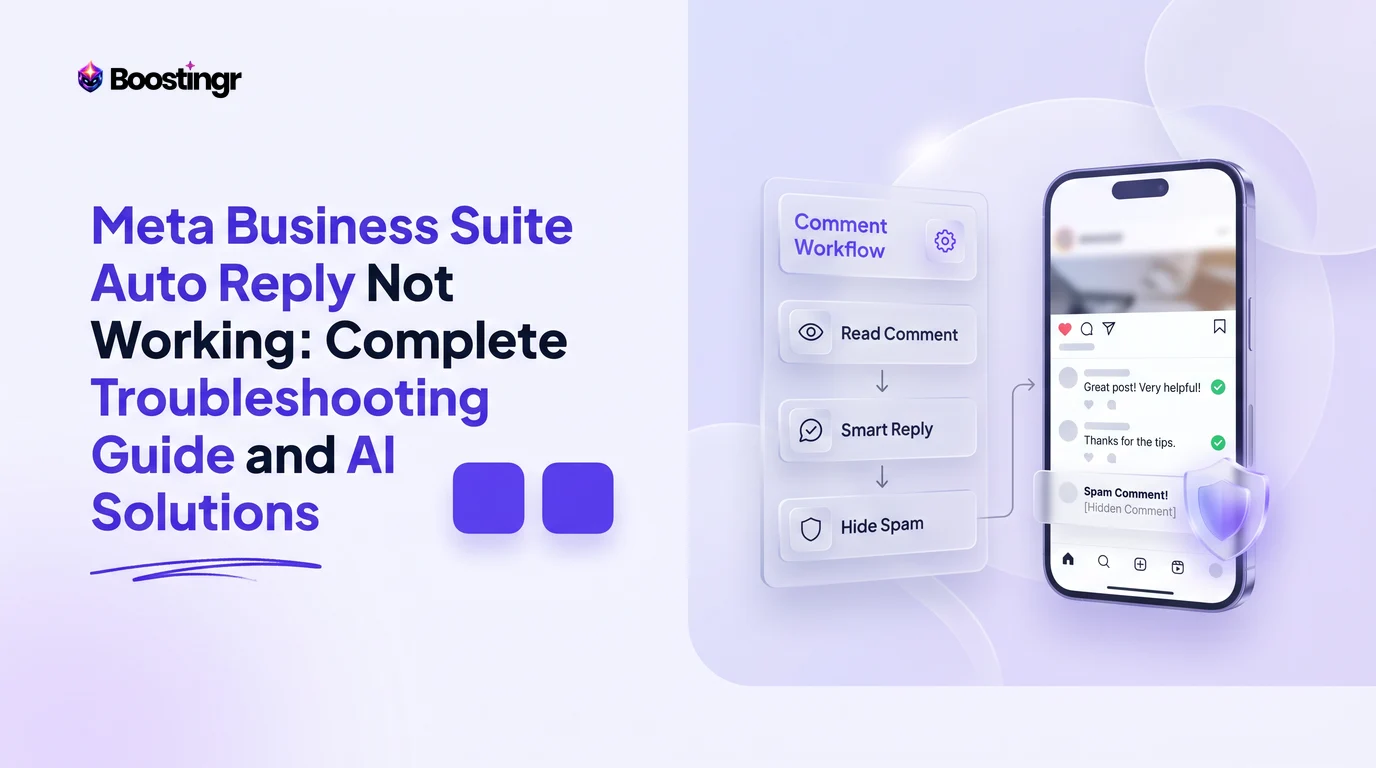
Why Are Automated Responses Failing in Meta Business Suite?
Social media managers, advertisers, and brand support teams rely on automated responses across Facebook Pages and Instagram Business profiles to maintain sub-five-minute response windows. However, platform updates and background permission revamps often result in automated messaging workflows silently breaking.
When a customer messages your business page or posts a product inquiry on an active ad campaign, silence degrades organic conversion rates and inflates customer acquisition costs. Diagnosing why automated replies fail requires systematically isolating Meta's native quirks from token authorization drops, permission resets, and rule conflicts.
Understanding how Meta processes triggers through the Meta Graph API helps teams identify why automated responses break and deploy durable fixes.
The Self-Testing Admin Trap: Why Your Tests Silently Fail
One of the most frequent reasons managers search for fixes to meta business suite instant reply not working is what technical teams call the Self-Testing Admin Trap.
When configuring an Instant Reply or a Custom Keyword Automation inside Meta Business Suite, your natural impulse is to open Facebook Messenger or Instagram Direct on your personal device and send the test trigger word to your business profile.
Meta deliberately suppresses automated triggers when the inbound sender shares administrative, editor, or task permissions with the recipient Page. Meta’s routing layer recognizes your personal Facebook User ID as an identity bound to the Page’s Business Asset Group. To prevent infinite feedback loops and administrative notification spam, native automations do not fire for internal team members.
How to Accurately Test Native Triggers
- Do not use an account linked via Business Manager, Meta Account Center, or partner asset sharing.
- Use a dedicated, completely external third-party consumer profile.
- Clear previous conversation threads or use an account that has not messaged the Page within the past 24 hours.
- If testing comment triggers, ensure the tester profile is not listed as a moderator or employee on the Page.
If you have tested with your personal profile and assumed the tool was broken, switch to an external test profile before changing functional business settings.
The Overlooked Instagram "Allow Access to Messages" Setting
When teams encounter instagram auto reply meta business suite not working, the issue rarely originates inside the desktop Business Suite browser interface. Instead, it stems from a mobile-level security toggle within the Instagram application.
Even when Meta Business Suite confirms that your Facebook Page and Instagram Professional Account are successfully connected, Instagram Direct automations will drop incoming webhooks if native API message ingestion is toggled off.
Instagram Mobile App
  └── Settings and Privacy
        └── Messages and Story Replies
              └── Connected Tools
                    └── "Allow Access to Messages" [MUST BE ON]
Step-by-Step Fix for Instagram Direct Automated Replies
- Open the Instagram mobile app logged into the target Business or Creator Account.
- Tap your profile picture in the bottom right corner, then tap the hamburger menu in the top right.
- Navigate to Settings and Privacy > Messages and story replies.
- Tap Connected Tools.
- Verify that Allow Access to Messages is toggled strictly to On.
If this toggle is off, Meta Business Suite can view historic messages once loaded, but the real-time background webhook required to send instant responses is rejected at the API gate, leaving incoming leads unanswered.
Meta Business AI and Agent Thread Hijacking
Recent rollouts across Meta's advertising ecosystem have introduced "Meta Business AI" agents designed to assist businesses with automated lead handling. However, this feature has introduced an unexpected issue: meta business ai taking over automations.
When Meta Business AI is enabled, the platform assigns conversation thread ownership to Meta's native language model. As a result, standard Custom Keyword rules, Instant Replies, and automated frequently asked questions (FAQs) are often ignored or bypassed.
Symptoms of Thread Hijacking
- Inbound DMs display small badges stating "Handled by AI" or "AI conversation active."
- Pre-configured keyword triggers (like "PRICING" or "HOURS") fail to execute your templated copy.
- Customers receive generic AI conversational responses that contradict your specific campaign guidelines.
How to Reclaim Conversation Routing
- Open Meta Business Suite on your desktop.
- Navigate to Inbox > Automations.
- Click on Meta Business AI or Automated Assistant Settings (located at the top right gear icon inside the Inbox view).
- Locate Thread Assignment or AI Takeover Rules.
- Set default thread assignment back to Standard Automation Rules or disable "Allow Meta AI to respond when automated rules exist."
- Save changes and wait 10 minutes for Meta's regional routing tables to update.
This configuration ensures your business logic takes precedence over experimental native agents.
The 15-Minute Keyword Delay and Exact-Match Fragility
When diagnosing meta business suite keyword reply delay or general keyword failure, managers must understand how Meta's rule-engine processes string matching.
The Native 15-Minute Processing Window
Unlike specialized third-party software that connects directly to the Instagram Graph API webhooks, Meta's internal batch processors often experience ingestion delays. A keyword automation configured natively inside Meta Business Suite may take anywhere from 30 seconds to 15 minutes to execute during peak platform loads. Users who expect an immediate response often assume the integration is broken when it is simply queuing.
The Exact-Match Fragility Problem
Meta’s native keyword automation engine relies on rigid string matching. If your rule specifies the trigger word discount:
- A user typing
Discount(capitalized) may trigger it, but... - A user typing
discounts(plural) will fail. - A user typing
discount!(with punctuation) will fail. - A user typing
can I get a discount?will fail unless the rule is specifically configured for "contains" rather than "is exactly".
Furthermore, Meta allows a maximum of 5 keyword variations per rule block. If your prospect makes a basic typo (e.g., dicount), native automations stop entirely. This limitation makes native keyword automations impractical for multi-variant ad campaigns.
Away Message vs. Instant Reply: The Status Override Conflict
A frequent configuration issue occurs when meta business suite away message overriding instant reply rules.
Inside Meta Business Suite Inbox Automations, users can configure both an Instant Reply (designed to send immediately upon a customer's first contact) and an Away Message (designed to fire when the business is outside operational hours). Because both tools execute automated responses, they frequently conflict:
- The Conflict: If your Page is marked as "Away" manually in the top-left status dropdown of your Inbox, the Instant Reply automation is automatically disabled in favor of the Away Message.
- The Schedule Bug: If you set an Away Schedule spanning 24 hours (a common mistake made when attempting to keep automated out-of-office messaging active continuously), the platform treats the Page as perpetually offline. Consequently, Instant Replies and dynamic keyword workflows remain muted.
Resolving the Conflict
- Navigate to Meta Business Suite > Inbox.
- Check your operational status directly beneath your Page name in the left panel. Ensure it is toggled to Available rather than Away during business testing.
- Go to Automations > Away Message > Edit.
- Ensure your Away schedule does not overlap with your primary marketing windows.
Facebook Comment Auto Reply Failures on Public Posts and Ads
Many brands experience issues where their facebook comment auto reply not working properly on organic posts and paid advertisements.
Public comment moderation presents distinct challenges compared to private inbox management:
Platform Limitations
Meta Business Suite provides limited native tools for auto-replying directly to public Facebook or Instagram comments. While it offers "Auto-respond to comments" for basic feedback within selected business tiers, it lacks native features to:
- Dynamically post public replies based on sentiment or purchasing intent.
- Automatically hide toxic comments or spam links.
- Send automated, customized direct messages triggered by comments at scale without strict 7-day rate-limiting boundaries.
When managers attempt to build public comment-to-DM triggers using standard Business Suite automations, they encounter severe constraints. Native tools often fail on Dark Posts (dynamic ad variations not posted to the main page feed), leaving ad campaigns vulnerable to unchecked spam and unanswered buying questions.
For high-volume paid media campaigns, relying solely on native comment-to-message rules often leads to dropped responses and ad fatigue. Using a specialized platform like Boostingr helps brands implement reliable comment workflows that native rules cannot support.
Comparison Table
Understanding where native Meta Business Suite automations succeed and where they struggle against dedicated AI systems helps teams choose the right setup for their operational needs.
| Capability / Feature | Meta Business Suite Native Automations | Dedicated AI Comment Intelligence (Boostingr) | Legacy Rule-Based Chatbots (e.g., ManyChat) |
|---|---|---|---|
| Primary Architectural Focus | Basic Direct Message auto-routing & static replies | Public comment moderation, sentiment analysis, AI replies | Private DM interactive funnels & keyword flows |
| Trigger Execution Speed | Variable (Instant to 15-minute queue delay) | Sub-second real-time API execution | Near real-time (1–3 seconds) |
| Keyword Flexibility | Strict exact match (Max 5 rigid keywords) | Deep intent detection (Context, typos, slang, multi-lingual) | Exact and phrase matching rules |
| Admin Self-Testing | Suppressed (Fails silently for internal admins) | Full sandbox testing & internal log tracing | Supported via test-subscriber flags |
| Ad Comment Coverage (Dark Posts) | Inconsistent; often drops dynamic ad comments | Complete coverage across organic posts, Reels, & Paid Ads | Moderate; requires manual campaign-level linking |
| Spam & Troll Moderation | Basic manual blocked-word lists | Autonomous contextual sentiment & spam detection | Limited rule-based hiding filters |
| Brand Voice Matching | Fixed, static text templates | Dynamic brand memory adapted to tone guidelines | Pre-written static decision trees |
| Setup Overhead | Low (Built directly into Meta ecosystem) | Streamlined API authorization (Single-click) | Complex visual flow builder architecture |
For a deeper look into the operational economics of manual versus automated social workflows, see our analysis on why manual comment moderation is inefficient and costly.
Troubleshooting Checklist: Step-by-Step Fixes
Follow this systematic checklist to resolve meta business suite automations not sending across your channels:
1. Account Access & Role Verification
- Confirm you hold Full Control (Admin) access in Meta Business Manager, not simply Task Access or Community Manager roles.
- Ensure the Facebook Page has claimed the Instagram Business account within Business Settings > Accounts > Instagram Accounts.
2. Instagram Direct Permissions
- Open the Instagram mobile app > Settings and privacy > Messages and story replies > Connected tools.
- Toggle Allow access to messages to ON.
3. Business Suite Inbox Status
- Verify Inbox status is set to Available, not Away.
- Check that your Away Message schedule does not overlap with real-time response hours.
4. Rule Configuration and String Matching
- Confirm the automation status toggle is set to Active.
- Verify keywords are set to "Keywords contain" rather than "Exact match" where available.
- Keep keyword lists concise, separating terms with commas without extra spaces.
5. Meta Business AI Conflict Resolution
- Check Inbox Automations for active Meta Business AI threads.
- Disable AI agent takeovers on threads with active custom keyword rules.
6. External Account Testing
- Log out of all Page administrative accounts.
- Use an external profile with no Page roles to test target triggers.
Why Modern Brands Outgrow Native Meta Automations
While Meta Business Suite provides a solid starting point for single-operator operations, modern digital brands frequently encounter operational ceilings with native automation. Native tools are fundamentally structured around simple transactional messaging rather than context-aware community management.
The Challenge of Static Rules in Dynamic Environments
Native tools struggle to parse nuanced human communication:
- A user asking "Is this available in red or blue?" and another stating "This broke after two days!" require fundamentally different responses.
- Static templates cannot distinguish between high-intent purchasing inquiries, genuine product frustrations, and malicious spam.
If you reply to a frustrated customer with a generic "Thanks for reaching out! Check out our catalog at [link]!", you risk damaging customer relationships publicly.
Comprehensive Comment Management: Public Defense and Private Conversion
High-performing social media workflows require a unified approach across both public feeds and private inboxes:
- Public Moderation: Proactively hide phishing links, offensive attacks, and competitor hijacking on your posts and ads before they damage return on ad spend (ROAS). Learn more about the impact of spam comments on Meta ads.
- Context-Aware Public Engagement: Answer public inquiries with customized brand-voice responses that encourage community interaction.
- Seamless Lead Routing: Transition high-intent users from public comment threads into private messaging funnels to capture leads and close sales.
This is where an AI-powered comment management platform like Boostingr transforms your social operations. Instead of relying on brittle keyword templates that fail on simple typos, Boostingr reads comments contextually, understands human intent, protects brand safety, and responds across connected social accounts.
Visual guide
Troubleshooting Inbound Test Failures
Meta blocks internal accounts from triggering automated replies. Check who is sending the message before changing your automation settings.
Enabling Instagram API Message Access
Instagram Direct automations fail if the mobile security permission is disabled, even when Meta Business Suite shows connected accounts.
Resolving Message Route Conflicts
Meta checks inbox status and AI takeovers before running standard rules. Use this flow to determine why your Instant Reply is muted.
Practical Examples and Use Cases
Scenario A: The High-Growth Ecommerce Flash Sale
An apparel brand launches a flash sale across Instagram Reels and Facebook Dark Posts, prompting users to comment "VAULT" to receive an exclusive discount link.
- The Native Failure: The team configures a native Meta Business Suite comment-to-message rule. Because hundreds of users type variations like "Vault?", "vault please", or "the vault", Meta's exact-match rule misses over 40% of engagements. Furthermore, the 15-minute processing delay causes frustrated shoppers to leave negative comments about broken links.
- The AI Resolution: With AI Instagram comment automation, the brand deploys context-aware intent detection. Every variation is understood instantly, automated public acknowledgments fire in real time, and conversion links land in customer inboxes within seconds.
Scenario B: Multi-Channel Ad Campaign Moderation
A health brand scales Meta Ads spend to $5,000/day. Competitors and affiliate bots target ad comment sections with fraudulent links, while genuine prospects ask about product ingredients.
- The Native Failure: Meta Business Suite fails to flag dynamic ad comments reliably. Staff members must manually refresh notifications, leaving malicious spam visible on high-traffic ads for hours, which hurts conversion performance and roas.
- The AI Resolution: Implementing social media moderation software allows the team to automatically hide spam comments while intelligent AI reply bots answer product queries with on-brand responses derived from verified ingredient documentation.
Case Study: HydratePro
Company: HydratePro (Direct-to-Consumer Wellness Brand)
Challenge: The brand's social team noticed automated replies failing completely across Facebook and Instagram during a major product launch. Inbound direct messages were going unanswered, while ad comment sections accumulated unmoderated feedback, causing customer engagement rates to drop sharply.
The Root Cause Audit
An infrastructure audit revealed two primary issues:
- An operational update had disabled the Allow Access to Messages toggle within the Instagram mobile application during an account reconnection.
- Meta's newly deployed Business AI agent had automatically taken ownership of customer conversation threads, muting the brand's custom discount and FAQ keywords.
The Intervention and Implementation
HydratePro applied the following fixes:
- Re-authorized mobile API message permissions within the Instagram application.
- Disabled Meta Business AI thread hijacking to restore custom workflow triggers.
- Replaced fragile native keyword triggers with Boostingr's AI comment management platform to manage public comments and lead generation across their Meta ad accounts.
Measured Outcomes over 30 Days
- Response Latency: Decreased from an inconsistent 14-minute average to sub-two-second execution.
- Lead Capture: Captured 1,840 incremental email opt-ins through automated Instagram lead capture workflows.
- Brand Safety: Over 420 spam, affiliate, and offensive comments were automatically hidden across active Meta ad sets within seconds of publication.
- ROAS Improvement: Customer acquisition costs fell by 18%, driven by cleaner ad comment threads and responsive automated messaging.
Key Takeaways
- Admin Testing Distortion: Meta suppresses native automations when tested by page administrators. Always verify automations using an independent external account.
- Instagram Permission Dependency: Verify that Allow Access to Messages is active under mobile app Connected Tools; otherwise, incoming webhooks will drop silently.
- Resolve AI Conflicts: Audit Meta Business AI settings inside the Inbox to ensure experimental features are not hijacking your custom triggers.
- Understand Native Limits: Native Meta keyword rules suffer from strict exact-match constraints and up to 15-minute queue delays.
- Separate DMs from Public Feeds: Meta Business Suite is primarily designed for private inboxes. For high-volume public comment moderation and ad protection, rely on dedicated AI comment moderation tools.
Checklist
Use this checklist before publishing or operationalizing a Meta Business Suite Auto Reply Not Working workflow:
- Define what the assistant can answer directly.
- Define which comments require human review or escalation.
- Save pricing, offer, tone, support, and policy context.
- Route lead-intent comments toward the correct CTA or next step.
- Review spam and troll thresholds against live comment patterns.
- Audit reply quality regularly for safety, accuracy, and conversion value.
Frequently asked questions
Why is my Meta Business Suite auto reply not working when I test it myself?
Meta deliberately suppresses automated messaging workflows when the inbound sender is an administrator or editor of the Page. The system recognizes your identity within the Business Asset Group and bypasses automations to prevent feedback loops. Always test with an independent external profile.
How do I fix automated replies not sending on Instagram Direct?
Open the Instagram mobile app, navigate to Settings and Privacy > Messages and Story Replies > Connected Tools, and toggle "Allow Access to Messages" to On. If this setting is disabled, Instagram blocks the Graph API from ingesting messages and sending automated replies.
Why does my Meta Business Suite keyword reply take up to 15 minutes to fire?
Meta queues native automated responses across shared server batch processors rather than dedicated webhooks. During periods of high platform volume, keyword triggers can experience background execution delays of up to 15 minutes.
Can Meta Business AI stop my custom keyword automations from working?
Yes. Meta Business AI agents can claim conversation threads, which overrides standard keyword rules and FAQ buttons. You can restore your custom automations by navigating to Inbox settings and disabling native AI agent thread takeovers.
Why did my Away Message override my Instant Reply in Meta Business Suite?
If your Page inbox is manually set to "Away" or your Away Message schedule is active during testing hours, Meta prioritizes the Away Message and disables Instant Replies. Ensure your inbox status is set to "Available."
Does Meta Business Suite automatically reply to comments on Facebook and Instagram ads?
Meta Business Suite provides limited native comment-to-DM capabilities for organic posts, but often drops triggers on dynamic ad variations (Dark Posts). It does not provide contextual sentiment analysis or automated public comment replies, requiring third-party tools like Boostingr for scalable moderation.
What is the maximum number of keywords I can use in a Meta Business Suite rule?
Meta Business Suite natively restricts keyword automation rules to a maximum of 5 exact-match keywords per block. These rules fail on simple plurals, misspellings, or punctuation, making them fragile for broad consumer campaigns.
Is this available in size M? Want to order today